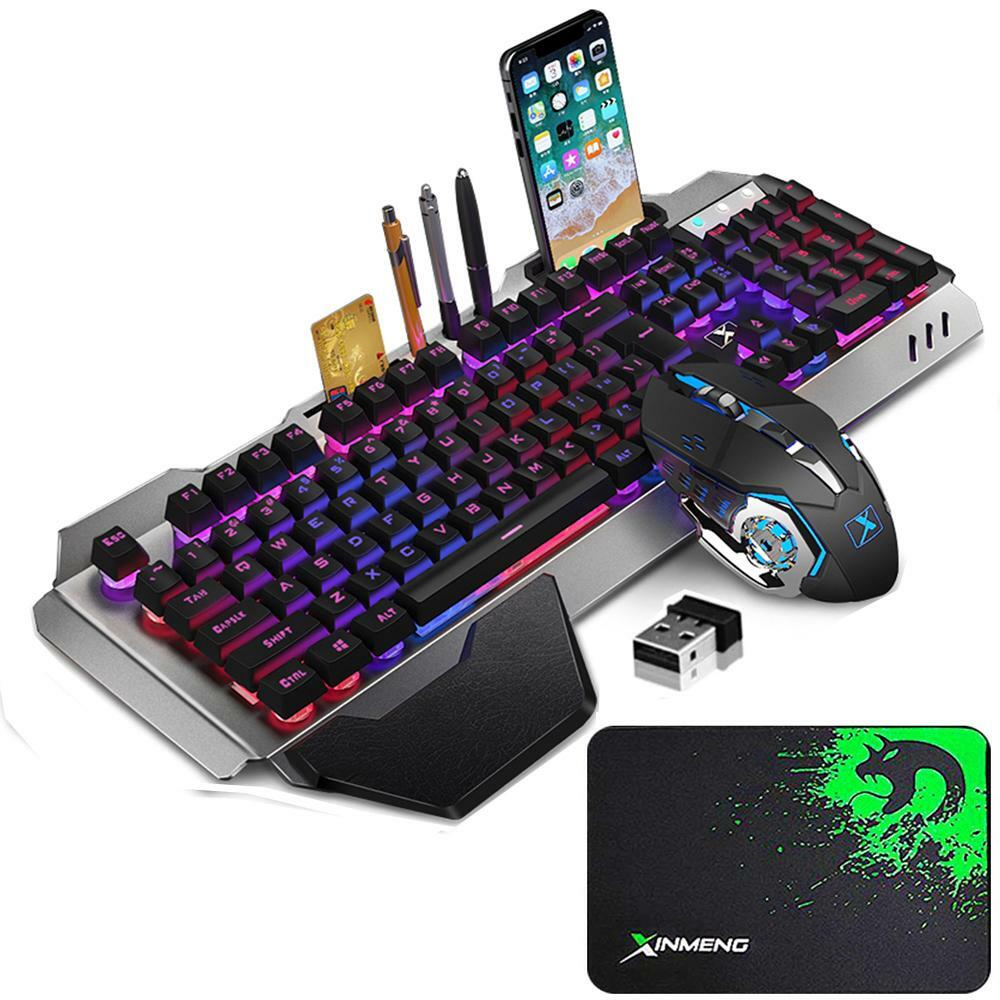

Photos from current listings. Actual item, color, and included accessories may vary.
Wireless Gaming Keyboard And Mouse Buying Guide
Wireless gaming keyboard and mouse combos split into two clear tiers: true mechanical-switch keyboards with 2.4GHz dongles and gaming-grade optical sensors, versus rubber-dome 'mechanical feel' boards with basic optical mice. The trade-off is switch actuation and polling rate versus cost, and the decision rule is simple: buy a 2.4GHz combo with at least a 1000Hz polling rate and mechanical or optical switches if you play competitively; skip any 'mechanical feel' bundle if input latency and key rollover matter.
Key takeaways
- Connection: 2.4GHz USB dongle delivers 1000Hz polling (1ms) — Bluetooth caps at 125Hz (8ms) and is for productivity, not gaming.
- Keyboard switches: true mechanical (red/blue/brown) rated 50–100 million keystrokes vs rubber-dome 'mechanical feel' rated 5–10 million with mushy actuation.
- Mouse sensor: gaming-grade optical at 16,000–26,000 DPI with 400+ IPS tracking vs office-grade 1,600 DPI sensors that spin out on fast flicks.
At a glance
- Category
- Computers & Peripherals
- Last updated
- Nov 28, 2026
Current offers
Highlights
- Connection: 2.4GHz USB dongle delivers 1000Hz polling (1ms) — Bluetooth caps at 125Hz (8ms) and is for productivity, not gaming.
- Keyboard switches: true mechanical (red/blue/brown) rated 50–100 million keystrokes vs rubber-dome 'mechanical feel' rated 5–10 million with mushy actuation.
- Mouse sensor: gaming-grade optical at 16,000–26,000 DPI with 400+ IPS tracking vs office-grade 1,600 DPI sensors that spin out on fast flicks.
- Battery/charging: rechargeable Li-Po with USB-C is standard; AA-powered combos avoid charging but add weight and recurring cost.
Best use cases
- Competitive FPS/MOBA: pick a 2.4GHz mechanical keyboard with N-key rollover plus a mouse with a 16K+ DPI optical sensor and 1000Hz polling — skip Bluetooth-only or 'mechanical feel' bundles.
- Couch/desktop mixed use: choose a tri-mode (2.4GHz + Bluetooth + USB-C wired) combo so one keyboard pairs with PC and laptop; skip single-mode dongle-only kits.
- Budget first build: a rubber-dome 'mechanical feel' combo is acceptable for casual RPG/strategy under 10 hours a week — skip it if you type competitively or need anti-ghosting.
- Small desk / lan setup: pick a tenkeyless (TKL) or 75% keyboard plus a lightweight mouse under 80g; skip full-size 104-key boards and heavy 120g+ mice.
Buying tips
- Confirm 2.4GHz polling: keyboard and mouse should both report 1000Hz; if the mouse is 125Hz or 250Hz, it is an office sensor, not a gaming one.
- Check switch type explicitly: 'mechanical feel' means rubber dome — only 'mechanical switch' (red/blue/brown) gives the 50M+ keystroke life and crisp actuation.
- Match mouse sensor: 16,000 DPI and 400 IPS is the real gaming floor; anything under 8,000 DPI with no IPS rating is productivity-grade.
- Verify rollover: look for NKRO (N-key rollover) or at least 6-key anti-ghosting on the keyboard; combos without it drop simultaneous keypresses.
Specs
| Connection | 2.4GHz dongle / Bluetooth / wired |
|---|---|
| Keyboard Switch | Mechanical vs rubber-dome |
| Mouse Sensor | 16K–26K DPI optical |
| Polling Rate | 1000Hz gaming / 125Hz office |
Related searches
What to check before buying
- Desk space: full-size keyboard needs ~45cm width; TKL ~36cm, 75% ~32cm — measure before choosing a layout.
- USB port: confirm an open USB-A port (or USB-C adapter) for the 2.4GHz dongle; dongles are not interchangeable between brands.
- Wireless environment: 2.4GHz dongles share spectrum with Wi-Fi and USB 3.0 — keep the dongle on a front port or extension away from metal cases.
- Power: rechargeable combos need a USB-C cable and charged battery; AA-powered kits need spare batteries on hand and add ~20–30g to the mouse.
FAQ
Data sources: eBay / Amazon listings and product attribute feeds. Updated Nov 28, 2026.
Some links on this page are affiliate links. If you buy after clicking one, we may earn a commission at no extra cost to you. This does not change which products appear here or their order. Affiliate disclosure.