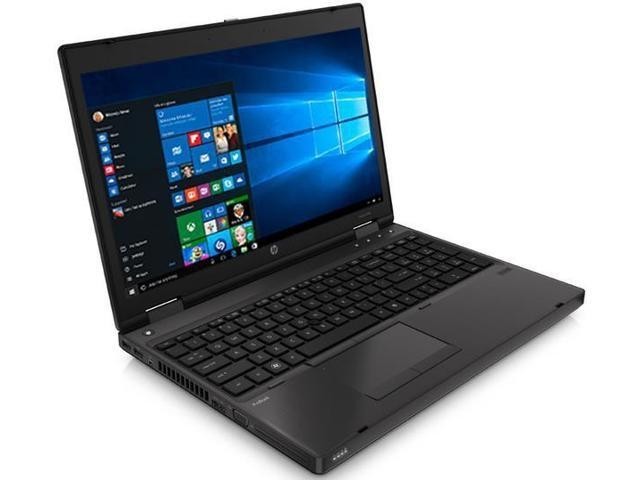

Photos from current listings. Actual item, color, and included accessories may vary.
Laptop Computer Buying Guide
A laptop computer is a self-contained portable PC where the CPU/GPU tier, chassis material, and upgradeability dictate real-world longevity more than raw clock speed. The primary trade-off is thermal headroom versus thin-and-light portability: aluminum unibody designs dissipate heat better and survive hinge stress, while thin plastic shells flex and throttle under sustained load. Decision rule: buy business-class aluminum or magnesium alloy with user-replaceable RAM/SSD for durability, and skip sealed plastic consumer units unless the laptop is a stationary desk-bound secondary screen.
Key takeaways
- Chassis material determines hinge and drop survival: aluminum unibody or magnesium alloy frames resist flex, while thin plastic (ABS/PC) lids crack at hinge standoffs and warp under 85°C+ sustained CPU loads.
- CPU suffix defines thermal budget: U/P-series (15-28W) suit 1.2-1.5 kg ultraportables, H/HX-series (45-55W) require dual-fan vapor-chamber cooling in 2 kg+ chassis for sustained compile or render workloads.
- Soldered LPDDR5/LPDDR5X memory is non-upgradeable — pick 16 GB minimum at purchase; only SODIMM-slot models (typically 1.3 kg+ business lines) allow post-purchase 32-64 GB upgrades.
At a glance
- Category
- Computers & Peripherals
- Last updated
- Nov 28, 2026
Current offers
Highlights
- Chassis material determines hinge and drop survival: aluminum unibody or magnesium alloy frames resist flex, while thin plastic (ABS/PC) lids crack at hinge standoffs and warp under 85°C+ sustained CPU loads.
- CPU suffix defines thermal budget: U/P-series (15-28W) suit 1.2-1.5 kg ultraportables, H/HX-series (45-55W) require dual-fan vapor-chamber cooling in 2 kg+ chassis for sustained compile or render workloads.
- Soldered LPDDR5/LPDDR5X memory is non-upgradeable — pick 16 GB minimum at purchase; only SODIMM-slot models (typically 1.3 kg+ business lines) allow post-purchase 32-64 GB upgrades.
- Display standard separates tiers: 1920x1080 IPS at 300 nits is baseline; 2560x1600 or 2880x1800 at 400-500 nits with 100% sRGB covers color-accurate work and outdoor use without washout.
Best use cases
- Students and office workers: pick a 13-14 inch aluminum U-series laptop at 16 GB RAM and 512 GB NVMe — skip 8 GB soldered units that stutter with 20+ browser tabs.
- Developers and creators: choose an H-series 15-16 inch chassis with dual-fan cooling, 32 GB RAM, and a 100% sRGB 400-nit panel — skip fanless ultrabooks that throttle sustained builds.
- Desk-bound secondary use: a plastic-shell 15.6 inch laptop with 1080p IPS is acceptable when it never leaves a stand — skip it for daily backpack commute where hinge and lid stress cause failures.
- Travel-heavy professionals: prioritize sub-1.3 kg magnesium alloy with 65W USB-C charging — skip 2.5 kg gaming laptops whose 200W+ bricks defeat portability.
Buying tips
- Match CPU suffix to workload: U/P-series for battery-first 10-15W sustained tasks, H/HX-series only if the chassis is at least 18 mm thick with visible dual exhaust vents.
- Buy RAM capacity at purchase, not later: soldered LPDDR5X means 16 GB is the floor and 32 GB is the safe ceiling for 5-year longevity; confirm SODIMM slots only on business models.
- Check SSD interface generation: PCIe 4.0 x4 NVMe delivers 5,000+ MB/s; PCIe 3.0 caps near 3,500 MB/s — and confirm a second M.2 slot if you plan local archive storage.
- Verify port load: Thunderbolt 4/USB4 (40 Gbps) supports dual 4K60 displays and eGPU; USB-C 3.2 Gen 2 (10 Gbps) does not — pick Thunderbolt for docked desk setups.
Specs
| Chassis Material | Aluminum / Magnesium vs Plastic |
|---|---|
| CPU Power Class | U/P 15-28W vs H/HX 45-55W |
| RAM Upgradeability | Soldered LPDDR5 vs SODIMM slots |
| Display Tier | FHD 300-nit vs QHD+ 400-500 nit |
Related searches
What to check before buying
- Confirm charger voltage and plug standard for your region (100-240V input, USB-C PD 65W minimum for U-series, 100W+ for H-series).
- Check desk or dock setup: count required external displays against HDMI 2.1 and Thunderbolt/USB4 alt-mode support before choosing the port tier.
- Verify keyboard layout and backlight need: large-print or backlit keyboards are separate accessories unless specified, so confirm the built-in layout matches your language.
FAQ
Data sources: eBay / Amazon listings and product attribute feeds. Updated Nov 28, 2026.
Some links on this page are affiliate links. If you buy after clicking one, we may earn a commission at no extra cost to you. This does not change which products appear here or their order. Affiliate disclosure.