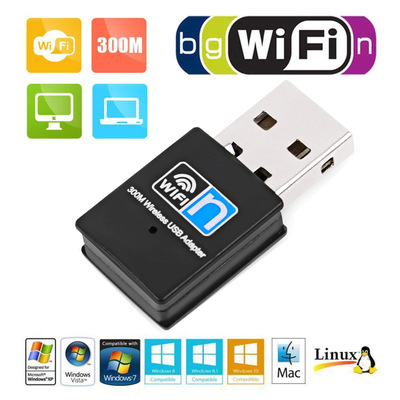

Photos from current listings. Actual item, color, and included accessories may vary.
Wireless Card PC Buying Guide
A wireless card for a PC is either an M.2 or PCIe add-in adapter that adds Wi-Fi and Bluetooth when the motherboard lacks them or when the onboard module is outdated. The core trade-off is interface and antenna quality: modern M.2 2230 cards with Wi-Fi 6/6E and external antennas deliver full throughput, while cheap USB dongles and single-antenna mini cards bottleneck speed and range. The decision rule is simple: buy a card that matches a free M.2 E-key or PCIe x1 slot, has at least two external antennas, and supports WPA3—skip anything that is USB-bus-powered or claims Wi-Fi 6 without a 160 MHz channel spec.
Key takeaways
- M.2 2230 E-key is the standard laptop/desktop slot for Wi-Fi cards; PCIe x1 adapters suit boards with no free M.2 slot.
- Wi-Fi 6 (802.11ax) doubles throughput over Wi-Fi 5 only with 160 MHz channels and MU-MIMO; Wi-Fi 6E adds the clean 6 GHz band.
- Bluetooth 5.2+ on the same card requires a USB 2.0 header connection on PCIe adapters—without it, Bluetooth will not appear.
At a glance
- Category
- Computers & Peripherals
- Last updated
- Nov 28, 2026
Current offers
Highlights
- M.2 2230 E-key is the standard laptop/desktop slot for Wi-Fi cards; PCIe x1 adapters suit boards with no free M.2 slot.
- Wi-Fi 6 (802.11ax) doubles throughput over Wi-Fi 5 only with 160 MHz channels and MU-MIMO; Wi-Fi 6E adds the clean 6 GHz band.
- Bluetooth 5.2+ on the same card requires a USB 2.0 header connection on PCIe adapters—without it, Bluetooth will not appear.
- External antennas with RP-SMA connectors and 2x2 MIMO are the minimum for stable 5 GHz/6 GHz throughput; plastic-housed mini cards with internal antennas lose 50%+ range.
Best use cases
- Desktop with free M.2 E-key slot: pick an M.2 2230 Wi-Fi 6/6E card plus two external antennas; skip PCIe adapters that waste a full slot.
- Desktop with no M.2 slot: choose a PCIe x1 adapter card with a pre-mounted Wi-Fi 6 module and a USB 2.0 header cable for Bluetooth.
- Laptop upgrade: match the original card's form factor (M.2 2230 or 1216) and key (A/E); skip full-size PCIe cards and USB dongles that block ports.
- Old PC with only USB: a USB Wi-Fi 6 adapter is acceptable for browsing, but skip it for gaming or large transfers—PCIe/M.2 cards have lower latency and higher sustained throughput.
Buying tips
- Match the slot: M.2 2230 E-key for most laptops and many ITX boards; PCIe x1 for full-size desktops; never force an A-key card into an E-key slot.
- Require Wi-Fi 6 (802.11ax) with 160 MHz support and WPA3; Wi-Fi 5 (802.11ac) cards are only worth it at a steep discount for legacy routers.
- For Bluetooth, confirm the card lists Bluetooth 5.2 or newer and, on PCIe adapters, includes a USB 2.0 header cable—otherwise Bluetooth is dead weight.
- Antenna count matters: 2x2 MIMO with two RP-SMA antennas is the practical minimum; 1x1 mini cards halve throughput and are laptop-only replacements.
Specs
| Interface | M.2 2230 E-key / PCIe x1 / USB |
|---|---|
| Wi-Fi Standard | Wi-Fi 5 (ac) to Wi-Fi 6E (ax) |
| Bluetooth Version | Bluetooth 5.0-5.3 |
| Antenna Config | 2x2 MIMO, dual RP-SMA |
Related searches
What to check before buying
- Open the case and identify a free M.2 E-key slot (2230 length) or a free PCIe x1 slot; measure clearance for a PCIe card's antenna bracket.
- Check motherboard manual for M.2 keying: E-key accepts Wi-Fi cards; B/M-key slots are for SSDs and will not fit.
- Confirm the router supports the same band and security: Wi-Fi 6E cards need a 6 GHz router; WPA3 requires router firmware support.
- For PCIe adapters, verify a free USB 2.0 internal header for Bluetooth and that the rear I/O shield fits the case's expansion slot.
FAQ
Data sources: eBay / Amazon listings and product attribute feeds. Updated Nov 28, 2026.
Some links on this page are affiliate links. If you buy after clicking one, we may earn a commission at no extra cost to you. This does not change which products appear here or their order. Affiliate disclosure.