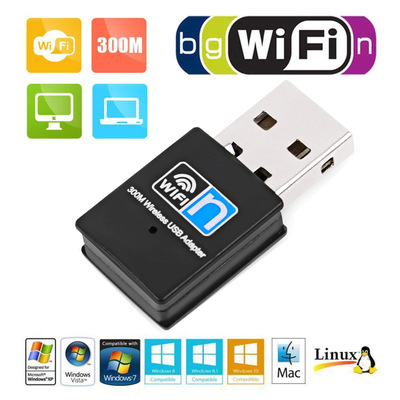

Photos from current listings. Actual item, color, and included accessories may vary.
WiFi Card PC Buying Guide
A WiFi card for a PC is a PCIe or M.2 expansion module that adds or upgrades wireless networking, and the primary trade-off is between the latest WiFi 6E/7 standard with Bluetooth 5.3 and a cheaper older WiFi 5/6 card with weaker antennas. The clear decision rule: buy a card with at least 2x2 MIMO, an Intel or MediaTek chipset, and an external antenna kit, and skip single-band or no-name cards that lack Bluetooth and proper shielding.
Key takeaways
- WiFi 6E (Intel AX210) adds the 6 GHz band for uncongested traffic, while WiFi 7 (Intel BE200) doubles bandwidth to 320 MHz channels but requires a modern motherboard slot.
- PCIe x1 cards suit desktop towers with a free slot; M.2 2230/NGFF cards fit laptops and small-form-factor PCs but need two antenna pigtails routed outside.
- 2x2 MIMO with external dipole antennas typically doubles throughput and range versus 1x1 cards with tiny internal antennas.
At a glance
- Category
- Computers & Peripherals
- Last updated
- Nov 28, 2026
Current offers
Highlights
- WiFi 6E (Intel AX210) adds the 6 GHz band for uncongested traffic, while WiFi 7 (Intel BE200) doubles bandwidth to 320 MHz channels but requires a modern motherboard slot.
- PCIe x1 cards suit desktop towers with a free slot; M.2 2230/NGFF cards fit laptops and small-form-factor PCs but need two antenna pigtails routed outside.
- 2x2 MIMO with external dipole antennas typically doubles throughput and range versus 1x1 cards with tiny internal antennas.
- Bluetooth 5.3 on the same card is delivered over a separate USB header cable; without connecting that cable, Bluetooth will not work.
Best use cases
- Best fit: desktop gaming or streaming PC — pick a PCIe x1 WiFi 6E card with a heatsink and magnetic antenna base to avoid cable clutter.
- Best fit: laptop or mini-PC upgrade — choose an M.2 2230 WiFi 6 card (Intel AX200/AX210) only if the existing slot is keyed A/E and removable.
- Wrong fit: older PCIe 2.0 motherboard with only x16 slots free — use a USB WiFi adapter instead of forcing a PCIe x1 card into a blocked slot.
- Wrong fit: Raspberry Pi or ARM single-board computer — standard M.2 WiFi cards need x86 drivers; buy a board-specific module instead.
Buying tips
- Check motherboard slot clearance: a PCIe x1 card with a tall heatsink needs at least 2 cm below the slot, otherwise it collides with the GPU backplate.
- Match the card key to the slot: M.2 WiFi cards use A/E key (not M key for SSDs); an M.2 2230 card physically fits 2242/2280 slots only with an extension bracket.
- Choose Intel AX210 for WiFi 6E tri-band or Intel BE200 for WiFi 7; avoid cards labeled only 'WiFi 6' without a chipset name, as many use slower Realtek silicon.
- For long-range desktop use, pick a card with detachable RP-SMA antennas so you can swap to a high-gain 9 dBi dipole if the stock 3 dBi pair is insufficient.
Specs
| Interface | PCIe x1 / M.2 2230 A/E-key |
|---|---|
| WiFi Standard | WiFi 5 / 6 / 6E / 7 |
| MIMO Config | 1x1 vs 2x2 (2x2 required for 160 MHz) |
| Bluetooth Version | 5.0 / 5.2 / 5.3 (USB header required) |
Related searches
What to check before buying
- Measure from the PCIe slot to the case side panel: antenna connectors and heatsink must clear the closed side panel by at least 5 mm.
- Confirm your router band: a WiFi 6E card only benefits from the 6 GHz band if your router broadcasts it; otherwise WiFi 6 is sufficient.
- Verify the motherboard has a free USB 2.0 header for Bluetooth — PCIe WiFi cards route Bluetooth over an internal USB cable.
- Check operating system driver support: Windows 10/11 have inbox drivers for Intel AX210/BE200, but Linux needs kernel 5.10+ for WiFi 6E.
FAQ
Data sources: eBay / Amazon listings and product attribute feeds. Updated Nov 28, 2026.
Some links on this page are affiliate links. If you buy after clicking one, we may earn a commission at no extra cost to you. This does not change which products appear here or their order. Affiliate disclosure.