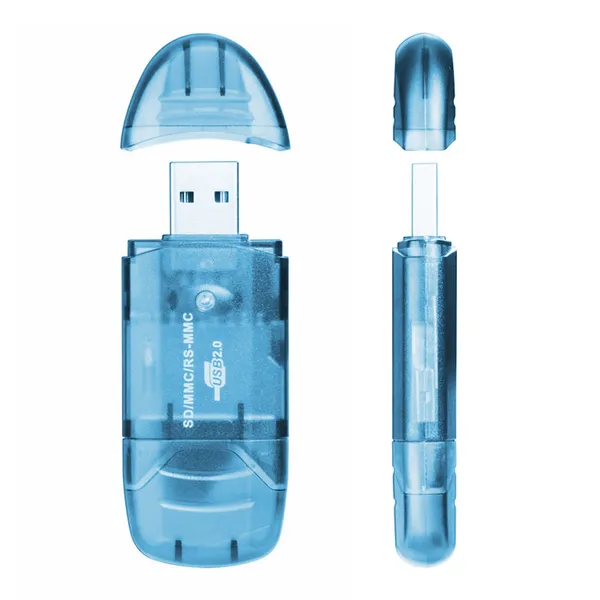

Photos from current listings. Actual item, color, and included accessories may vary.
Sd Adapter Buying Guide
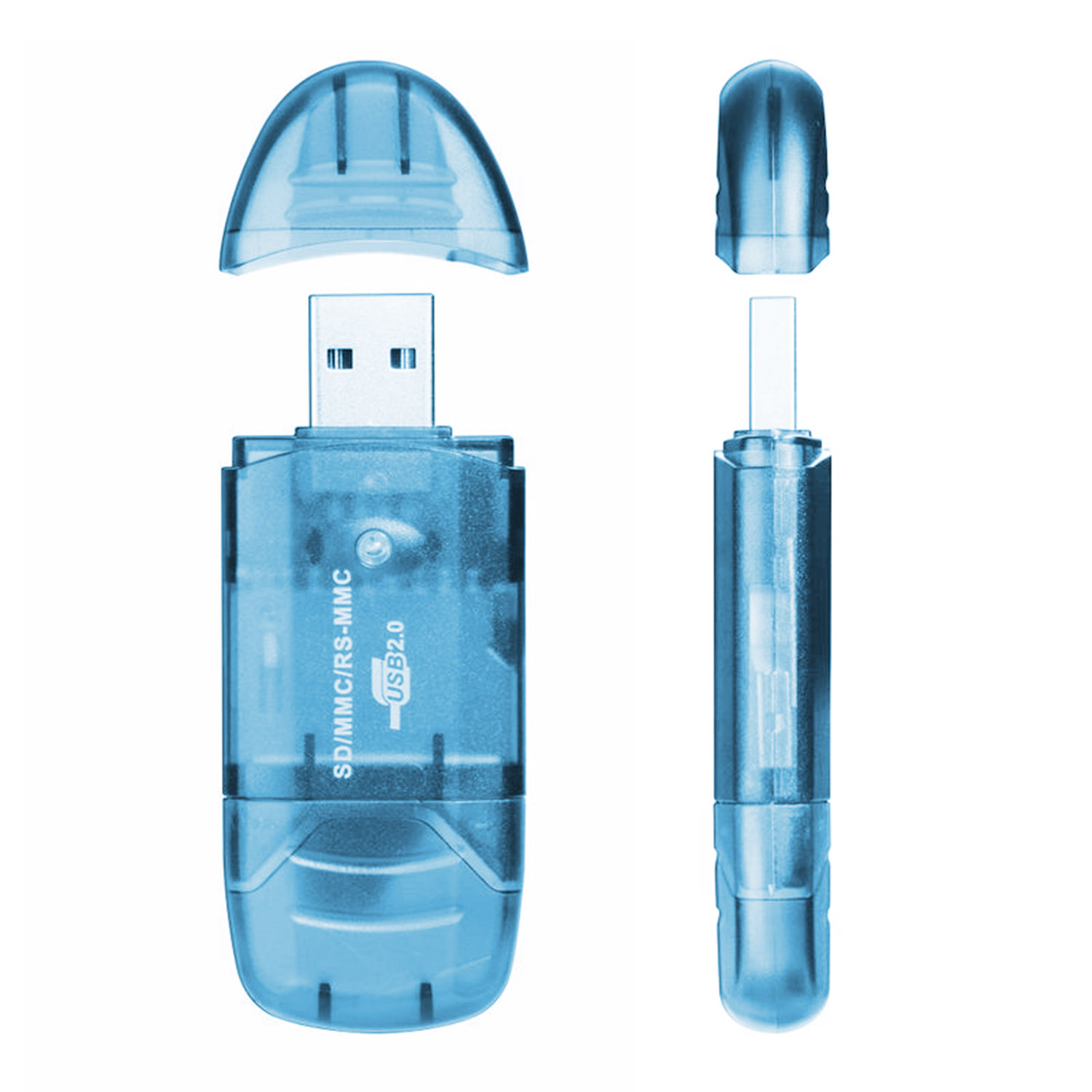
An SD adapter is a passive or bridge device that lets SD, microSD, or legacy card formats connect to a host via USB, or lets a microSD card fit a full-size SD slot. The core trade-off is bus generation and controller quality: USB 2.0 adapters cap real throughput near 40 MB/s, while USB 3.0 and UHS-II-class readers unlock 100–300 MB/s for large-file transfers. Buy USB 3.x readers with metal or reinforced shells for daily card swapping; treat USB 2.0 plastic dongles as emergency-only compromises.
Median $19.99
Key takeaways
- Bus speed is the hard ceiling: USB 2.0 (480 Mbps) delivers roughly 35–40 MB/s real-world, so a 128 GB card takes over an hour to offload; USB 3.0/3.1 readers reach 90–300 MB/s depending on card class.
- Card generation matters more than the adapter: UHS-I cards cap near 104 MB/s, UHS-II cards need a UHS-II reader to exceed that, and microSD-to-SD passive shells add no speed.
- Connector type determines laptop fit: USB-C native readers suit modern MacBooks and thin laptops, while USB-A readers need a hub or dock on port-limited machines.
At a glance
- Category
- Computers & Peripherals
- Last updated
- Nov 28, 2026
Current offers
Highlights
- Bus speed is the hard ceiling: USB 2.0 (480 Mbps) delivers roughly 35–40 MB/s real-world, so a 128 GB card takes over an hour to offload; USB 3.0/3.1 readers reach 90–300 MB/s depending on card class.
- Card generation matters more than the adapter: UHS-I cards cap near 104 MB/s, UHS-II cards need a UHS-II reader to exceed that, and microSD-to-SD passive shells add no speed.
- Connector type determines laptop fit: USB-C native readers suit modern MacBooks and thin laptops, while USB-A readers need a hub or dock on port-limited machines.
- Housing material affects durability: metal shells dissipate heat and resist port flex, while thin plastic housings crack at the connector joint under repeated plug cycles.
Best use cases
- Pick a USB 3.0 multi-slot reader if you offload camera cards (SD, microSD, CF) weekly and need 100 MB/s-plus transfers; skip USB 2.0 dongles for anything above 32 GB.
- Pick a USB-C SD reader for MacBook Pro/Air or ultrabook owners with no USB-A port; skip it if your desktop or dock only offers USB-A.
- Pick a microSD-to-SD passive adapter only for slot conversion (e.g., trail cameras, older laptops); skip it if you need to connect a card directly to a computer.
- Pick a 3-in-1 USB-C hub with SD slot if you want one cable for display, power, and card access; skip multi-function hubs if you only need card reading, since extra chips add failure points.
Buying tips
- Match the adapter bus to your card: USB 3.0/3.1 for UHS-I and UHS-II cards, USB 2.0 only for cards 32 GB or smaller where transfer time is tolerable.
- For microSD-to-SD shells, confirm the adapter states UHS-I or UHS-II support; unbranded passive shells often omit the extra row of contacts needed for UHS-II speeds.
- Choose a reader with a metal connector shell and strain relief if it lives in a bag; plastic USB-A plugs are the most common failure point on budget readers.
- Check slot coverage: single-slot SD readers are smaller, but multi-slot readers (SD, microSD, CF, MS) replace several dongles and cost less than buying two separate readers.
Specs
| Bus Interface | USB 2.0 (480 Mbps) vs USB 3.0/3.1 (5 Gbps) |
|---|---|
| Card Slots | Single SD vs multi-slot SD/microSD/CF |
| Connector Type | USB-A vs USB-C native |
| Housing Material | Metal shell vs plastic body |
Related searches
What to check before buying
- Measure your laptop or desktop port layout: count available USB-C vs USB-A ports before choosing connector type, and account for occupied ports.
- Confirm your card format and generation: full-size SD, microSD, CF, or Memory Stick, and whether it is UHS-I or UHS-II, so the reader matches contact rows.
- Check host OS support: USB 3.0 readers are driver-free on Windows 10/11 and macOS, but older USB 2.0 multi-slot readers may need legacy drivers on newer macOS.
- For hub-style adapters, verify power delivery and display passthrough ratings (e.g., 60W PD, 4K 30Hz) if you plan to charge or drive a monitor through the same device.
FAQ
Data sources: eBay / Amazon listings and product attribute feeds. Updated Nov 28, 2026.
Some links on this page are affiliate links. If you buy after clicking one, we may earn a commission at no extra cost to you. This does not change which products appear here or their order. Affiliate disclosure.