
Photos from current listings. Actual item, color, and included accessories may vary.
PC Computer Buying Guide
A PC computer spans full desktop towers, compact mini-PCs, and all-in-ones, with the core trade-off between CPU generation/RAM expandability and integrated vs. dedicated graphics. Durable, upgradeable desktops use standard ATX/micro-ATX motherboards, socketed CPUs, and 80 PLUS-certified PSUs; sealed mini-PCs and aging refurbished office units cap longevity and GPU upgrades. The decision rule: buy for the CPU generation and PSU headroom you will need in three years, not the highest storage number in the listing.
Median $170.31
Key takeaways
- Refurbished business desktops (Dell OptiPlex, Lenovo ThinkCentre) use socketed Intel Core i5/i7 CPUs with standard DDR4 DIMM slots, so RAM and SSD are user-upgradeable.
- Dedicated GPU support requires at least a 500W 80 PLUS Bronze PSU and a PCIe x16 slot; slim/SFF office chassis often lack both, limiting gaming upgrades.
- Modern mini-PCs and all-in-ones solder RAM and use mobile CPUs, trading expandability for a smaller footprint and lower idle power draw.
At a glance
- Category
- Computers & Peripherals
- Last updated
- Nov 27, 2026
Current offers
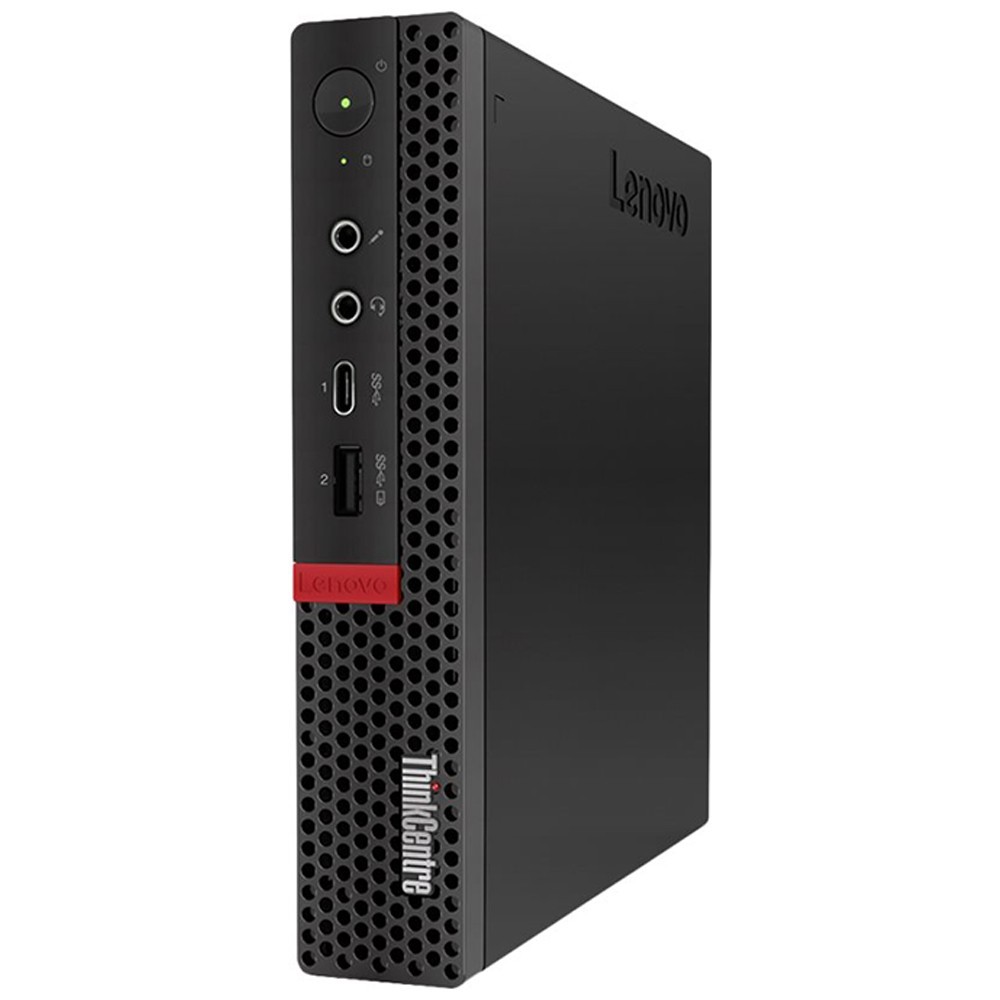 Lenovo Desktop Computer PC Intel Processor 16GB RAM 240GB SSD Windows 11 Wi-Fi$170.31View on eBay
 FHD 1080P Webcam USB PC Computer Auto Focus With Microphone 60-Degree Widescreen Desktop Laptop Live Streaming$38.99View on Mallflare
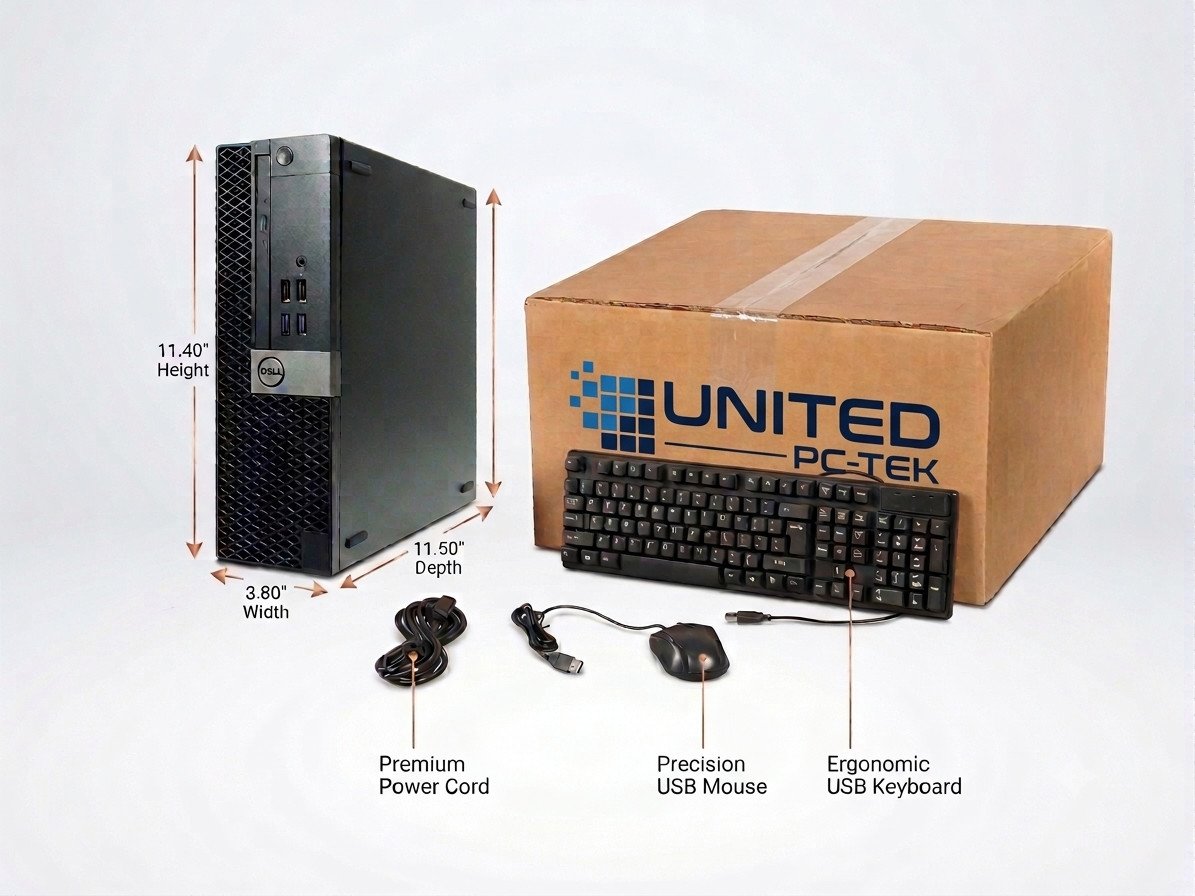 Fast Dell i7 Desktop Computer PC | up to 32GB RAM 2TB SSD | Windows 11 Pro WiFi$249.99Last checked Nov 18, 2026View on eBay
 1Pc FHD 1080P Webcam USB PC Computer Auto Focus With Microphone 60-Degree Widescreen Desktop Laptop Live Streaming Rotatable Clip For Broadcast Video Calling Conferencin$39.99View on Mallflare
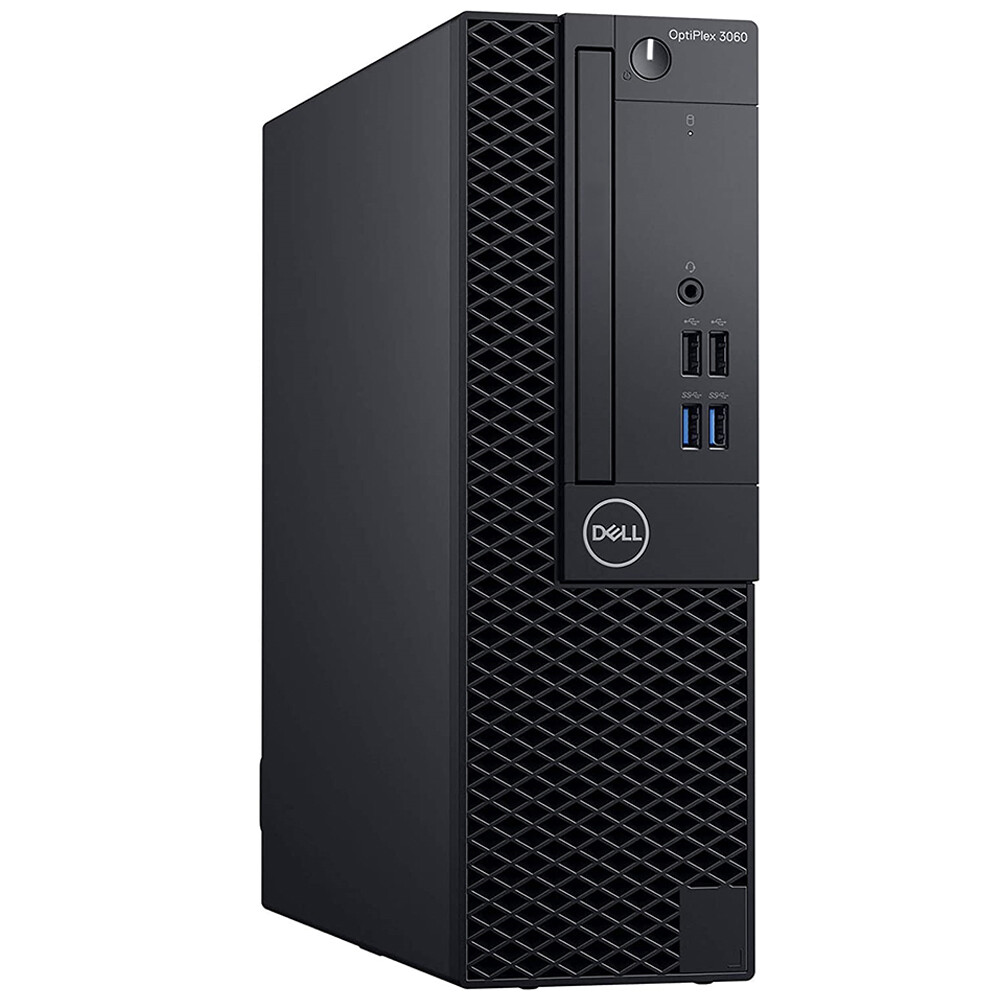 Dell Windows 11 Pro Desktop Computer PC Up To i7 8th Gen. 32GB RAM 4TB SSD/HDD$284.38Last checked Nov 16, 2026View on eBay
Highlights
- Refurbished business desktops (Dell OptiPlex, Lenovo ThinkCentre) use socketed Intel Core i5/i7 CPUs with standard DDR4 DIMM slots, so RAM and SSD are user-upgradeable.
- Dedicated GPU support requires at least a 500W 80 PLUS Bronze PSU and a PCIe x16 slot; slim/SFF office chassis often lack both, limiting gaming upgrades.
- Modern mini-PCs and all-in-ones solder RAM and use mobile CPUs, trading expandability for a smaller footprint and lower idle power draw.
- Windows 11 requires TPM 2.0 and an 8th-gen Intel or AMD Ryzen 2000 CPU or newer; older refurbished units may need a bypass or stay on Windows 10.
Best use cases
- Best fit for 1080p gaming on a budget: a refurbished desktop with an 8th-gen i5/i7, 16GB RAM, SSD, and a low-profile GTX 1650 or RTX 3050 in a chassis with a 300W+ PSU.
- Best fit for office and home productivity: a mini-PC or SFF desktop with 16GB RAM and NVMe SSD is sufficient; skip dedicated-GPU towers to save space and power.
- Wrong fit: buying a vintage modem-era or Pentium-era 'PC' for modern web use — it lacks SSE4.2, TPM 2.0, and DDR4 support, so it cannot run Windows 11 or current browsers.
- Best fit for upgrade paths: a mid-tower with a standard ATX PSU and PCIe x16 slot; skip proprietary SFF units if you plan to add a graphics card later.
Buying tips
- Match CPU generation to workload: 8th-gen Intel or Ryzen 2000 minimum for Windows 11; 10th-gen/Ryzen 5000 for modern gaming; avoid 4th-gen or older unless the price reflects e-waste risk.
- For 1080p gaming, budget 16GB dual-channel RAM and a GPU with at least 6GB VRAM; integrated Intel UHD graphics handle only esports titles at low settings.
- Check PSU wattage and connector type: a 500W 80 PLUS Bronze unit with one 8-pin PCIe connector supports mid-range GPUs; 180W proprietary PSUs do not.
- Choose NVMe SSD over SATA for boot drives; 240GB is a minimum, 1TB is the practical tier for game libraries, and 2.5-inch SATA bays allow cheap bulk storage.
Specs
| Form Factor | Mid-tower / SFF / Mini-PC / AIO |
|---|---|
| CPU Platform | Socketed desktop vs soldered mobile |
| GPU Support | Integrated vs PCIe x16 dedicated |
| PSU Standard | ATX 80 PLUS vs proprietary SFF |
Related searches
What to check before buying
- Measure your desk or shelf footprint and confirm tower height clears overhead storage; mid-towers run roughly 18 inches tall, mini-PCs under 2 inches.
- Verify the monitor ports on the GPU or motherboard match your display (HDMI 2.0 for 4K60, DisplayPort 1.4 for high refresh) before buying.
- Confirm your region's AC voltage and plug type; most desktop PSUs are 100-240V auto-switching, but some refurbished units ship with fixed-voltage cords.
- If adding a GPU, check chassis clearance for card length (often 10-12 inches) and confirm the PSU has the required 6-pin or 8-pin PCIe connectors.
FAQ
Data sources: eBay / Amazon listings and product attribute feeds. Updated Nov 27, 2026.
Some links on this page are affiliate links. If you buy after clicking one, we may earn a commission at no extra cost to you. This does not change which products appear here or their order. Affiliate disclosure.