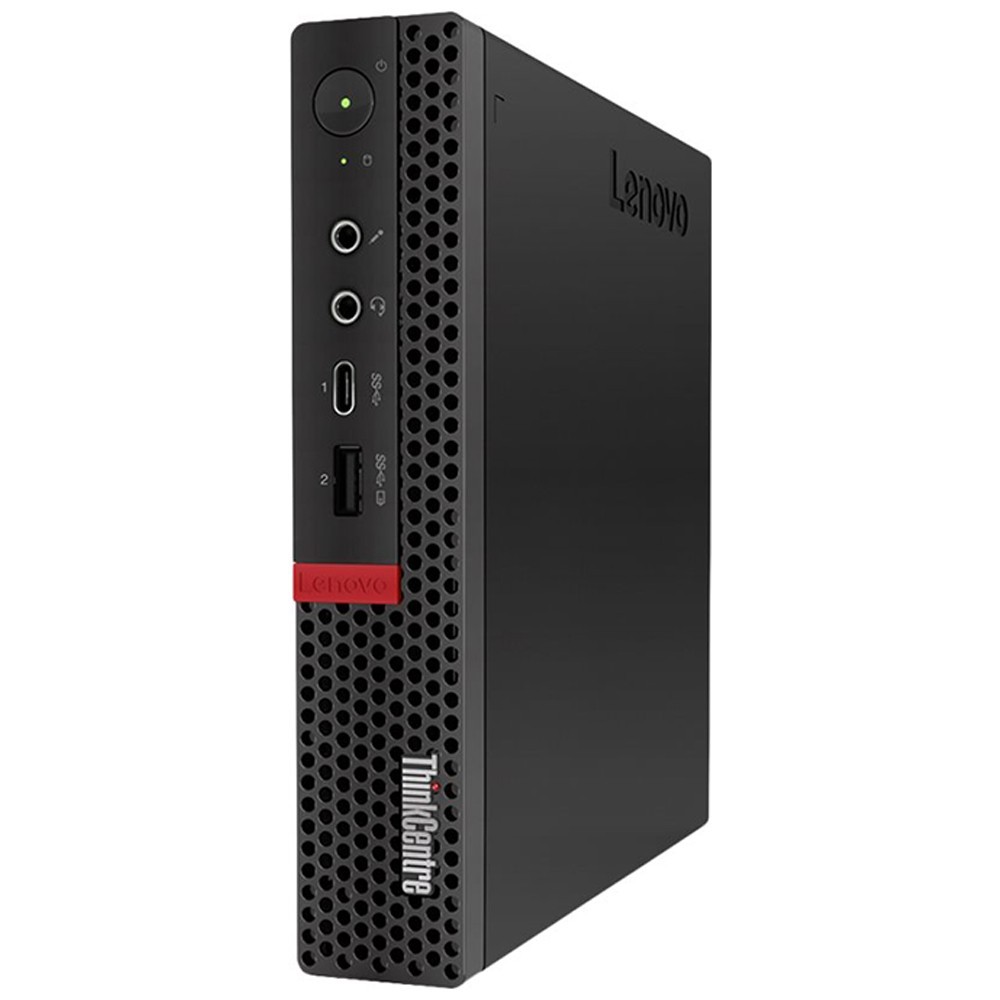

Photos from current listings. Actual item, color, and included accessories may vary.
Lenovo Computer Buying Guide
Lenovo computers span three distinct product families: ThinkPad (business laptops), IdeaPad (consumer laptops), and ThinkCentre (desktop PCs), each with clear build-quality tiers. The primary trade-off is between enterprise-grade durability and consumer-grade value, determined by chassis material, MIL-SPEC testing, and processor generation. Buyers should choose ThinkPad or ThinkCentre for long-term reliability and serviceability, and IdeaPad only for budget-focused light use.
Key takeaways
- ThinkPad T/X series use magnesium or carbon-fiber reinforced chassis with MIL-STD-810H testing; IdeaPad uses polycarbonate and lacks full MIL-SPEC validation.
- Lenovo desktops split into ThinkCentre (business, tool-less chassis, vPro support) and IdeaCentre (consumer, limited expansion, proprietary PSUs).
- Laptop processors are soldered; RAM is soldered on most IdeaPad and ThinkPad X1 models, but socketed on ThinkPad T-series and L-series for upgradeability.
At a glance
- Category
- Computers & Peripherals
- Last updated
- Nov 28, 2026
Current offers
Highlights
- ThinkPad T/X series use magnesium or carbon-fiber reinforced chassis with MIL-STD-810H testing; IdeaPad uses polycarbonate and lacks full MIL-SPEC validation.
- Lenovo desktops split into ThinkCentre (business, tool-less chassis, vPro support) and IdeaCentre (consumer, limited expansion, proprietary PSUs).
- Laptop processors are soldered; RAM is soldered on most IdeaPad and ThinkPad X1 models, but socketed on ThinkPad T-series and L-series for upgradeability.
- Windows 11 requires TPM 2.0 and an 8th-gen Intel or newer CPU; older Lenovo models with 7th-gen or earlier cannot officially upgrade.
Best use cases
- Best fit: ThinkPad T14 or L14 for business users needing spill-resistant keyboards, 4-5 year service life, and user-replaceable RAM/SSD.
- Best fit: ThinkCentre M-series small-form-factor desktop for office productivity with dual-monitor support and vPro remote management.
- Wrong fit: IdeaPad 1 or 3 series for heavy multitasking or travel abuse; choose ThinkPad E-series as the minimum durable tier.
- Skip: Any Lenovo desktop with a proprietary power supply if you plan to add a discrete graphics card later; standard ATX PSUs are rare in ThinkCentre Tiny.
Buying tips
- For laptops, check the model suffix: T = premium business, L = value business, E = entry business, IdeaPad = consumer. T and L offer the best durability per dollar.
- Confirm RAM is socketed (SO-DIMM) if you need 32GB or more; soldered LPDDR4X on X1 Carbon and IdeaPad Slim caps at 16GB and cannot be upgraded.
- Lenovo desktops use proprietary motherboards and power connectors in Tiny and SFF forms; only the Tower form factor accepts standard ATX components.
- 8th-gen Intel Core or newer is mandatory for Windows 11; for AMD, Ryzen 2000-series or newer. Avoid 6th/7th-gen Intel unless you will run Linux.
Specs
| Product Line | ThinkPad / IdeaPad / ThinkCentre |
|---|---|
| Chassis Material | Mg alloy / Carbon fiber / Polycarbonate |
| MIL-SPEC | MIL-STD-810H on ThinkPad T/X |
| Windows 11 CPU | Intel 8th-gen+ / AMD Ryzen 2000+ |
Related searches
What to check before buying
- Measure desk or bag space: ThinkCentre Tiny is 1L volume (179x182x34mm) and requires a VESA mount or stand; Tower is 13L and needs floor or desk clearance.
- Confirm port requirements: ThinkPad T-series includes Thunderbolt 4 on Intel models; IdeaPad often omits Thunderbolt and uses USB-C 3.2 Gen 1 only.
- Check keyboard layout: Lenovo laptops ship with US ANSI or ISO layouts; non-US buyers must verify the exact layout before purchase.
- Verify power supply voltage: Lenovo laptop adapters are 100-240V auto-switching, but desktop PSUs may be fixed 115V or 230V depending on region.
FAQ
Data sources: eBay / Amazon listings and product attribute feeds. Updated Nov 28, 2026.
Some links on this page are affiliate links. If you buy after clicking one, we may earn a commission at no extra cost to you. This does not change which products appear here or their order. Affiliate disclosure.