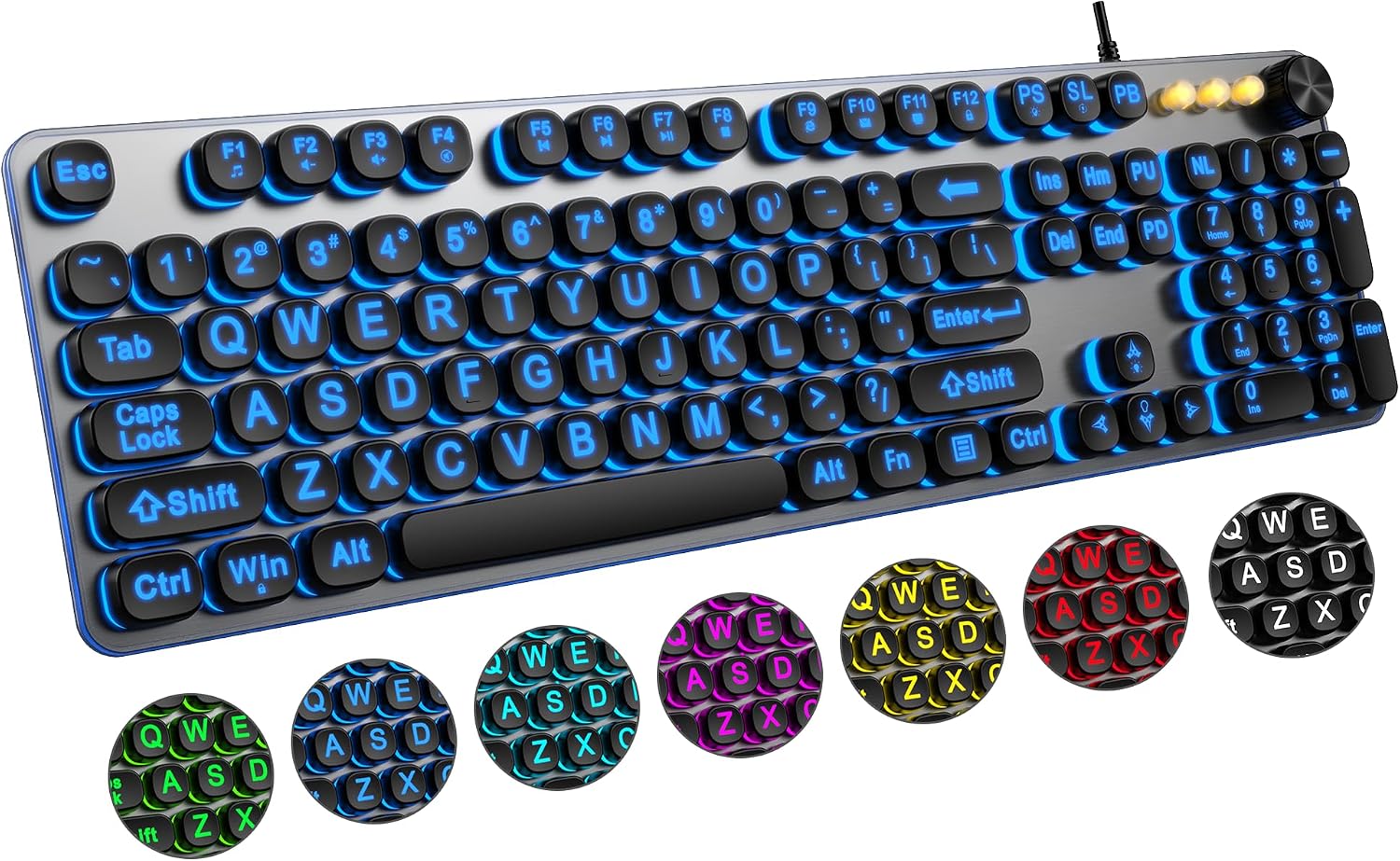

Photos from current listings. Actual item, color, and included accessories may vary.
Large Print Keyboard Buying Guide
Large print keyboards use high-contrast, oversized key legends to reduce eye strain for low-vision users, seniors, and anyone working in dim light. The core trade-off is between wireless convenience and the inherent reliability of wired USB, plus backlighting quality versus battery drain. Choose a wired USB model with high-contrast white-on-black keys and genuine oversize legends for a durable, maintenance-free solution; choose wireless only if cable clutter is the primary constraint and you accept battery/charging management.
Median $127.49
Key takeaways
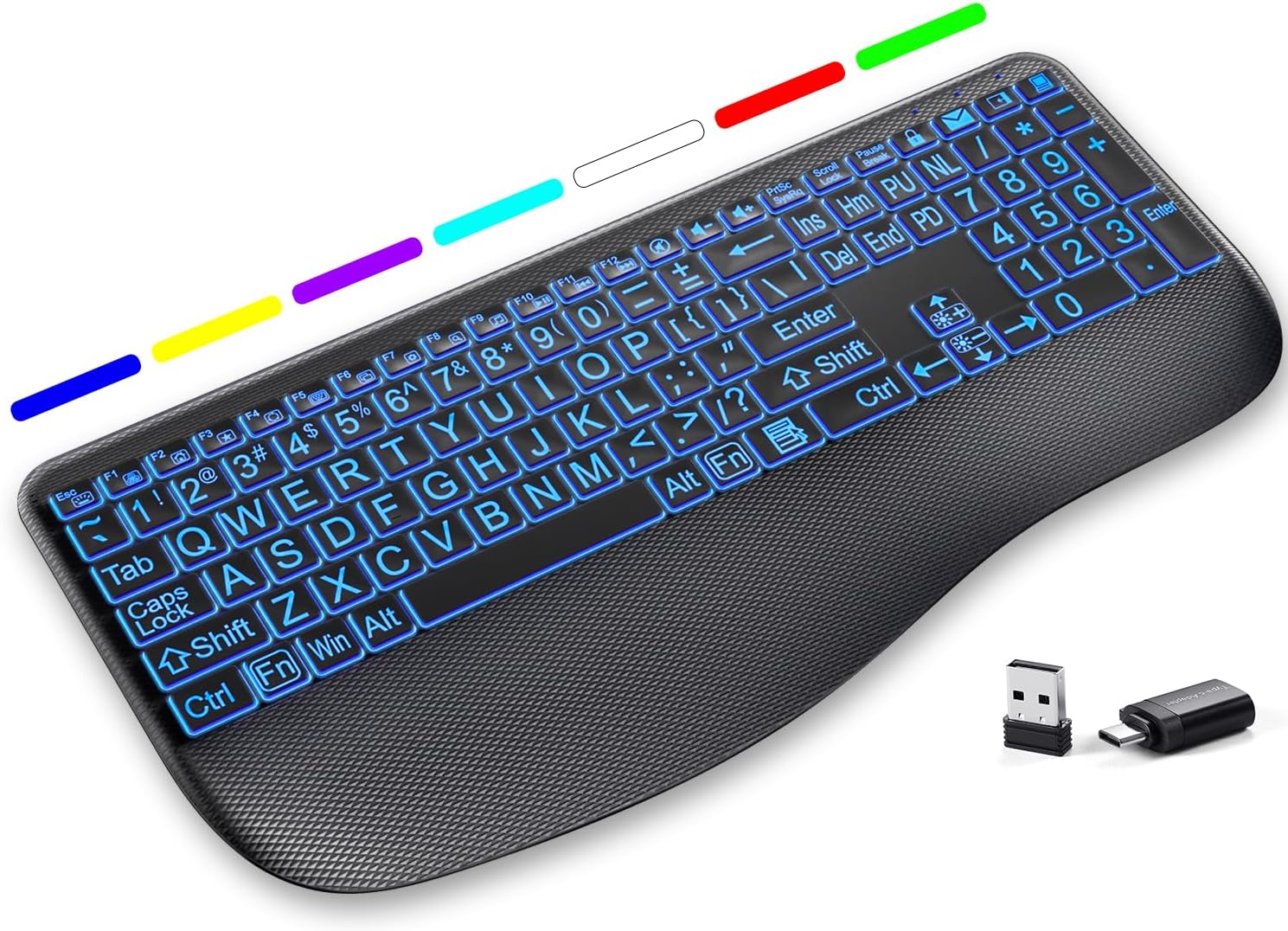
- Key legends are typically 2-3x standard size, using high-contrast white or yellow on black; contrast ratio and font weight matter more than keycap height for readability.
- Wired models use USB-A with plug-and-play HID compliance across Windows, macOS, and Linux; no drivers needed, and power is drawn directly from the port.
- Wireless models use 2.4GHz USB dongles or Bluetooth; 2.4GHz offers lower latency and no pairing, while Bluetooth adds device switching but can suffer interference.
At a glance
- Category
- Computers & Peripherals
- Last updated
- Nov 28, 2026
Current offers
Highlights
- Key legends are typically 2-3x standard size, using high-contrast white or yellow on black; contrast ratio and font weight matter more than keycap height for readability.
- Wired models use USB-A with plug-and-play HID compliance across Windows, macOS, and Linux; no drivers needed, and power is drawn directly from the port.
- Wireless models use 2.4GHz USB dongles or Bluetooth; 2.4GHz offers lower latency and no pairing, while Bluetooth adds device switching but can suffer interference.
- Backlighting ranges from single-color white to 7-color RGB; for low-vision use, a steady white or warm-white backlight with adjustable brightness is more effective than cycling colors.
Best use cases
- Best fit: A senior or low-vision user at a fixed desktop PC — choose a wired USB keyboard with large white legends on black keys and a bright white backlight; skip wireless to avoid battery swaps and pairing frustration.
- Best fit: A laptop user who occasionally needs a larger keyboard in a living-room chair — choose a compact wireless 2.4GHz model with an on/off switch and auto-sleep to preserve battery; skip full-size wired boards if portability matters.
- Wrong fit: A touch typist with normal vision seeking a mechanical gaming keyboard — large print legends do not improve typing feel or speed; skip this category and buy a standard mechanical board with your preferred switch type.
- Best fit: A shared family computer in a dim hallway or den — choose a wired backlit model with a physical brightness control; skip RGB-only boards whose color cycling adds distraction without improving contrast.
Buying tips
- Measure your desk depth before buying: full-size boards with number pads need about 18 inches of width, while compact wireless models run 11-14 inches; a wrist rest adds another 2-3 inches.
- Prioritize contrast over key size: white or yellow legends on matte black keycaps at 2x standard size outperform gray-on-black or glossy keycaps, which reflect glare and reduce legibility.
- For wired models, confirm a standard USB-A plug or included USB-C adapter; for wireless, prefer 2.4GHz dongles over Bluetooth-only for plug-and-play reliability on Windows desktops.
- Check backlight power source: wired keyboards draw power from USB and never need charging; wireless backlit models typically need AA/AAA batteries or built-in rechargeable cells, so budget for replacements or charging cycles.
Specs
| Connection | Wired USB-A vs 2.4GHz wireless |
|---|---|
| Key Legend Size | 2x-3x standard, high-contrast |
| Backlight | White adjustable vs 7-color RGB |
| Layout | Full-size with numpad vs compact |
Related searches
What to check before buying
- Measure your keyboard tray or desk width and depth; confirm at least 18 inches width for full-size layouts or 12 inches for compact wireless models.
- Verify your computer has a free USB-A port (or a USB-C to USB-A adapter) for wired models; for wireless, confirm a free USB-A port for the 2.4GHz dongle.
- Check ambient lighting: if you work in dim rooms, choose a backlit model with adjustable brightness; if your room is bright, a non-backlit high-contrast board is sufficient.
- Confirm the keyboard layout matches your OS: Windows keyboards include a Windows key, while macOS users should look for Command/Option legend compatibility or plan to remap.
FAQ
Data sources: eBay / Amazon listings and product attribute feeds. Updated Nov 28, 2026.
Some links on this page are affiliate links. If you buy after clicking one, we may earn a commission at no extra cost to you. This does not change which products appear here or their order. Affiliate disclosure.