
Photos from current listings. Actual item, color, and included accessories may vary.
Gaming Laptop Buying Guide
A gaming laptop is a self-contained portable PC built around a discrete GPU, a high-refresh display, and a thermal system that determines whether its rated components can sustain performance. The core trade-off is GPU wattage and cooling headroom versus chassis thickness, noise, and battery life. Buy by GPU tier and sustained-watt rating first, then panel and build; thin-and-light laptops with low-watt GPUs are portability machines, not desktop replacements.
Median $65.50
Key takeaways
- GPU wattage (TGP) matters more than the GPU name: the same RTX 4060 can run at 60W or 140W, a 30-40% performance spread.
- Discrete GPUs need 2-3 heat pipes and dual fans; slim single-fan chassis throttle within minutes under sustained load.
- High-refresh panels: 144Hz-165Hz IPS is mainstream; 240Hz+ suits esports, while 4K/OLED raises cost and lowers battery life.
At a glance
- Category
- Computers & Peripherals
- Last updated
- Nov 28, 2026
Current offers
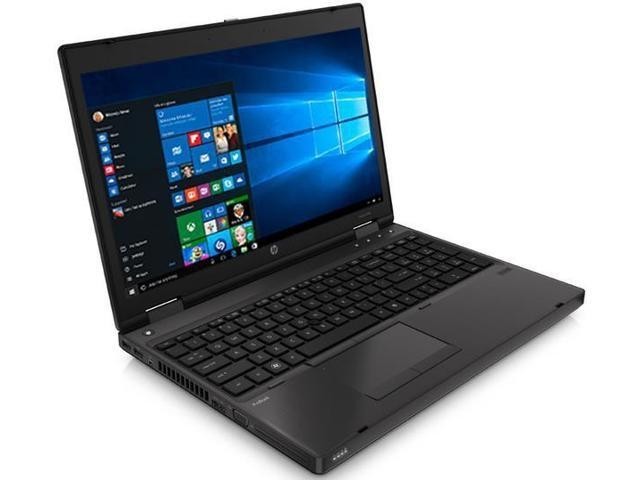
Highlights
- GPU wattage (TGP) matters more than the GPU name: the same RTX 4060 can run at 60W or 140W, a 30-40% performance spread.
- Discrete GPUs need 2-3 heat pipes and dual fans; slim single-fan chassis throttle within minutes under sustained load.
- High-refresh panels: 144Hz-165Hz IPS is mainstream; 240Hz+ suits esports, while 4K/OLED raises cost and lowers battery life.
- CPU/GPU generation pairing: current-gen H/HX chips with DDR5 and PCIe 4.0 storage avoid the bottlenecked previous-gen budget builds.
Best use cases
- Pick a 140W-class RTX 4060/4070 with a 15-16 inch 165Hz QHD panel for 1440p high-refresh gaming as a primary desktop replacement.
- Pick a 60-90W GPU in a 14-inch thin chassis only if portability and battery life outweigh frame rates; skip it for 4K or ray-traced AAA.
- Pick a 17-18 inch chassis with a 175W RTX 4080/4090 and vapor chamber only for maximum performance; skip if you carry it daily.
- Skip plastic-bodied budget models with single-channel RAM and 8GB VRAM for modern AAA titles; 12GB+ VRAM is the safer floor.
Buying tips
- Budget 16GB DDR5 minimum (2x8GB dual-channel); 32GB for simulation, modding, or heavy multitasking. Confirm two SO-DIMM slots, not soldered single-channel.
- Choose 1TB NVMe PCIe 4.0 minimum; games routinely exceed 100GB, and a second M.2 slot extends life without reimaging.
- Match panel to GPU: 1080p/144Hz for 4050-4060, 1440p/165Hz for 4060-4070, 4K only with 4080+. Refresh rate beats resolution for competitive play.
- Prioritize TGP over GPU tier labels: a 140W 4060 outperforms a 90W 4070; check the sustained-watt spec, not just the model name.
Specs
| GPU TGP | 60W-175W sustained |
|---|---|
| Panel Refresh | 144Hz-240Hz IPS/OLED |
| Memory | 16GB-32GB DDR5, 2 slots |
| Storage | 1TB NVMe PCIe 4.0, 2x M.2 |
Related searches
What to check before buying
- Measure your bag or desk: 15-16 inch models are ~2.2-2.6 kg; 17-18 inch desktop replacements run 3 kg+ and need a larger sleeve.
- Confirm the charger wattage and plug type (barrel vs USB-C PD); high-TGP GPUs require a 230-330W brick, not 100W USB-C.
- Check port layout for your peripherals: HDMI 2.1 and mini-DisplayPort for external monitors, plus at least two USB-A for mouse and headset.
- Verify upgrade access: two RAM slots and two M.2 slots if you plan to expand; soldered memory and single-slot storage cap longevity.
FAQ
Data sources: eBay / Amazon listings and product attribute feeds. Updated Nov 28, 2026.
Some links on this page are affiliate links. If you buy after clicking one, we may earn a commission at no extra cost to you. This does not change which products appear here or their order. Affiliate disclosure.