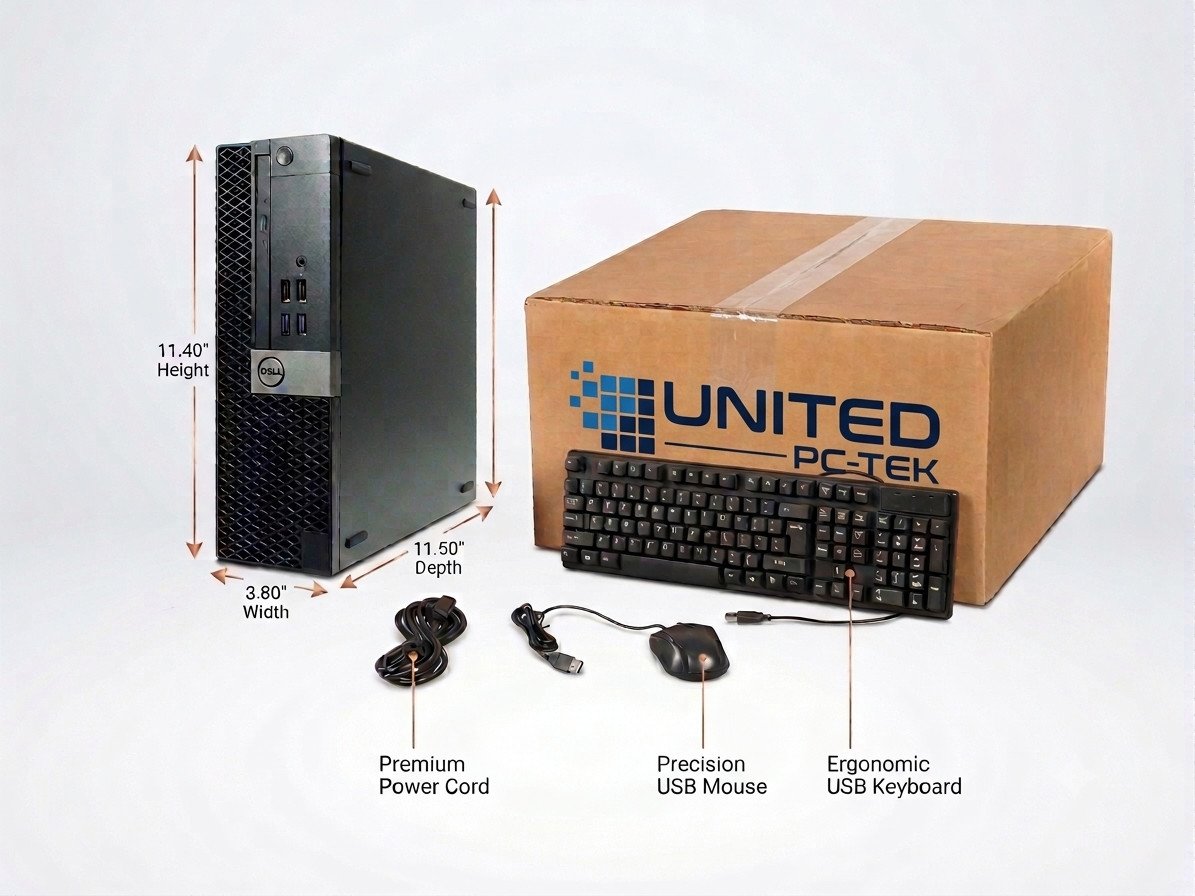

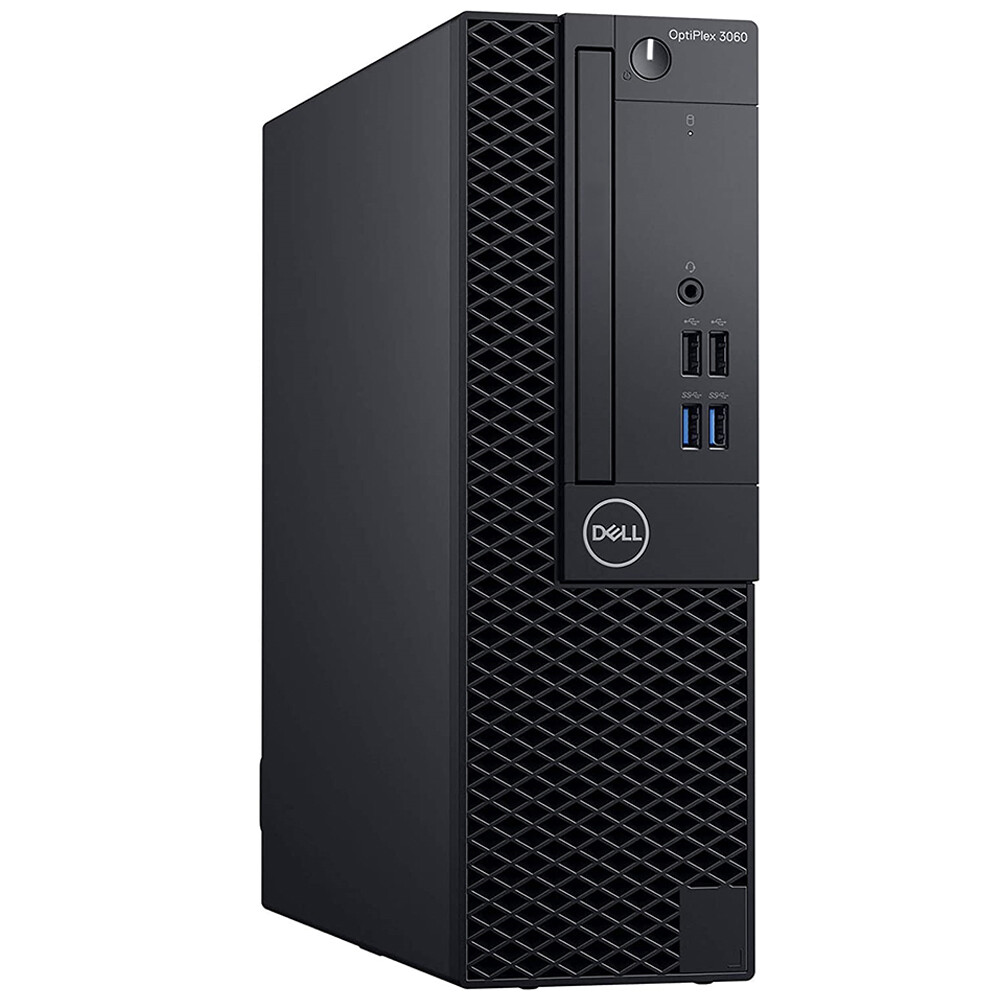
Photos from current listings. Actual item, color, and included accessories may vary.
Dell Desktop Computer Buying Guide
Dell desktop computers span budget office towers through compact micro form factors and gaming rigs, with the main trade-off being new-generation efficiency and warranty versus refurbished/off-lease savings at the cost of older architecture and limited upgrade paths. The decision rule: buy current-generation OptiPlex, Precision, or XPS if you need full warranty and modern I/O; buy certified refurbished only when the CPU generation, RAM ceiling, and storage interface are explicitly stated and meet your workload.
Median $267.19
Key takeaways
- Form factor tiers dictate expansion: full tower OptiPlex/Precision accept standard ATX PSUs and full-length GPUs, while Micro/SFF models use proprietary PSUs and low-profile slots.
- CPU generation defines platform limits: 8th-gen Intel is the Windows 11 baseline; 6th/7th-gen refurb units need workarounds and cap DDR4 speed and NVMe support.
- Business vs consumer lines differ in service: OptiPlex/Precision carry 3-year ProSupport options and tool-less chassis; Inspiron/XPS consumer units typically carry 1-year depot warranty.
At a glance
- Category
- Computers & Peripherals
- Last updated
- Nov 28, 2026
Current offers
Highlights
- Form factor tiers dictate expansion: full tower OptiPlex/Precision accept standard ATX PSUs and full-length GPUs, while Micro/SFF models use proprietary PSUs and low-profile slots.
- CPU generation defines platform limits: 8th-gen Intel is the Windows 11 baseline; 6th/7th-gen refurb units need workarounds and cap DDR4 speed and NVMe support.
- Business vs consumer lines differ in service: OptiPlex/Precision carry 3-year ProSupport options and tool-less chassis; Inspiron/XPS consumer units typically carry 1-year depot warranty.
- Refurbished off-lease units commonly ship with 8th–10th gen i5/i7, DDR4 SO-DIMM or DIMM memory, and SATA/NVMe mixed storage; confirm the exact storage bus before assuming SSD speed.
Best use cases
- Best fit for office/multitasking: OptiPlex 7000-series SFF or Micro with 8th-gen i5 or newer, 16GB RAM, and NVMe SSD; skip 4th–6th gen towers regardless of core count.
- Best fit for gaming/GPU work: Precision Tower or XPS Desktop with standard ATX PSU and full-length PCIe x16 clearance; skip Micro/SFF units that cannot fit a dual-slot GPU.
- Best fit for tight spaces/kiosks: OptiPlex Micro with VESA mount and external power brick; skip it if you need internal 3.5-inch drives or more than one low-profile expansion card.
- Wrong fit for high-core rendering on a budget: refurbished 8th-gen i7 towers lack the memory bandwidth and PCIe lanes of current Precision workstations; step up to a current Xeon/W-series platform.
Buying tips
- Match CPU generation to OS support: 8th-gen Intel or newer guarantees Windows 11 compatibility; 7th-gen and older refurb units are end-of-life for official Windows 11 updates.
- Size RAM by slot count, not just capacity: OptiPlex Micro/SFF often have two SO-DIMM or DIMM slots; 32GB stated may mean 2x16GB leaving zero upgrade headroom.
- Verify storage bus before buying: SATA SSDs cap near 550 MB/s while NVMe PCIe 3.0/4.0 drives reach 3,000–7,000 MB/s; listings mixing 'SSD/HDD' often ship SATA.
- Check PSU wattage and connector type on refurb towers: proprietary 240W–360W units limit GPU upgrades to slot-powered cards under 75W.
Specs
| Form Factor | Micro / SFF / Tower / All-in-One |
|---|---|
| CPU Platform | Intel 8th-gen+ (Win 11 baseline) |
| PSU Type | Proprietary vs Standard ATX |
| Warranty Tier | 1-yr consumer / 3-yr ProSupport |
Related searches
What to check before buying
- Measure your desk or mount space: Micro is roughly 7x7x1.4 inches, SFF about 11.5x11.5x3.6 inches, and full towers exceed 14 inches in depth.
- Confirm the video output standard on the unit: older OptiPlex may offer DisplayPort 1.2 and VGA only; verify HDMI 2.0 or DP 1.4 if driving 4K 60Hz.
- Check the included power cable and voltage: Dell desktops ship with region-specific IEC C13 or C5 cords and auto-switching 100–240V PSUs on most modern models.
- For refurbished units, verify the listing states the exact CPU model, RAM configuration, storage interface, and whether a Windows 11 Pro license is embedded in the BIOS.
FAQ
Data sources: eBay / Amazon listings and product attribute feeds. Updated Nov 28, 2026.
Some links on this page are affiliate links. If you buy after clicking one, we may earn a commission at no extra cost to you. This does not change which products appear here or their order. Affiliate disclosure.