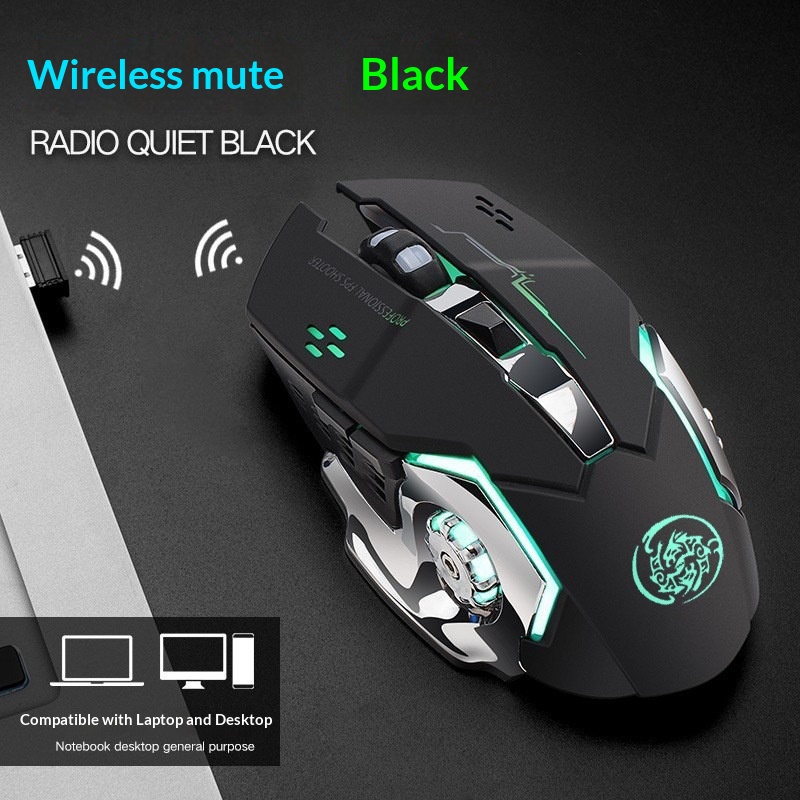

Photos from current listings. Actual item, color, and included accessories may vary.
Bluetooth Gaming Mouse Buying Guide
Bluetooth gaming mice pair a low-latency wireless radio with a battery, trading the absolute latency and unlimited runtime of a wired mouse for cable-free convenience across laptops, tablets, and desktops. The core trade-off is sensor polling/report rate and battery capacity versus weight and price: dual-mode 2.4 GHz + Bluetooth models with 1000 Hz polling and optical sensors at 12,000+ DPI are the durable baseline, while single-mode Bluetooth-only or office-grade sensors are compromises for serious play.
Key takeaways
- Report rate matters most: Bluetooth tops out near 125 Hz (8 ms) on classic BLE, while 2.4 GHz dongles and BLE 5.1+ reach 1000 Hz (1 ms) — choose 2.4 GHz for competitive FPS.
- Optical sensors rated 12,000–26,000 DPI with 400+ IPS tracking and 40 G acceleration define modern gaming tiers; office-grade 1,600 DPI sensors skip frames on fast swipes.
- Battery tiers run 300–500 mAh (40–70 hr) in lightweight 60–80 g shells up to 800–1000 mAh (100–150 hr) in 90–110 g ergonomic bodies; USB-C fast charge is now standard.
At a glance
- Category
- Computers & Peripherals
- Last updated
- Nov 28, 2026
Current offers
Highlights
- Report rate matters most: Bluetooth tops out near 125 Hz (8 ms) on classic BLE, while 2.4 GHz dongles and BLE 5.1+ reach 1000 Hz (1 ms) — choose 2.4 GHz for competitive FPS.
- Optical sensors rated 12,000–26,000 DPI with 400+ IPS tracking and 40 G acceleration define modern gaming tiers; office-grade 1,600 DPI sensors skip frames on fast swipes.
- Battery tiers run 300–500 mAh (40–70 hr) in lightweight 60–80 g shells up to 800–1000 mAh (100–150 hr) in 90–110 g ergonomic bodies; USB-C fast charge is now standard.
- Switch type separates tiers: optical switches rated 70–100 million clicks resist double-click failures; mechanical Omron-style 20–50 million click switches are the value baseline.
Best use cases
- Competitive FPS/aim players: pick a 2.4 GHz dongle mouse with 1000 Hz polling, 60–75 g weight, and a 3360-class or better sensor — skip Bluetooth-only models whose 125 Hz report rate adds visible input lag.
- Laptop/tablet and multi-device users: pick dual-mode 2.4 GHz + Bluetooth 5.x with a device-switch button and USB-C charging — skip single-mode 2.4 GHz models that occupy the only USB-A port.
- MMO/MOBA and productivity-gaming hybrids: pick 90–110 g ergonomic shells with 8–12 programmable buttons and 100+ hr battery — skip 60 g ultralights with two side buttons if macros and palm support matter.
Buying tips
- Match report rate to genre: 1000 Hz polling via 2.4 GHz dongle for FPS; 125–250 Hz Bluetooth is fine for turn-based, MMO, and desktop use where 8 ms latency is imperceptible.
- Size the shell to grip: 18–19 cm hands fit 120–125 mm long mice; below 17 cm hands pick sub-120 mm shells, and palm grippers need 40 mm+ rear hump height.
- Check sensor specs, not marketing DPI: prioritize 400+ IPS and 40 G acceleration ratings over headline 26,000 DPI numbers you will never use above 3,200 DPI.
- Confirm Bluetooth version and profile count: Bluetooth 5.0+ with 3-device memory beats Bluetooth 4.0 single-pair models for laptop/tablet/console hopping.
Specs
| Connection | 2.4 GHz dongle + Bluetooth 5.x dual-mode |
|---|---|
| Report Rate | 125 Hz BT / 1000 Hz 2.4 GHz |
| Sensor Tier | Optical 12,000+ DPI, 400+ IPS |
| Battery / Charge | 300–1000 mAh, 40–150 hr, USB-C |
Related searches
What to check before buying
- Measure your hand length (wrist crease to fingertip) and preferred grip — palm grip needs a longer, taller shell than claw or fingertip grip.
- Confirm your devices' wireless: USB-A port free for a 2.4 GHz dongle, or Bluetooth 5.x built in for cable-free pairing on laptops and tablets.
- Check charging standard: USB-C ports on the mouse front allow play-while-charging; micro-USB models need a dedicated cable you must not lose.
- Verify surface compatibility: optical sensors track on most desks, but glass or high-gloss surfaces require a mousepad — budget for one if your desk is reflective.
FAQ
Data sources: eBay / Amazon listings and product attribute feeds. Updated Nov 28, 2026.
Some links on this page are affiliate links. If you buy after clicking one, we may earn a commission at no extra cost to you. This does not change which products appear here or their order. Affiliate disclosure.