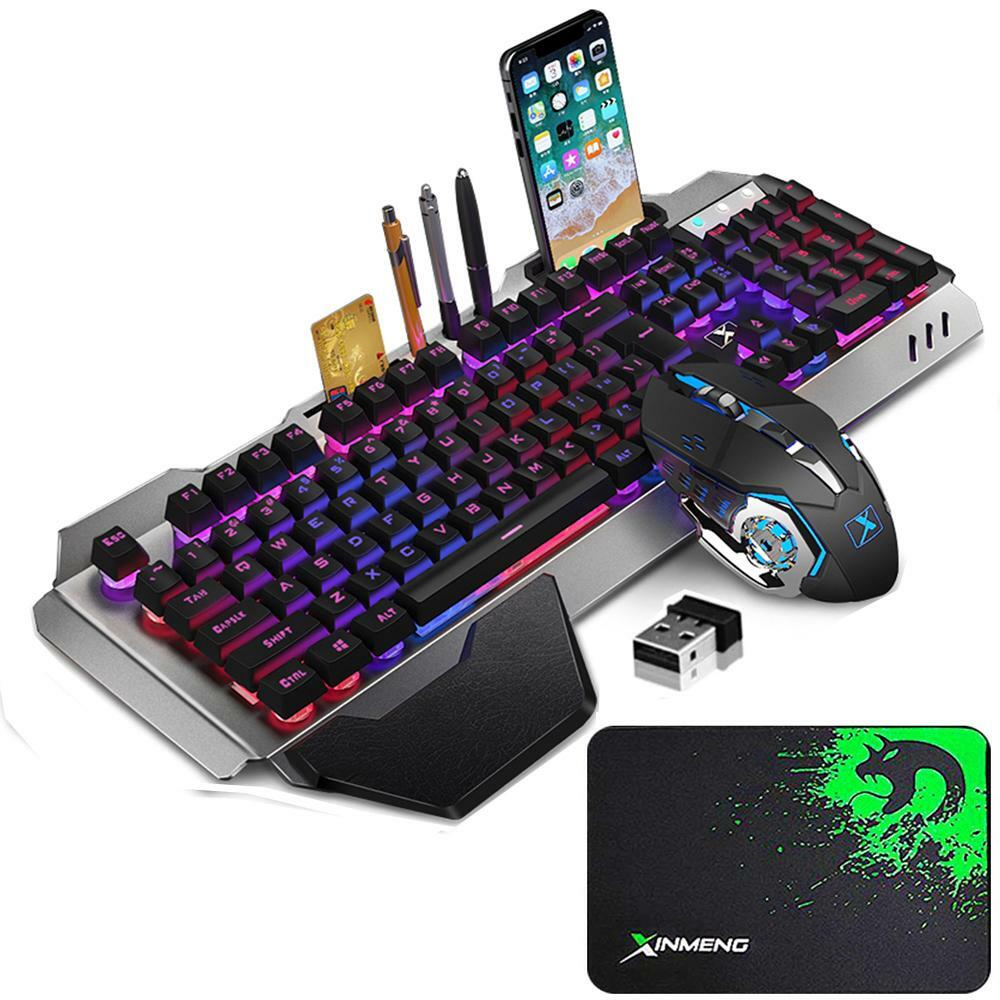

Photos from current listings. Actual item, color, and included accessories may vary.
Backlit Wireless Keyboard And Mouse Buying Guide
A backlit wireless keyboard and mouse combo pairs illuminated keys with a cordless mouse, letting you type and navigate in dim rooms without cables. The core trade-off is between true mechanical switches with per-key lighting and membrane or 'mechanical-feel' designs that use rainbow zone lighting to hit a lower build tier. Buy a combo only if the keyboard uses a standard 2.4GHz USB receiver with a dedicated mouse channel or dual-mode Bluetooth; skip any bundle where the backlight is not switchable or the mouse lacks its own power switch.
Key takeaways
- Lighting architecture splits into three tiers: single-color membrane backlight, fixed rainbow zones (often called 'mechanical feel'), and true per-key RGB on hot-swappable mechanical boards.
- Wireless link quality is determined by the receiver type: a dedicated 2.4GHz nano-receiver on an extension cable beats Bluetooth for latency, while dual-mode 2.4G + BT 5.0 offers the most device flexibility.
- Battery runtime scales with lighting: backlight-off mode typically delivers 2-4x the hours of full-brightness rainbow lighting, so switchable lighting and auto-sleep are the real endurance specs.
At a glance
- Category
- Computers & Peripherals
- Last updated
- Nov 28, 2026
Current offers
Highlights
- Lighting architecture splits into three tiers: single-color membrane backlight, fixed rainbow zones (often called 'mechanical feel'), and true per-key RGB on hot-swappable mechanical boards.
- Wireless link quality is determined by the receiver type: a dedicated 2.4GHz nano-receiver on an extension cable beats Bluetooth for latency, while dual-mode 2.4G + BT 5.0 offers the most device flexibility.
- Battery runtime scales with lighting: backlight-off mode typically delivers 2-4x the hours of full-brightness rainbow lighting, so switchable lighting and auto-sleep are the real endurance specs.
- Keycap and plate materials decide durability: ABS caps shine and wear within months of heavy use, while PBT caps and a steel or aluminum top plate resist shine and flex far longer.
Best use cases
- Best fit for dim-room productivity and late-night work: pick a combo with adjustable white or warm backlight, full-size layout with number pad, and a quiet membrane or linear switch so the mouse and keyboard share one receiver.
- Best fit for competitive and casual gaming: choose a true mechanical TKL or full-size board with per-key RGB, N-key rollover, and a 2.4GHz receiver; the bundled mouse should offer at least 1000Hz polling and an optical sensor rated for 4000+ DPI.
- Wrong fit: buying a fixed rainbow 'mechanical feel' bundle for color-matched desk setups, since zone lighting cannot be set to a single custom color; instead pick a per-key RGB board or a white-backlight tier.
- Wrong fit: expecting one combo to serve a desktop and a tablet simultaneously unless it explicitly supports dual-mode Bluetooth with a device-switch key; single-receiver 2.4GHz bundles pair to one host at a time.
Buying tips
- Match keyboard size to desk math: a full-size board is about 17-18 inches wide, TKL about 14 inches, and 60% about 11-12 inches; measure your mouse-swing zone before choosing full-size with a number pad.
- Insist on a 2.4GHz USB-A receiver with at least one USB-C or micro-USB charge port on both devices; Bluetooth-only combos add wake latency and cannot enter BIOS or pre-boot menus.
- For backlight endurance, look for switchable lighting plus auto-sleep; a 1500-2000mAh keyboard battery with backlight off typically lasts weeks, while full rainbow RGB drains it in days.
- Check switch and cap grades: PBT keycaps and hot-swappable mechanical sockets extend service life, whereas ABS caps on a soldered membrane board are the first wear point in a budget bundle.
Specs
| Keyboard Switch | Membrane / Mechanical / Hot-swap |
|---|---|
| Backlight Type | White / Rainbow zones / Per-key RGB |
| Wireless Link | 2.4GHz USB receiver / BT 5.0 / Dual |
| Layout Size | Full-size / TKL / 60-75% |
Related searches
What to check before buying
- Measure desk depth and width so the keyboard plus mouse pad fit with at least 3 inches of mouse-swing clearance; full-size combos need roughly 30 inches of combined width.
- Confirm your host has a free USB-A port for the 2.4GHz receiver, or that the combo supports Bluetooth 5.0 if you are on a tablet or laptop with USB-C only.
- Verify the mouse is right- or left-hand friendly and sized for your grip; bundled mice are typically ambidextrous and compact, which cramps palm-grip users.
- Check that both devices charge over USB-C and that the keyboard has switchable or dimmable backlight, since non-switchable rainbow lighting cannot be tamed for dark rooms.
FAQ
Data sources: eBay / Amazon listings and product attribute feeds. Updated Nov 28, 2026.
Some links on this page are affiliate links. If you buy after clicking one, we may earn a commission at no extra cost to you. This does not change which products appear here or their order. Affiliate disclosure.