FSW Flight Yoke vs Logitech G Pro Flight Yoke: Choose by Price or Pedals
FSW Flight Yoke offers named X-Plane, MSFS 2020/2024, and Prepar3D support with cockpit-style controls. The $200 Logitech bundle adds rudder pedals for PC use, but not Xbox compatibility. Choose by price, pedals, and sim platform.
Last updated Oct 7, 2026
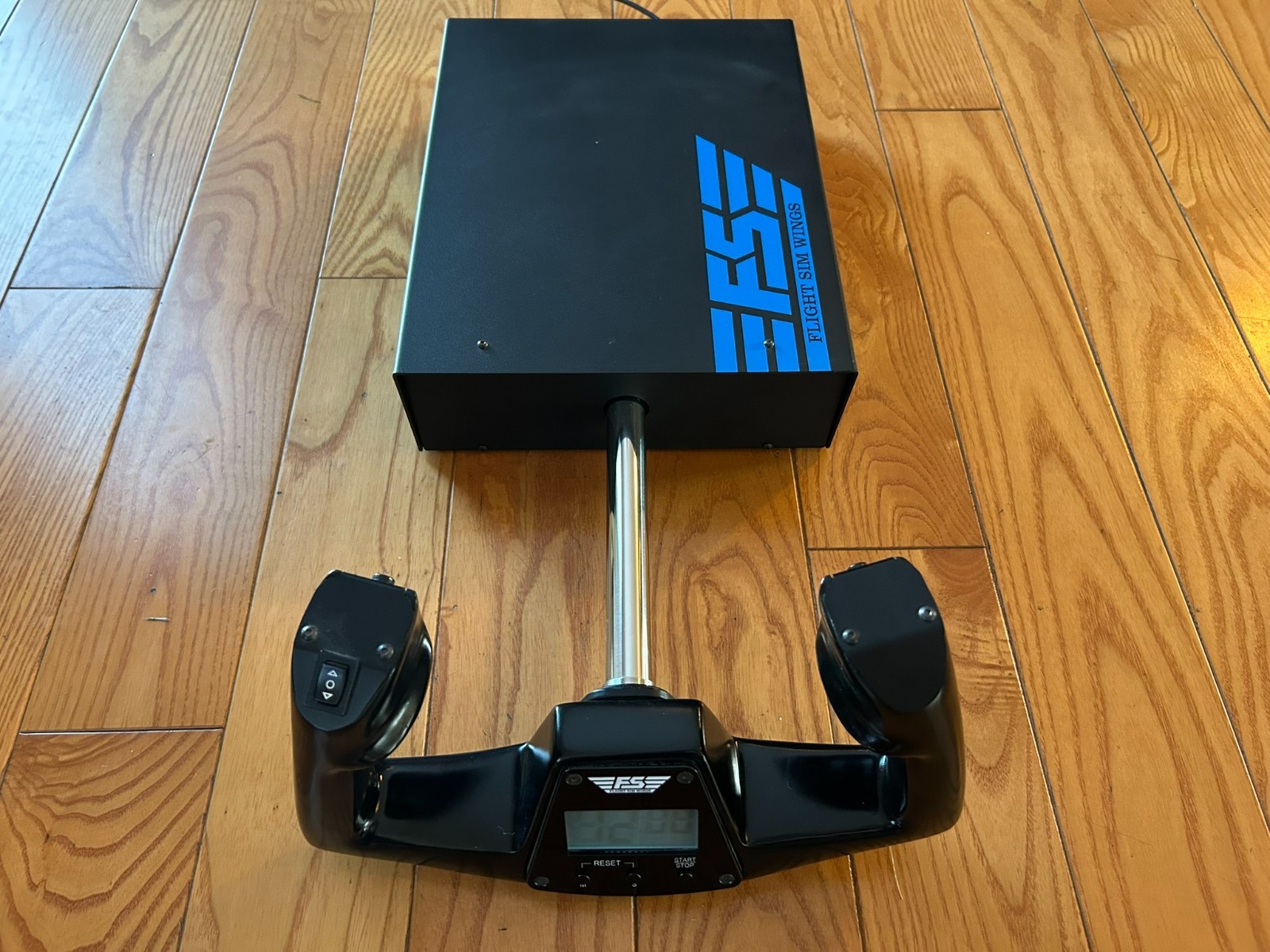
FSW FLIGHT YOKE- Flight Sim Wings-Works
$500.00Listed at review time
Original listing may be ended — you can still view it or find similar offers.
Affiliate disclosure: We may earn a commission if you buy through links on this page, at no extra cost to you. Confirm live price, stock, and return terms on the seller page. Affiliate disclosure.
Choosing flight sim yokes & throttles is really a choice between a specialized yoke setup and a more complete control bundle. The FSW Flight Yoke names several simulator platforms and adds cockpit-style controls, while Logitech's package includes rudder pedals at a much lower listed price. The right pick depends on whether your priority is simulator support and yoke features or getting hand-and-foot controls together.
Quick verdict
FSW Flight Yoke is the better match for shoppers who want a Cessna-style handle, trim controls, a clock, and extra buttons in the yoke itself. Logitech G Pro Flight Yoke System + Pro Flight Rudder Pedal System makes more sense when the included pedals matter most. The listed prices are USD 500 and USD 200, creating a $300 spread. Both products specify wired USB connectivity, so that detail does not separate them.
Compact comparison
| Factor | FSW Flight Yoke | Logitech G Pro Flight Yoke + Rudder Pedals |
|---|---|---|
| Listed price | USD 500 | USD 200 |
| Package | Flight yoke | Flight yoke and rudder pedal system |
| Named compatibility | X-Plane, MSFS 2020 and 2024, Prepar3D | For PC |
| Listed condition | Used | Open box |
| Notable details | Cessna-style handle, trim rocker, clock with timer | 4-foot cable, controller attachment |
Where each product wins
- FSW Flight Yoke: Best aligned with the named X-Plane, Microsoft Flight Simulator 2020 and 2024, and Prepar3D software list, especially if cockpit-style controls are a priority.
- Logitech G Pro Flight Yoke System + Pro Flight Rudder Pedal System: The stronger fit when a yoke-and-pedal package for PC is more useful than additional yoke controls.
Product notes
FSW Flight Yoke
FSW Flight Yoke is the more detailed cockpit-style choice. Its Cessna-style handle, contact-less sensors for pitch and roll, electric trim rocker, clock with timer, and two momentary push buttons give the yoke several aviation-oriented controls beyond its primary axes. Standard HID protocols and no-driver plug-and-play operation are also specified, which can make computer setup more straightforward. The named compatibility with X-Plane, Microsoft Flight Simulator 2020 and 2024, and Prepar3D gives it a clear use case for those simulators. The limitation is its listed used condition, which may not suit shoppers specifically seeking an open-box package. Choose it when the trim, clock, and extra switches are meaningful parts of the experience.
Logitech G Pro Flight Yoke System + Pro Flight Rudder Pedal System
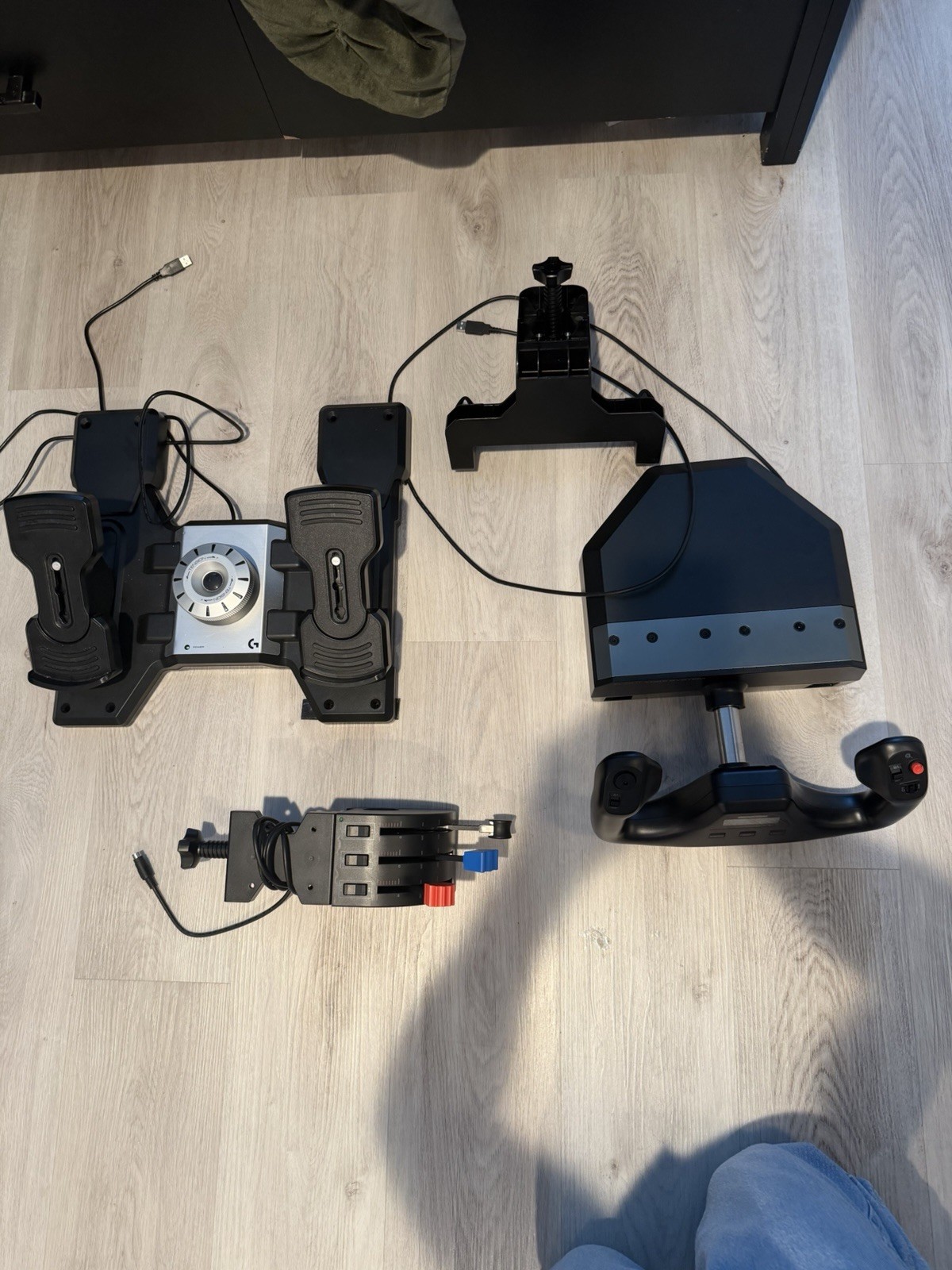
Logitech G Pro Flight Yoke System + Pro Flight Rudder Pedal System puts a yoke and rudder pedal system together in one package. That is the clearest reason to choose it: the product title directly identifies both hand and foot controls. The listed 4-foot cable is a useful fit detail, while wired USB and controller-attachment connectivity describe how the hardware connects. The limitation is explicit platform scope: the compatible-model attribute says For PC, and the description says an Xbox connection was not compatible. Choose this setup for PC flight simulation rather than an Xbox-centered arrangement. Its open-box condition is also worth weighing if the condition category matters to your purchase decision.
Final choice by use case
Choose FSW Flight Yoke if your simulator is X-Plane, MSFS 2020/2024, or Prepar3D and the Cessna-style handle, trim rocker, clock, and buttons match how you want to fly. Choose Logitech if you want the yoke-and-rudder-pedal package for PC and can work within the stated Xbox limitation. In short, FSW prioritizes named simulator support and cockpit controls, while Logitech prioritizes a bundled pedal setup.