10-Port Fanless 2.5G Ethernet Switch: Is One-Key VLAN Enough for a Homelab?
This fanless 10-port switch combines eight 2.5G Ethernet ports, two 10G SFP ports, and one-key VLAN at USD 117.59-but its unmanaged design may not suit shoppers seeking full network controls.
Last updated Oct 7, 2026
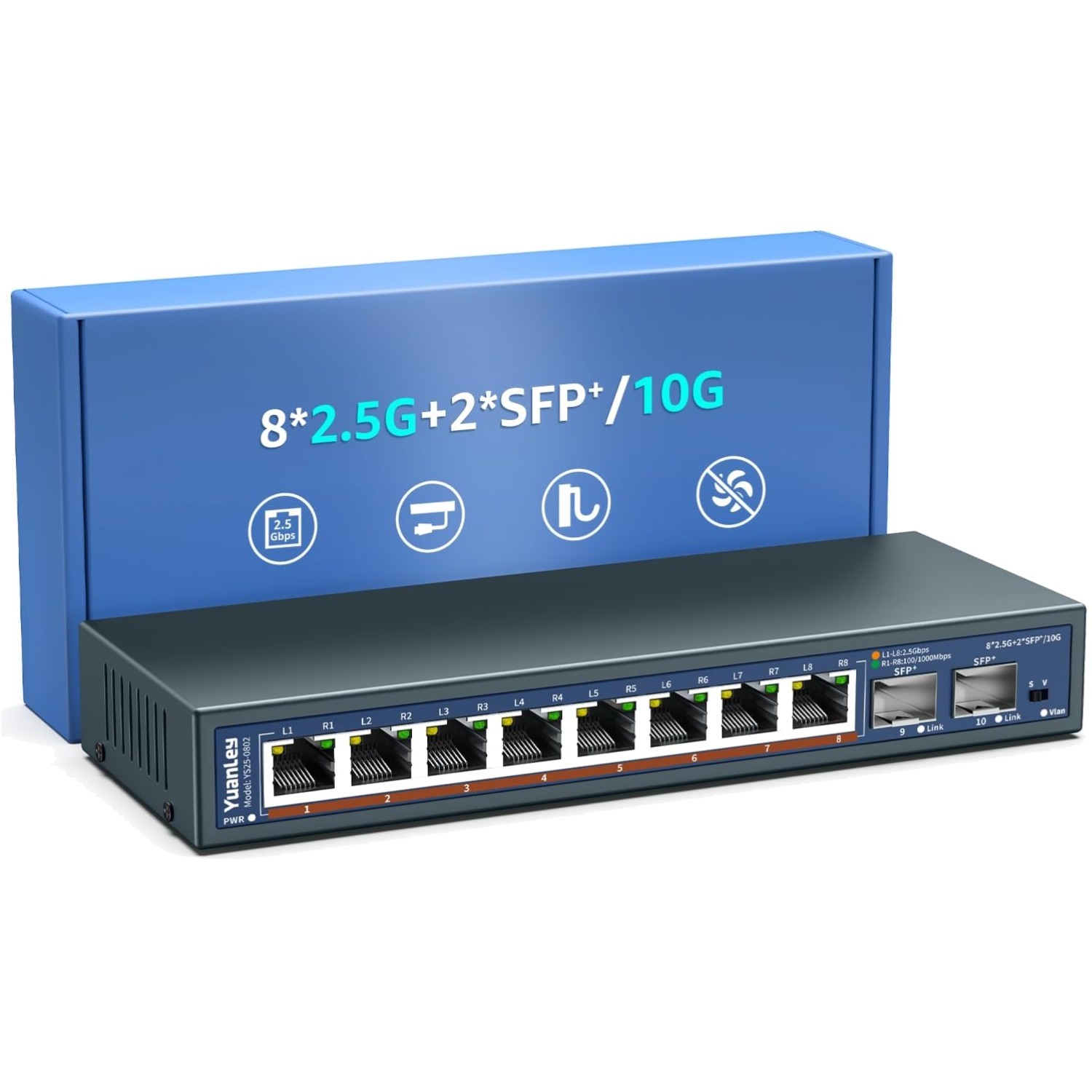
10-Port Fanless 2.5G Ethernet Switch
$117.59Listed at review time
Affiliate disclosure: We may earn a commission if you buy through links on this page, at no extra cost to you. Confirm live price, stock, and return terms on the seller page. Affiliate disclosure.
Choosing equipment for homelab networking & firewalls often comes down to a practical trade-off: do you need faster wired connections and basic VLAN isolation, or the deeper controls of a fully managed switch? The 10-Port Fanless 2.5G Ethernet Switch with VLAN & 80Gbps Capacity for Home Office is aimed at the first use case, with a compact port mix and a simple VLAN feature.
Quick verdict
At USD 117.59, this switch is a sensible fit for a home office or homelab that needs eight 2.5G Ethernet ports, two 10G SFP ports, and a fanless design. One-key VLAN can isolate communication between the RJ45 ports, while the listed 80Gbps switching capacity suits a setup built around multiple wired connections.
The important limitation is that its device connectivity is described as unmanaged. That makes the switch a different proposition from a conventional managed network switch with extensive configuration controls. The two 10G SFP ports also require separately obtained modules, since SFP modules are not included.
Who it suits
This switch fits a home-office or homelab build centered on desktop computers, gaming consoles, laptops, and printers-the compatible device types named for it. It is particularly relevant when eight 2.5G RJ45 ports cover the main wired devices and a pair of 10G SFP connections is useful for equipment using that interface.
The one-key VLAN function gives shoppers a clearly stated way to isolate communication between RJ45 ports. That can appeal to someone building a straightforward VLAN home network without wanting to configure a large set of network options.
What stands out from the listed details
The port layout is the main draw: 8 x 2.5 Gigabit Ethernet ports plus 2 x 10G SFP ports. The RJ45 connections automatically adapt across 10/100/1000M and 2.5G speeds, and the switch supports 1G, 2.5G, and 10G modules in its SFP slots.
Its fanless construction and desktop/wall-mountable form factor give it flexible placement for a home office or lab bench. A metal casing and stated 6KV lightning protection are also part of the design description. These details describe the hardware configuration, rather than proving a particular performance result.
10-Port Fanless 2.5G Ethernet Switch with VLAN & 80Gbps Capacity for Home Office
Choose this model when the combination of 2.5G copper ports, 10G SFP connectivity, and one-key VLAN matches the way your network is organized. Its concrete limitation is the unmanaged connectivity designation, which matters if you specifically need broader managed-switch configuration.
Meaningful trade-offs
The switch keeps its VLAN promise narrow and clear: one-key isolation between RJ45 ports. Shoppers seeking a managed network switch should weigh that against the unmanaged designation rather than assuming the VLAN label represents a full management interface.
The SFP ports add flexibility, but the required modules are not included. That creates an additional hardware consideration for a homelab using the 10G connections. The 80Gbps capacity is a raw listed value and should be treated as a specification, not a guarantee of real-world throughput in every setup.
Bottom line
For USD 117.59, this is a focused choice for a home office or homelab needing eight 2.5G Ethernet ports, two 10G SFP ports, and basic one-key VLAN isolation in a fanless desktop or wall-mountable enclosure. If your priority is full managed configuration, the unmanaged designation is the deciding reason to look elsewhere.