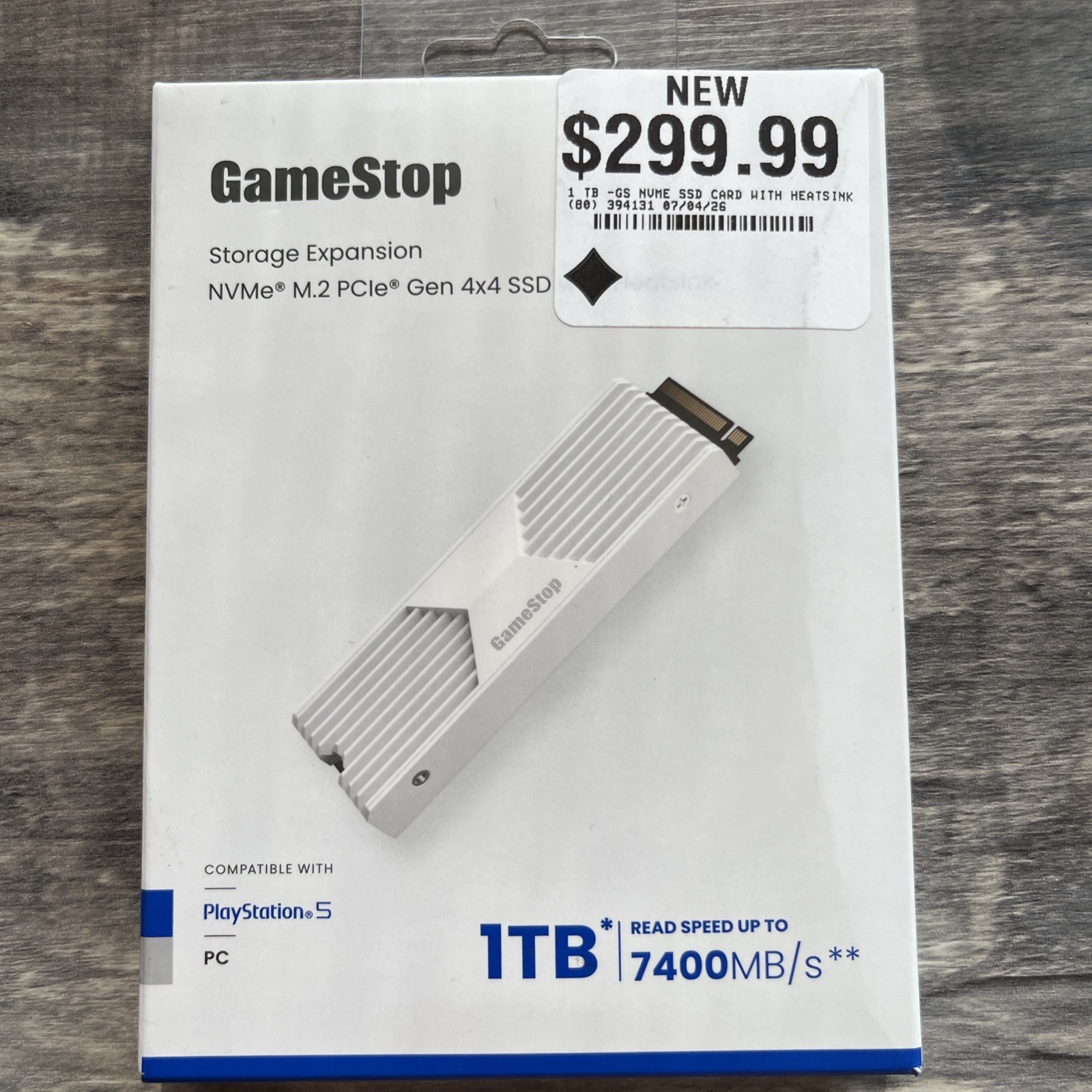

Photos from current listings. Actual item, color, and included accessories may vary.
SSD PS5 Buying Guide
A PS5 SSD upgrade is an internal M.2 NVMe drive that must meet Sony's strict PCIe Gen 4x4 and heatsink requirements to expand game storage without throttling. The core trade-off is between raw sequential speed and sustained thermal performance—drives that hit 7400 MB/s can still fail if their heatsink is too tall or their controller throttles. The decision rule: buy only a Gen 4x4 M.2 2280 drive with a pre-installed heatsink under 8mm total height and read speeds above 5500 MB/s.
Key takeaways
- PS5 requires PCIe Gen 4x4 NVMe M.2 2280 drives; Gen 3 drives are incompatible and will not mount or run at full speed.
- Sony mandates a heatsink with total height ≤ 8mm, width ≤ 25mm, and length ≤ 110mm—oversized coolers block the expansion slot cover.
- Sustained performance matters more than peak: drives with DRAM cache and 600+ TBW endurance resist slowdowns during large game installs.
At a glance
- Category
- PC Storage Upgrades
- Last updated
- Nov 28, 2026
Current offers
Highlights
- PS5 requires PCIe Gen 4x4 NVMe M.2 2280 drives; Gen 3 drives are incompatible and will not mount or run at full speed.
- Sony mandates a heatsink with total height ≤ 8mm, width ≤ 25mm, and length ≤ 110mm—oversized coolers block the expansion slot cover.
- Sustained performance matters more than peak: drives with DRAM cache and 600+ TBW endurance resist slowdowns during large game installs.
- Read speeds of 5500 MB/s or higher are required for full compatibility; 7400 MB/s drives exceed the console's internal bandwidth but stay cooler under load.
Best use cases
- Best fit: You install and delete multiple AAA games monthly—pick a 1TB or 2TB Gen 4x4 drive with DRAM and a low-profile heatsink for sustained write durability.
- Wrong fit: You only play one or two games at a time—the PS5's internal 825GB storage is sufficient; skip the upgrade and avoid heatsink fitment risk.
- Best fit: You move the drive between PS5 and a PC—choose a bare drive plus a separately purchased low-profile heatsink that meets both platforms' clearance rules.
Buying tips
- Measure the PS5 expansion slot: the drive plus heatsink must total 8mm or less in height—drives with tall RGB coolers will not fit under the metal cover.
- Prioritize DRAM-equipped drives with endurance ratings of 600 TBW or higher per 1TB; DRAM-less drives slow down noticeably during sustained game downloads.
- Stick to M.2 2280 single-sided designs where possible—double-sided drives generate more heat and can exceed the 8mm height limit with a heatsink attached.
- Match capacity to your library: 1TB adds roughly 800–900GB usable after formatting; 2TB is the sweet spot for 15–20 large games without constant deletion.
Specs
| Interface | PCIe Gen 4x4 NVMe (required) |
|---|---|
| Form Factor | M.2 2280 single-sided preferred |
| Heatsink Height | ≤ 8mm total with drive |
| Min Read Speed | 5500 MB/s sequential |
Related searches
What to check before buying
- Confirm your PS5 has the expansion slot screw and standoff included—Sony ships them inside the console, but used units may be missing them.
- Verify the drive's total height with heatsink is 8mm or less; measure the heatsink yourself if the listing does not state a clear height.
- Check that the drive is PCIe Gen 4x4 NVMe (not SATA or Gen 3) and uses the M.2 2280 form factor—other lengths will not secure in the slot.
- Ensure your PS5 system software is updated to a version that supports M.2 expansion before installation, and have a small Phillips screwdriver ready.
FAQ
Data sources: eBay / Amazon listings and product attribute feeds. Updated Nov 28, 2026.
Some links on this page are affiliate links. If you buy after clicking one, we may earn a commission at no extra cost to you. This does not change which products appear here or their order. Affiliate disclosure.