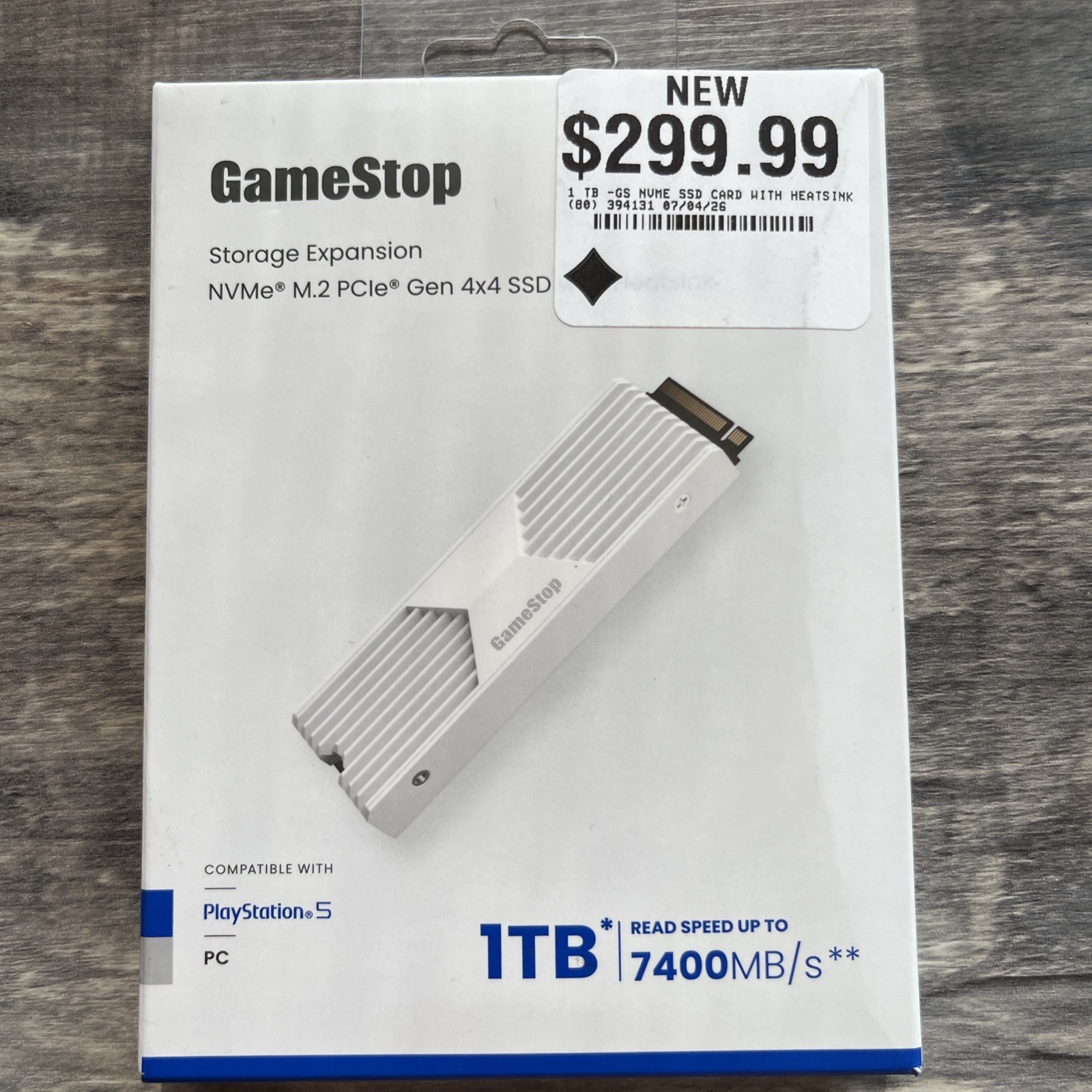

Photos from current listings. Actual item, color, and included accessories may vary.
SSD PC Buying Guide
An SSD PC upgrade means replacing a hard drive or slower SSD with a solid-state drive, and the core trade-off is interface and form factor: SATA 2.5" caps at ~550 MB/s while NVMe M.2 PCIe drives reach 3,500–7,400 MB/s. The decisive rule is to match the drive to your motherboard's available slot and keying—buying NVMe for a SATA-only board or SATA for an M.2-only laptop wastes money or won't fit.
Key takeaways
- SATA 2.5" SSDs top out near 550 MB/s due to the 6 Gb/s interface; NVMe PCIe Gen 4x4 drives like the 1TB 7400 MB/s class deliver 13x the sequential throughput.
- M.2 slots are keyed M (NVMe-only), B+M (SATA or NVMe), or B (SATA-only); a B-keyed slot will not accept an M-keyed NVMe drive.
- DRAM-less SSDs use HMB (Host Memory Buffer) and slow sharply on sustained writes; DRAM-cached or SLC-cached drives hold speed during large transfers.
At a glance
- Category
- PC Storage Upgrades
- Last updated
- Nov 28, 2026
Current offers
Highlights
- SATA 2.5" SSDs top out near 550 MB/s due to the 6 Gb/s interface; NVMe PCIe Gen 4x4 drives like the 1TB 7400 MB/s class deliver 13x the sequential throughput.
- M.2 slots are keyed M (NVMe-only), B+M (SATA or NVMe), or B (SATA-only); a B-keyed slot will not accept an M-keyed NVMe drive.
- DRAM-less SSDs use HMB (Host Memory Buffer) and slow sharply on sustained writes; DRAM-cached or SLC-cached drives hold speed during large transfers.
- 2.5" SATA drives need a 7mm or 9.5mm bay plus SATA data and power cables; M.2 drives mount directly with a single screw and no cabling.
Best use cases
- Best fit: older laptops and desktops with only 2.5" bays—pick a 480GB–1TB SATA SSD for a cheap, reliable boot-drive upgrade; skip NVMe if no M.2 slot exists.
- Best fit: desktops and PS5 with a free M.2 M-key slot—choose a 1TB PCIe Gen 4x4 NVMe with heatsink for 7,400 MB/s class performance; skip Gen 5 unless the board explicitly supports it.
- Best fit: cloning an existing drive to a new SSD—use a dual-bay M.2 cloner dock for offline duplication; skip it if you can use free software and a single USB enclosure.
- Wrong fit: M.2 SATA drives in a B-keyed slot expecting NVMe speed—they run at ~550 MB/s; wrong fit: NVMe in a SATA-only M.2 slot—it simply won't detect.
Buying tips
- Check your motherboard manual for M.2 keying (M vs B+M) and PCIe generation; Gen 3 slots cap Gen 4 drives at ~3,500 MB/s, so don't overpay for speed you can't use.
- For 1TB capacity, prefer drives with DRAM cache or a documented SLC cache size; DRAM-less models slow to HDD-like speeds after the cache fills.
- SATA SSDs are limited to 550 MB/s regardless of price; buy on endurance (TBW) and warranty rather than advertised speed.
- PS5 requires an M.2 NVMe drive with a heatsink and sequential read of at least 5,500 MB/s; desktop use does not require a heatsink unless airflow is poor.
Specs
| Interface | SATA 6Gb/s vs NVMe PCIe |
|---|---|
| Form Factor | 2.5" SATA vs M.2 2280 |
| Max Seq Read | ~550 MB/s SATA vs 7,400 MB/s NVMe |
| M.2 Keying | M-key NVMe / B+M SATA-NVMe |
Related searches
What to check before buying
- Measure your drive bay: 2.5" slots need 7mm/9.5mm height and SATA data + power cables; M.2 slots need the correct key and a mounting screw.
- Confirm free M.2 slot length (2280 is standard) and whether it shares lanes with a SATA port—installing an M.2 drive can disable one SATA port on some boards.
- For PS5, verify the drive meets Sony's 5,500 MB/s read requirement and includes or accepts a heatsink within the console's clearance.
- Check motherboard BIOS/UEFI NVMe boot support on older systems; a drive may appear in OS but not be bootable without a BIOS update.
FAQ
Data sources: eBay / Amazon listings and product attribute feeds. Updated Nov 28, 2026.
Some links on this page are affiliate links. If you buy after clicking one, we may earn a commission at no extra cost to you. This does not change which products appear here or their order. Affiliate disclosure.