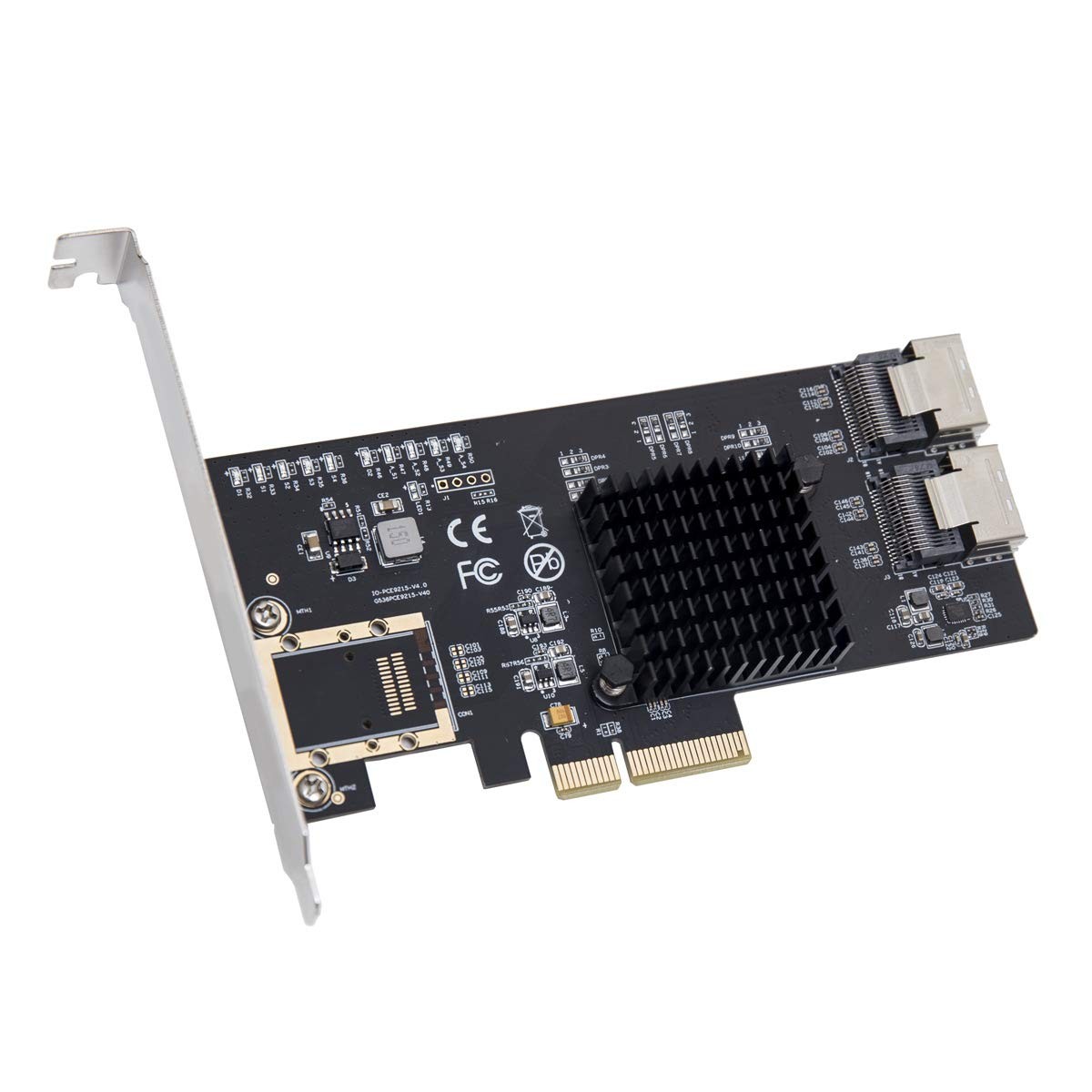

Photos from current listings. Actual item, color, and included accessories may vary.
SATA Raid Card Buying Guide
A SATA RAID card is a PCIe expansion card that adds multiple SATA ports and optionally offloads RAID parity or mirroring from the CPU and OS. The primary trade-off is host-managed software RAID (cheap, flexible, CPU-dependent) versus true hardware RAID (costly, battery-backed cache, OS-independent). Buy hardware RAID only when you need bootable, OS-agnostic redundancy; otherwise a plain HBA plus OS-level RAID (ZFS, Storage Spaces, mdadm) is more durable and cheaper.
Key takeaways
- Port multipliers on cheap cards share a single PCIe lane and cap all drives to one link—true HBA/RAID cards use x4 or x8 lanes with dedicated per-port controllers.
- Hardware RAID cards carry onboard ROC, DDR cache, and optional battery/flash backup; software RAID HBAs pass disks raw to the OS with no cache loss risk.
- PCIe generation matters: PCIe 2.0 x4 (~2 GB/s) saturates 8 SATA III drives; PCIe 3.0 x4 doubles headroom for 12+ drives or SSD arrays.
At a glance
- Category
- PC Storage Upgrades
- Last updated
- Nov 28, 2026
Current offers
Highlights
- Port multipliers on cheap cards share a single PCIe lane and cap all drives to one link—true HBA/RAID cards use x4 or x8 lanes with dedicated per-port controllers.
- Hardware RAID cards carry onboard ROC, DDR cache, and optional battery/flash backup; software RAID HBAs pass disks raw to the OS with no cache loss risk.
- PCIe generation matters: PCIe 2.0 x4 (~2 GB/s) saturates 8 SATA III drives; PCIe 3.0 x4 doubles headroom for 12+ drives or SSD arrays.
- Marvell 88SE92xx and similar 2-port controllers are common on budget cards; LSI/Broadcom SAS3008/3108 HBAs and RAID ROCs are the datacenter-grade reference.
Best use cases
- Best fit: home NAS/FreeNAS/ZFS build needing more SATA ports—pick a plain HBA (LSI 9211-8i IT mode or equivalent) and let ZFS handle RAID.
- Best fit: Windows workstation needing bootable RAID 1/5 without OS drivers—pick a hardware RAID card with battery/flash cache backup.
- Wrong fit: single-drive expansion or JBOD—skip RAID entirely and use a simple 4-port SATA PCIe card or USB enclosure.
- Wrong fit: high-performance all-SSD array—SATA RAID tops out near 550 MB/s per drive; use NVMe PCIe switches or bifurcation cards instead.
Buying tips
- Count drives first: 4 drives need at least x2 PCIe 2.0 lanes; 8 drives need x4; 12+ drives need x8 to avoid bandwidth starvation.
- Choose IT-mode HBAs over IR-mode for ZFS/mdadm—IR firmware hides disks behind RAID metadata and breaks pool imports.
- For hardware RAID, require a battery or supercapacitor backup unit; without it, write-back cache loss corrupts arrays on power failure.
- Match connector type: SFF-8087 breakout cables feed 4 SATA drives per port; SFF-8643 handles 4 drives per mini-SAS HD connector.
Specs
| Card Type | HBA vs Hardware RAID |
|---|---|
| Host Interface | PCIe 2.0/3.0 x4 or x8 |
| Port Count | 4 / 8 / 12 / 16 SATA |
| RAID Levels | 0/1/5/6/10 or JBOD pass-through |
Related searches
What to check before buying
- Confirm a free PCIe slot of the required generation and lane width (x4 card in x1 slot runs at quarter bandwidth).
- Measure case clearance for full-height card plus breakout cables—low-profile brackets are needed for 2U/small-form-factor chassis.
- Verify PSU SATA power leads for all drives; a 4-drive card needs 4 free SATA power connectors, often via splitters.
- Check OS driver support: Windows needs signed RAID drivers at install; Linux/FreeBSD support LSI/Broadcom HBAs in-box.
FAQ
Data sources: eBay / Amazon listings and product attribute feeds. Updated Nov 28, 2026.
Some links on this page are affiliate links. If you buy after clicking one, we may earn a commission at no extra cost to you. This does not change which products appear here or their order. Affiliate disclosure.