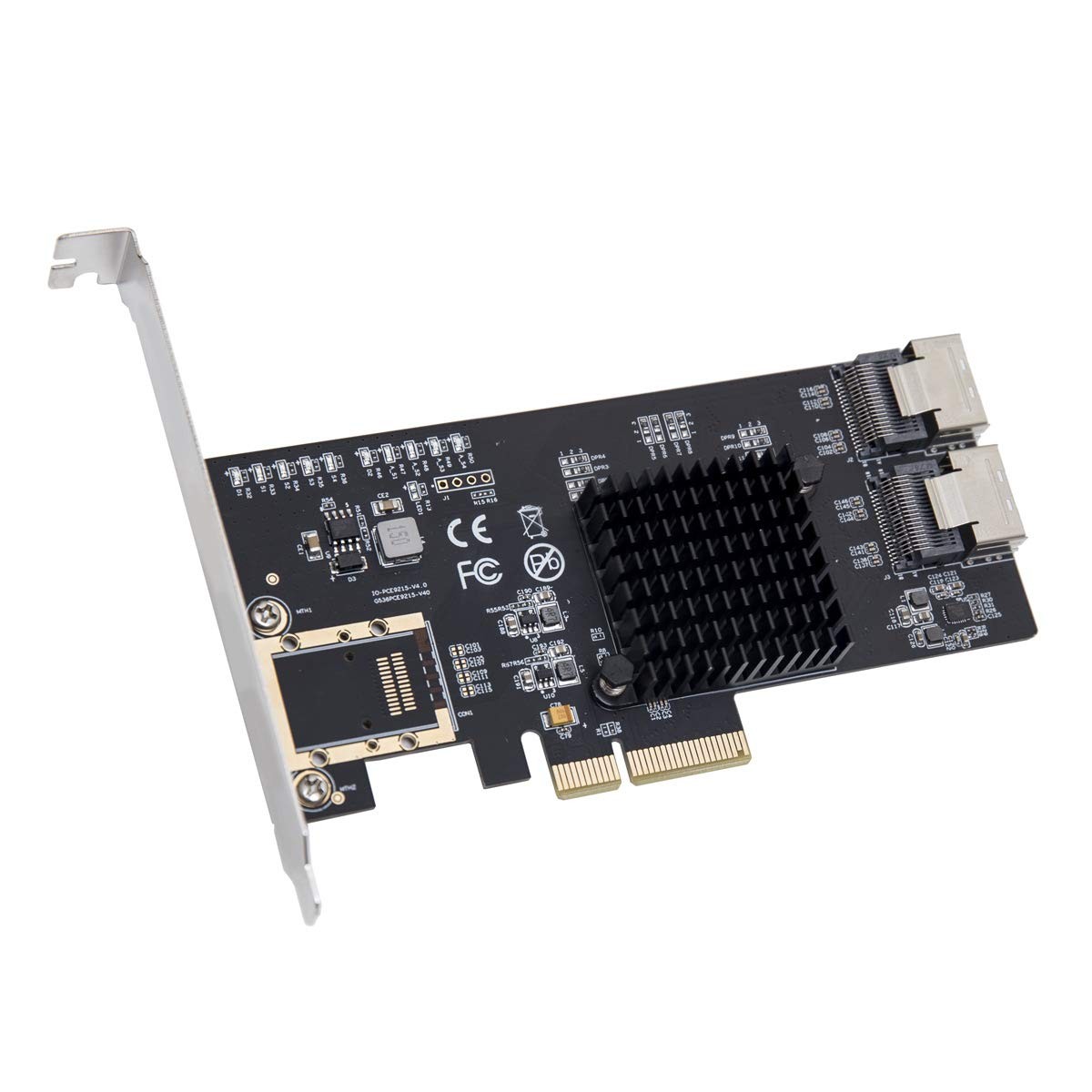

Photos from current listings. Actual item, color, and included accessories may vary.
Raid Controller Buying Guide
A RAID controller is the host bus adapter or add-in card that sits between your drives and motherboard, offloading parity math and port expansion. The core trade-off is hardware XOR/RAID-on-chip with battery-backed cache for true server duty versus host-based software RAID on a plain HBA that relies on the CPU and OS. The decision rule: buy a hardware controller only when you need cache-protected write performance or OS-transparent arrays; otherwise a non-RAID HBA plus ZFS, Storage Spaces, or mdadm is cheaper, more portable, and easier to recover.
Key takeaways
- Hardware RAID controllers (Broadcom/LSI MegaRAID, Microchip Adaptec) carry an onboard ROC with DDR cache and optional battery/capacitor backup; host-based HBAs pass drives straight through with no parity silicon.
- Interface generation sets the ceiling: PCIe 3.0 x8 cards saturate around 6-7 GB/s, PCIe 4.0 x8 doubles that, while 8-port SATA III cards are capped near 6 Gb/s per port with shared uplink.
- SATA/SAS HBAs use SAS expanders or port multipliers; a true 8-port card needs a PCIe x4 or x8 slot with real lane bandwidth, not a chipset x1 slot.
At a glance
- Category
- PC Storage Upgrades
- Last updated
- Nov 28, 2026
Current offers
Highlights
- Hardware RAID controllers (Broadcom/LSI MegaRAID, Microchip Adaptec) carry an onboard ROC with DDR cache and optional battery/capacitor backup; host-based HBAs pass drives straight through with no parity silicon.
- Interface generation sets the ceiling: PCIe 3.0 x8 cards saturate around 6-7 GB/s, PCIe 4.0 x8 doubles that, while 8-port SATA III cards are capped near 6 Gb/s per port with shared uplink.
- SATA/SAS HBAs use SAS expanders or port multipliers; a true 8-port card needs a PCIe x4 or x8 slot with real lane bandwidth, not a chipset x1 slot.
- Cache protection matters: battery-backed write cache enables write-back mode safely; cards without backup should run write-through, which collapses small-file write performance.
Best use cases
- Best fit for hardware RAID: virtualized servers or databases needing OS-transparent arrays and cache-backed write-back—pick a card with BBU and matched SAS/SATA backplane cabling.
- Best fit for non-RAID HBA: FreeNAS/TrueNAS, Unraid, or ZFS builds—choose an IT-mode PCIe x4 card like the Syba 8-port SATA III and let the OS manage redundancy.
- Wrong fit: desktop gaming or single-drive expansion—skip RAID cards entirely and use the motherboard M.2/SATA ports; a controller adds latency and boot complexity for no benefit.
- Wrong fit: mixing RAID modes on one card without backup cache—software RAID or a BBU-equipped controller is the safer choice for parity arrays.
Buying tips
- Match slot lanes to port count: 8 SATA III ports need at least PCIe x4 Gen3 to avoid bottlenecking simultaneous drives; x1 slots throttle multi-drive transfers.
- Check RAID levels supported in silicon: hardware ROC cards handle 0/1/5/6/10/50/60; cheap host-based cards often do only 0/1/10 or rely on OS drivers.
- For ZFS/Unraid, buy IT-mode or flashable HBAs (LSI 9211-8i class) rather than MegaRAID cards—IR firmware hides SMART data and complicates pool imports.
- Verify cache backup: a BBU or supercapacitor plus write-back policy is the only way to get safe parity write performance; without it, expect write-through speeds.
Specs
| Controller Type | Hardware ROC vs host-based HBA |
|---|---|
| Host Interface | PCIe 3.0 x4/x8 (Gen4 for >7 GB/s) |
| Port Count | 4-8 SATA/SAS per card |
| RAID Levels | 0/1/5/6/10/50/60 (HW) vs 0/1/10 (HBA) |
Related searches
What to check before buying
- Measure free PCIe slot length and confirm lane wiring (x4/x8 electrical, not just physical) before choosing an 8-port card.
- Confirm drive count and cable standard: SATA breakout cables for SATA drives versus SFF-8087/SFF-8643 for SAS backplanes.
- Check OS driver support: Windows, Linux, and TrueNAS/ESXi each need matching ROC firmware and driver branches.
- Plan airflow: RAID ROC chips and BBUs run hot; ensure case airflow over the card and battery, especially in dense 8-drive arrays.
FAQ
Data sources: eBay / Amazon listings and product attribute feeds. Updated Nov 28, 2026.
Some links on this page are affiliate links. If you buy after clicking one, we may earn a commission at no extra cost to you. This does not change which products appear here or their order. Affiliate disclosure.