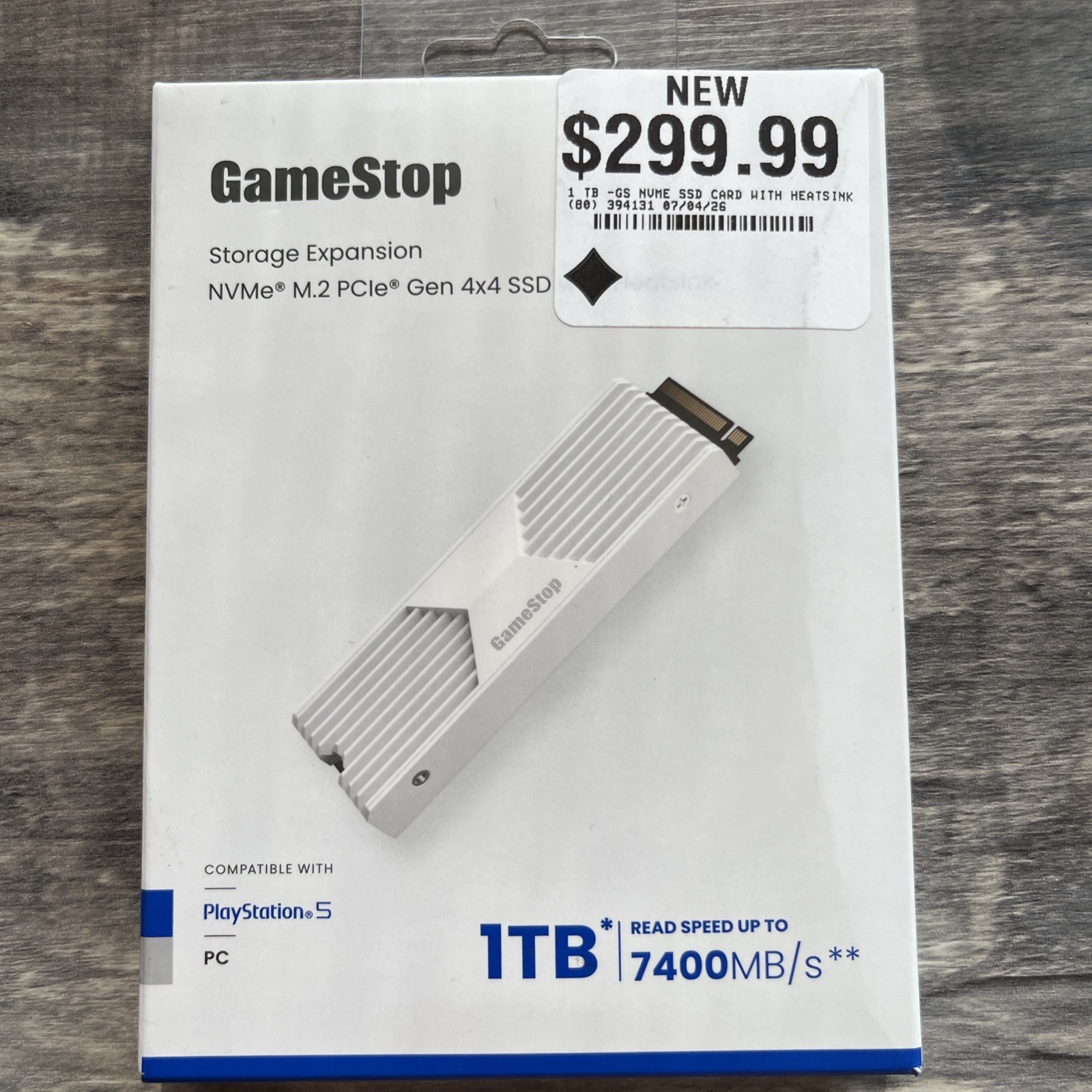

Photos from current listings. Actual item, color, and included accessories may vary.
PS5 SSD Buying Guide
A PS5 SSD is an internal M.2 NVMe Gen4 x4 drive that meets Sony's strict compatibility requirements for expanding console storage. The primary trade-off is between raw sequential speed and sustained thermal performance under the console's rear bay cover, where throttling kills load times. The clear decision rule: only buy a drive explicitly rated for PS5 with a built-in heatsink that fits the 110mm x 25mm x 11.25mm bay envelope—anything else risks instability or a physical fit failure.
Key takeaways
- Sony mandates PCIe Gen4 x4 NVMe with read speeds of at least 5,500 MB/s; Gen3 drives are incompatible and will not mount.
- The console's M.2 bay accepts 22mm-wide drives in lengths 30, 42, 60, 80, or 110mm, but 80mm (2280) is the only practical form factor with broad heatsink availability.
- A heatsink is required, not optional: bare drives overheat in the enclosed bay and throttle to Gen3-like speeds, negating the upgrade.
At a glance
- Category
- PC Storage Upgrades
- Last updated
- Nov 28, 2026
Current offers
Highlights
- Sony mandates PCIe Gen4 x4 NVMe with read speeds of at least 5,500 MB/s; Gen3 drives are incompatible and will not mount.
- The console's M.2 bay accepts 22mm-wide drives in lengths 30, 42, 60, 80, or 110mm, but 80mm (2280) is the only practical form factor with broad heatsink availability.
- A heatsink is required, not optional: bare drives overheat in the enclosed bay and throttle to Gen3-like speeds, negating the upgrade.
- Heatsink total thickness must not exceed 11.25mm and width must stay within 25mm, or the bay cover will not seat and the console will not close properly.
Best use cases
- Best fit: a 1TB or 2TB Gen4 drive with a low-profile aluminum heatsink for gamers who keep 5-10 AAA titles installed and want near-zero load-time penalty versus the internal SSD.
- Wrong fit: a bare drive without a heatsink, even at 7,400 MB/s, because thermal throttling in the PS5 bay will drop sustained performance below the console's own drive.
- Best fit: a 4TB Gen4 drive for large digital libraries, but only if the heatsink stays within 11.25mm—many high-capacity double-sided drives exceed this with aftermarket coolers.
- Wrong fit: a Gen3 or SATA M.2 drive, which the PS5 firmware rejects outright; skip any listing that does not state Gen4 x4 and 5,500+ MB/s.
Buying tips
- Match the drive length to 2280 (80mm), the dominant size with the widest heatsink compatibility; avoid 2230/2242 unless using a dedicated adapter bracket.
- Prioritize sustained write speed and thermal design over peak sequential read: a drive rated 6,500 MB/s that throttles is worse than a 5,500 MB/s drive that holds steady.
- Choose a heatsink no taller than 8-10mm to leave clearance under the bay cover; graphene or thin aluminum spreaders are safer than tall finned towers.
- Verify the drive uses TLC NAND rather than QLC for heavy game-write workloads; QLC drives slow dramatically once the SLC cache is exhausted during large installs.
Specs
| Interface | PCIe Gen4 x4 NVMe (Gen3 incompatible) |
|---|---|
| Min Read Speed | 5,500 MB/s sequential |
| Form Factor | M.2 2280 (80mm) most compatible |
| Heatsink Height | ≤11.25mm total with drive |
Related searches
What to check before buying
- Measure the bay depth: the M.2 slot sits under the rear cover, and total drive-plus-heatsink height must stay under 11.25mm to seat the cover.
- Confirm the drive is 22mm wide and 80mm long (2280); the bay's screw hole only aligns with standard 2280 spacing unless you use the 110mm position.
- Check console generation: the original PS5 and PS5 Slim both require Gen4 x4 with heatsink, but the Slim's bay cover is easier to remove and has the same dimensional limits.
- Have a small Phillips #1 screwdriver and the console's M.2 screw ready—the bay screw is tiny and often lost; a magnetic driver prevents dropping it inside the chassis.
FAQ
Data sources: eBay / Amazon listings and product attribute feeds. Updated Nov 28, 2026.
Some links on this page are affiliate links. If you buy after clicking one, we may earn a commission at no extra cost to you. This does not change which products appear here or their order. Affiliate disclosure.