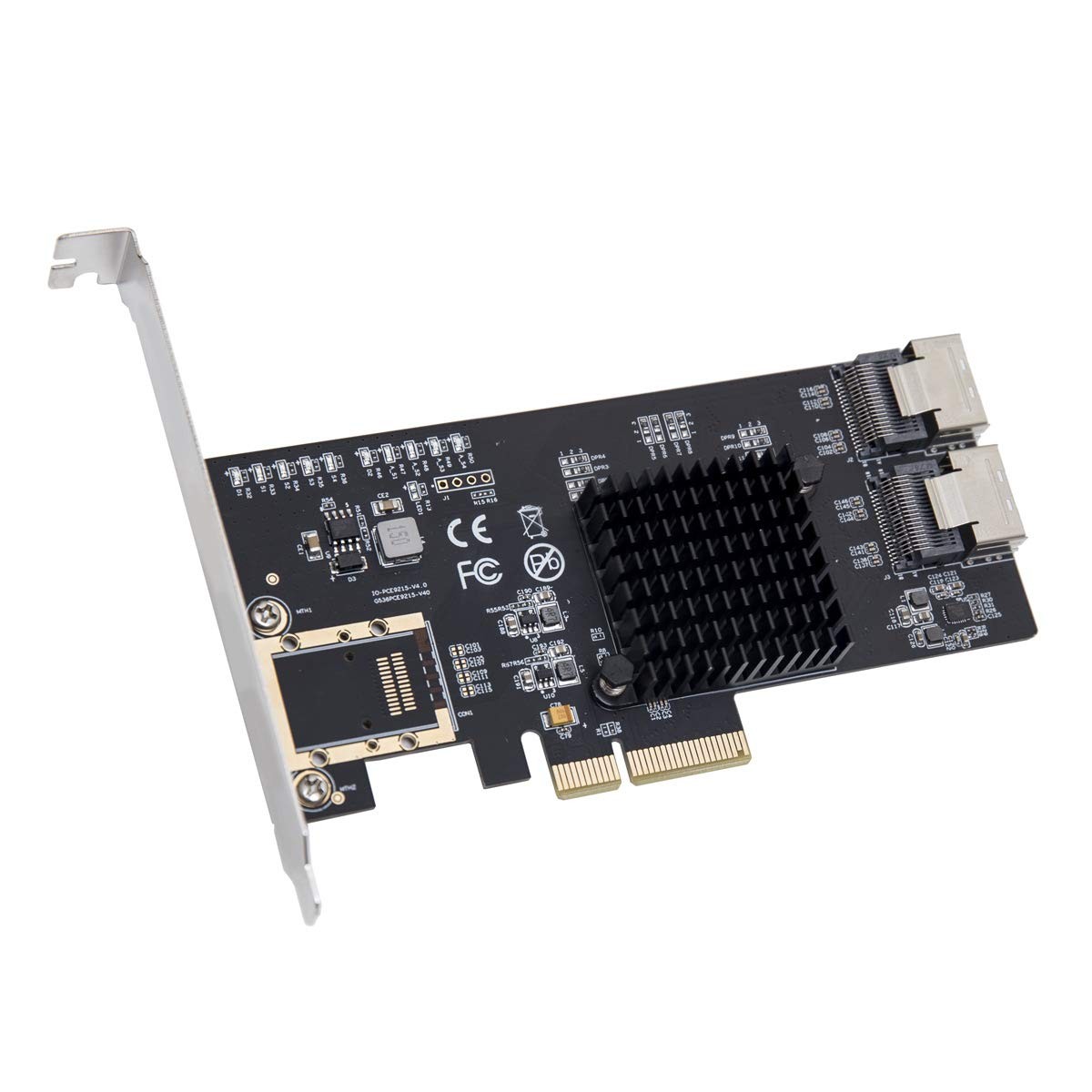

Photos from current listings. Actual item, color, and included accessories may vary.
Pci SATA Raid Card Buying Guide
A PCI SATA RAID card is a host bus adapter that adds SATA ports and optional hardware RAID to a desktop or server via a PCIe slot. The core trade-off is between true hardware RAID with onboard cache/processor and cheaper host-based or fake-RAID controllers that offload parity to the CPU and driver. Buy a card with a proven RAID stack and adequate lane bandwidth only if you need redundant local storage; otherwise a plain HBA or motherboard ports are cheaper and more reliable.
Key takeaways
- True hardware RAID cards carry an onboard ROC and usually DRAM cache; host-based RAID cards use the CPU and driver, so parity writes can bottleneck.
- PCIe x4 Gen2 provides about 2 GB/s, enough for 8 SATA III ports; x1 cards cap near 500 MB/s and bottleneck multiple drives.
- SATA III is 6 Gb/s per port; RAID 5/6 parity writes and rebuilds are limited by controller compute, not raw port speed.
At a glance
- Category
- PC Storage Upgrades
- Last updated
- Nov 28, 2026
Current offers
Highlights
- True hardware RAID cards carry an onboard ROC and usually DRAM cache; host-based RAID cards use the CPU and driver, so parity writes can bottleneck.
- PCIe x4 Gen2 provides about 2 GB/s, enough for 8 SATA III ports; x1 cards cap near 500 MB/s and bottleneck multiple drives.
- SATA III is 6 Gb/s per port; RAID 5/6 parity writes and rebuilds are limited by controller compute, not raw port speed.
- Non-RAID HBAs use IT/JBOD firmware and pass disks directly to the OS, which is preferred for ZFS, FreeNAS, and Unraid.
Best use cases
- Pick a hardware RAID card with battery/flash-backed cache for a small business file server needing RAID 5/6 uptime without OS-level parity overhead.
- Pick a non-RAID HBA in IT mode for ZFS, FreeNAS/TrueNAS, or Unraid; the OS handles redundancy and the card just exposes disks.
- Skip RAID cards entirely for a single boot drive or two mirrored drives—motherboard SATA ports and software RAID/mirroring are simpler and cheaper.
Buying tips
- Match slot bandwidth: use PCIe x4 or better for 6–8 ports; x1 cards starve multiple drives, so reserve them for 2-port expansions.
- Confirm the card's mode: true hardware RAID, host-based RAID, or IT/JBOD HBA. The mode determines CPU load, rebuild behavior, and OS compatibility.
- Check RAID levels supported in hardware: RAID 0/1/10 are easy; RAID 5/6 need a real ROC and cache to avoid slow parity writes.
- Verify drive size and count limits; older cards cap at 2 TB per drive or 2 TB total array size, which rules out modern large HDDs.
Specs
| Host Interface | PCIe x4 / x8 (avoid x1) |
|---|---|
| Port Count | 2 / 4 / 8 / 16 SATA III |
| RAID Mode | Hardware / Host-based / IT HBA |
| RAID Levels | 0/1/10; 5/6 needs ROC+cache |
Related searches
What to check before buying
- Measure free PCIe slot length and confirm x4/x8/x16 physical fit; most RAID cards need x4 electrical and a full-height bracket.
- Confirm free drive bays and SATA power connectors for every drive you plan to attach; the card supplies data ports only.
- Check OS driver support: Windows, Linux, and TrueNAS/FreeNAS/Unraid compatibility varies sharply by controller chipset.
- Plan cooling: RAID ROC and cache chips run hot and need airflow; avoid fanless cases or stacked-card configurations.
FAQ
Data sources: eBay / Amazon listings and product attribute feeds. Updated Nov 28, 2026.
Some links on this page are affiliate links. If you buy after clicking one, we may earn a commission at no extra cost to you. This does not change which products appear here or their order. Affiliate disclosure.