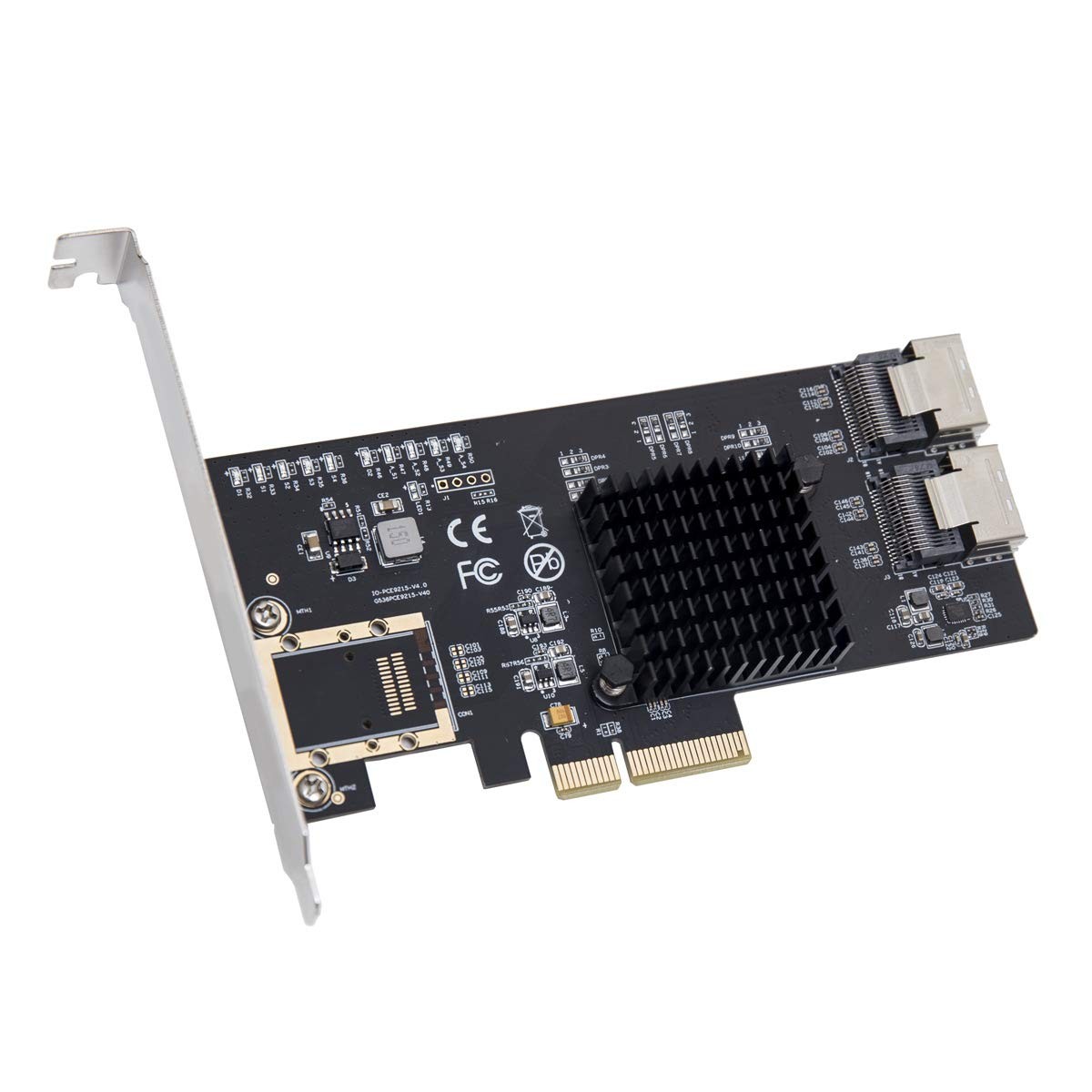

Photos from current listings. Actual item, color, and included accessories may vary.
Pci Raid Controller SATA Buying Guide
A PCI SATA RAID controller is an add-in card that expands storage ports and, on true RAID models, offloads mirroring or striping from the CPU. The core trade-off is chipset class: non-RAID HBAs (plain port multiplication) versus hardware RAID cards with onboard cache and battery backup. Buy a true hardware RAID card only if you need bootable arrays or cache-protected parity; otherwise an HBA plus OS-level RAID (ZFS, Storage Spaces, mdadm) is cheaper, faster, and more transparent.
Key takeaways
- Marvell 88SE9230/9215 and ASMedia ASM1166 are common SATA III (6 Gb/s) controllers; the 9230 is PCIe 2.0 x2 and saturates around 1 GB/s total, so it suits HDD arrays, not SSD pools.
- L SI/Broadcom SAS 9207-8i, 9300-8i, and 9400-8i HBAs run SATA drives at 6 Gb/s via SFF-8087/8643 breakouts and are the standard for ZFS/FreeNAS builds; they are IT-mode HBAs, not RAID.
- True hardware RAID cards (e.g., LSI MegaRAID 9260/9270, Adaptec 7-series) carry onboard DRAM cache and optional battery/cache-vault units; without the backup unit, write-back caching risks data loss on power failure.
At a glance
- Category
- PC Storage Upgrades
- Last updated
- Nov 28, 2026
Current offers
Highlights
- Marvell 88SE9230/9215 and ASMedia ASM1166 are common SATA III (6 Gb/s) controllers; the 9230 is PCIe 2.0 x2 and saturates around 1 GB/s total, so it suits HDD arrays, not SSD pools.
- L SI/Broadcom SAS 9207-8i, 9300-8i, and 9400-8i HBAs run SATA drives at 6 Gb/s via SFF-8087/8643 breakouts and are the standard for ZFS/FreeNAS builds; they are IT-mode HBAs, not RAID.
- True hardware RAID cards (e.g., LSI MegaRAID 9260/9270, Adaptec 7-series) carry onboard DRAM cache and optional battery/cache-vault units; without the backup unit, write-back caching risks data loss on power failure.
- Port count math: a PCIe x4 card shares four lanes (≈2 GB/s at PCIe 2.0, ≈4 GB/s at PCIe 3.0); eight SATA III drives can theoretically demand 4.8 GB/s, so the slot, not the card, is the real ceiling.
Best use cases
- Best fit: adding 4–8 SATA HDDs to a FreeNAS/Unraid/TrueNAS box — pick an LSI IT-mode HBA (9207-8i) or ASM1166 card and let ZFS handle parity; skip hardware RAID entirely.
- Best fit: bootable Windows/Linux RAID 1 mirror with cache protection — choose a MegaRAID or Adaptec card with a battery backup unit; skip motherboard fake-RAID for anything beyond two drives.
- Wrong fit: SSD-only arrays or NVMe expansion — SATA controllers cap at ~550 MB/s per drive and shared PCIe lanes bottleneck; use a PCIe NVMe switch card or motherboard M.2 slots instead.
Buying tips
- Count lanes, not ports: an x4 card in an x1 slot or a chipset lane shared with M.2 will throttle; confirm the motherboard slot is at least PCIe 2.0 x2 for Marvell and x4 for LSI HBAs.
- Match RAID to OS: hardware RAID cards require drivers and hide SMART data; ZFS and Storage Spaces want raw disks, so buy an IT-mode HBA (LSI 9207-8i) or a non-RAID card like the Syba SI-PEX40137.
- For parity RAID 5/6 on spinning disks, insist on a cache-vault or battery-backed card (e.g., CacheVault CV series); write-back without protection can corrupt the array on power loss.
- Cable standard matters: LSI HBAs use SFF-8087 (9207) or SFF-8643 (9300/9400) to four SATA breakouts; Marvell/ASMedia cards use plain SATA ports — budget for the right breakout cables.
Specs
| Controller Class | HBA vs Hardware RAID |
|---|---|
| Host Interface | PCIe 2.0/3.0 x4–x8 |
| Drive Interface | SATA III 6 Gb/s (SAS on LSI) |
| Cache Protection | Battery/CacheVault vs None |
Related searches
What to check before buying
- Measure free slot length and confirm the card fits: LSI HBAs are half-length low-profile, but RAID cards with cache are often full-height and need a full-height bracket.
- Verify the motherboard has an open-ended or x4/x8/x16 PCIe slot wired for at least four lanes; chipset lanes shared with SATA/M.2 ports may disable onboard drives.
- Confirm PSU headroom for drive spin-up: allow ~2 A on the 12 V rail per HDD at startup; eight drives can pull 16 A briefly, so a 550 W+ PSU with two PCIe cables is the safe floor.
- Check OS driver support before purchase: LSI 9207/9300 are in-box on Linux, FreeBSD, and ESXi; older MegaRAID 9260 needs legacy drivers on modern Windows, and Marvell 9230 has known port-multiplier quirks on some kernels.
FAQ
Data sources: eBay / Amazon listings and product attribute feeds. Updated Nov 28, 2026.
Some links on this page are affiliate links. If you buy after clicking one, we may earn a commission at no extra cost to you. This does not change which products appear here or their order. Affiliate disclosure.