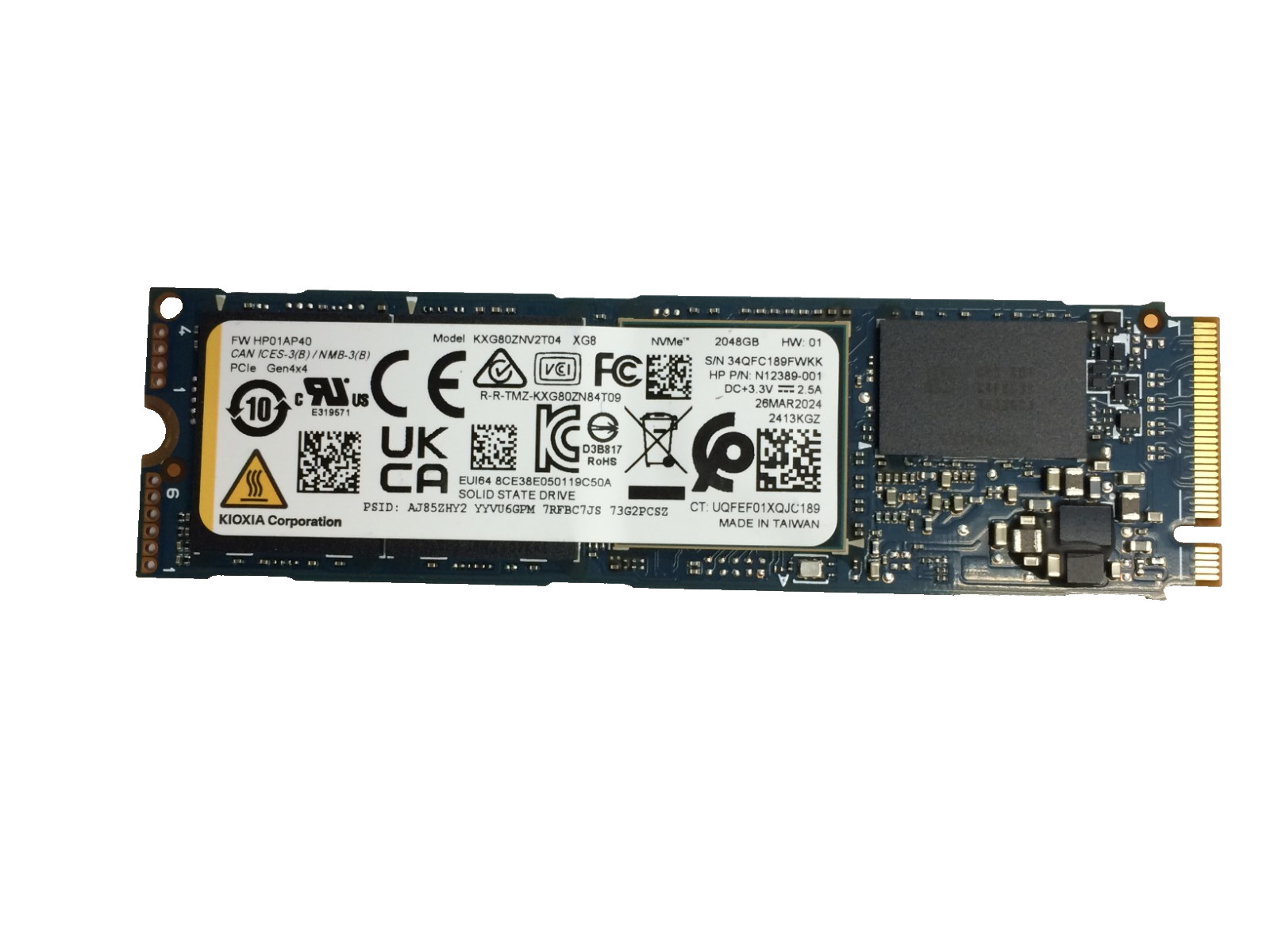

Photos from current listings. Actual item, color, and included accessories may vary.
Internal SSD Drive Buying Guide
Internal SSDs are the single biggest real-world performance upgrade for most PCs, but the segment splits sharply by interface and NAND type. The core trade-off is peak sequential speed versus sustained write consistency and endurance: DRAM-less QLC drives throttle hard on large transfers, while TLC drives with a DRAM cache or HMB hold speed. The decision rule is simple—match the physical form factor and protocol to your slot first, then buy a TLC drive from a manufacturer that publishes endurance (TBW) and controller details.
Key takeaways
- Form factor and protocol dictate fit: M.2 2280 NVMe (PCIe 3.0/4.0/5.0) plugs directly into the board, while 2.5-inch SATA tops out at ~550 MB/s and needs a cable and power lead.
- NAND architecture separates tiers: TLC with a DRAM cache or Host Memory Buffer sustains writes, whereas DRAM-less QLC drives can drop to HDD-like speeds once the SLC cache fills.
- Endurance is published as TBW (Terabytes Written); 2TB TLC drives typically rate 1,200–1,800 TBW versus 300–600 TBW for comparable QLC, a direct proxy for write longevity.
At a glance
- Category
- PC Storage Upgrades
- Last updated
- Nov 28, 2026
Current offers
Highlights
- Form factor and protocol dictate fit: M.2 2280 NVMe (PCIe 3.0/4.0/5.0) plugs directly into the board, while 2.5-inch SATA tops out at ~550 MB/s and needs a cable and power lead.
- NAND architecture separates tiers: TLC with a DRAM cache or Host Memory Buffer sustains writes, whereas DRAM-less QLC drives can drop to HDD-like speeds once the SLC cache fills.
- Endurance is published as TBW (Terabytes Written); 2TB TLC drives typically rate 1,200–1,800 TBW versus 300–600 TBW for comparable QLC, a direct proxy for write longevity.
- PCIe generation is backward-compatible but speed-capped: a Gen4 drive in a Gen3 slot runs at Gen3 limits, and Gen5 drives require active cooling and a dedicated CPU-attached slot.
Best use cases
- Best fit for laptops: a single-sided M.2 2280 NVMe TLC drive in the largest capacity you can afford—single-sided PCBs fit ultra-thin chassis where double-sided drives with heatsinks do not.
- Best fit for desktops and workstations: a Gen4 NVMe TLC drive with a DRAM cache as the boot/OS volume, paired with a second high-TBW drive for scratch or project files.
- Wrong fit: buying a Gen5 drive for a laptop or a Gen3-only desktop—you pay for speed the slot cannot deliver and risk thermal throttling in tight chassis.
- Wrong fit: using a DRAM-less QLC drive as a video-editing scratch disk or database volume—sustained writes collapse once the pseudo-SLC cache is exhausted.
Buying tips
- Measure your slot before buying: 2280 is 80mm long, 2242 is 42mm, and 2230 is 30mm—steam Deck and some ultrabooks use 2230, so confirm length and key (M-key for NVMe).
- Check whether the M.2 slot is PCIe or SATA-only; many budget laptops and older boards accept only SATA M.2, and an NVMe drive will not be recognized.
- For sustained workloads, choose TLC over QLC and look for a published DRAM cache or HMB support; DRAM-less designs are fine for boot drives but not for heavy write duty.
- Prefer drives rated at 1,200+ TBW per 2TB for OS and project drives; for cold storage or media libraries, endurance matters less than capacity per dollar.
Specs
| Form Factor | M.2 2280 / 2242 / 2230 / 2.5-inch |
|---|---|
| Interface | PCIe 3.0/4.0/5.0 NVMe or SATA III |
| NAND Type | TLC (endurance) vs QLC (capacity) |
| Endurance | 300–1,800 TBW per 2TB by tier |
Related searches
What to check before buying
- Confirm your M.2 slot length (2280/2242/2230), key type (M-key), and whether it carries PCIe or SATA signaling before ordering.
- Verify clearance for a heatsink or double-sided PCB—laptop lids and GPU backplates often leave under 3mm of vertical room.
- Check motherboard or laptop documentation for the maximum supported PCIe generation and lane allocation (some slots drop to x2 or share with SATA ports).
- Ensure you have a spare M.2 screw and standoff, or the mounting hardware included with the drive, since many boards ship with only one set.
FAQ
Data sources: eBay / Amazon listings and product attribute feeds. Updated Nov 28, 2026.
Some links on this page are affiliate links. If you buy after clicking one, we may earn a commission at no extra cost to you. This does not change which products appear here or their order. Affiliate disclosure.