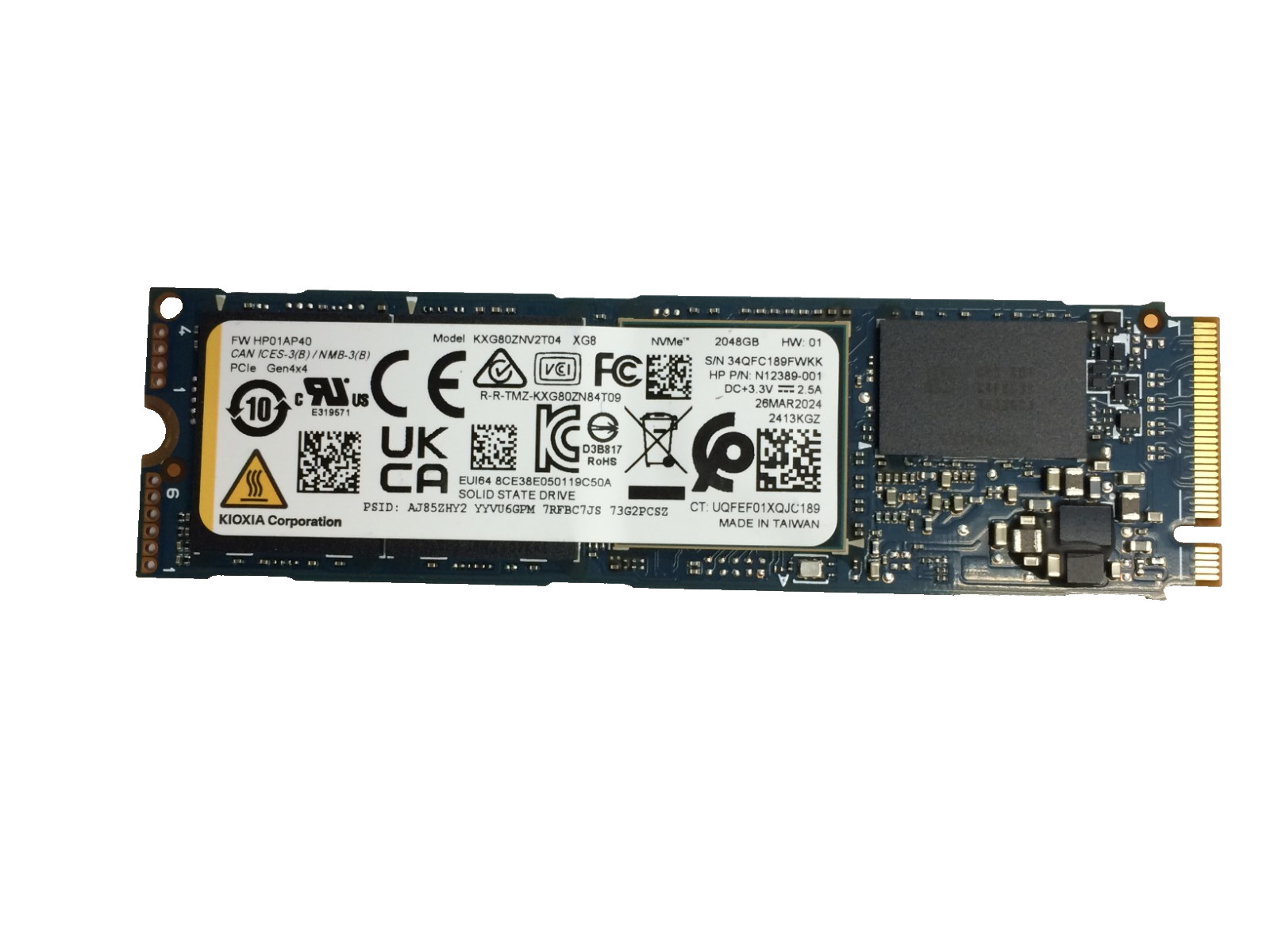

Photos from current listings. Actual item, color, and included accessories may vary.
Internal Solid State Drive Buying Guide
An internal solid state drive (SSD) is the primary storage component that determines boot speed, application load times, and sustained write performance in a PC. The core trade-off is between interface/protocol (SATA vs NVMe PCIe generation) and NAND flash architecture (TLC vs QLC, DRAM vs DRAM-less), which directly dictates real-world endurance and speed consistency. Buy NVMe PCIe 4.0 TLC with DRAM for a boot drive; choose SATA or DRAM-less QLC only for bulk secondary storage where cost per terabyte matters more than sustained throughput.
Key takeaways
- Interface tiers: SATA III caps at ~550 MB/s; NVMe PCIe 3.0 delivers ~3,500 MB/s; PCIe 4.0 reaches ~7,000 MB/s; PCIe 5.0 exceeds 12,000 MB/s sequential.
- NAND architecture: TLC (3-bit) offers higher endurance and steadier write speeds than QLC (4-bit), which slows dramatically once its SLC cache is exhausted.
- DRAM cache on the controller maintains mapping-table performance; DRAM-less drives rely on Host Memory Buffer (HMB) and degrade more under sustained random writes.
At a glance
- Category
- PC Storage Upgrades
- Last updated
- Nov 28, 2026
Current offers
Highlights
- Interface tiers: SATA III caps at ~550 MB/s; NVMe PCIe 3.0 delivers ~3,500 MB/s; PCIe 4.0 reaches ~7,000 MB/s; PCIe 5.0 exceeds 12,000 MB/s sequential.
- NAND architecture: TLC (3-bit) offers higher endurance and steadier write speeds than QLC (4-bit), which slows dramatically once its SLC cache is exhausted.
- DRAM cache on the controller maintains mapping-table performance; DRAM-less drives rely on Host Memory Buffer (HMB) and degrade more under sustained random writes.
- Form factors: M.2 2280 is the dominant NVMe size; 2.5-inch SATA remains for legacy ports; M.2 2242/2230 suit compact laptops and handhelds—verify keying (M-key vs B+M-key).
Best use cases
- Best fit: OS/boot drive in a desktop or laptop with an M.2 M-key slot—pick a PCIe 4.0 TLC drive with DRAM for consistent responsiveness and longer write endurance.
- Best fit: secondary game or media storage—a DRAM-less QLC NVMe or 2.5-inch SATA SSD is sufficient because reads dominate and sustained writes are infrequent.
- Wrong fit: buying a SATA 2.5-inch SSD for a board that has free M.2 NVMe slots—you sacrifice 6x sequential speed and add cabling for no benefit.
- Wrong fit: putting a high-end PCIe 5.0 drive in a PCIe 3.0 laptop slot—it will downshift to Gen 3 speeds and run hotter without any real-world gain.
Buying tips
- Match the drive to your slot: confirm M-key (NVMe) vs B+M-key (SATA or slower NVMe) and physical length (2280 vs 2242/2230) before buying; a longer drive will not fit.
- For a boot drive, prioritize TLC NAND with a DRAM cache over peak sequential ratings; sustained random write and endurance (TBW) matter more than headline MB/s.
- Check endurance ratings: TLC drives typically offer 600+ TBW per 1TB, while QLC often lands near 300–400 TBW per 1TB—choose higher TBW for heavy write workloads.
- PCIe generation is backward-compatible: a Gen 4 drive works in a Gen 3 slot at Gen 3 speed; only pay for Gen 5 if your CPU and motherboard explicitly support it.
Specs
| Interface | SATA III / NVMe PCIe 3.0-5.0 |
|---|---|
| Form Factor | M.2 2280 / 2242 / 2230 / 2.5-inch |
| NAND Type | TLC vs QLC (endurance trade-off) |
| DRAM Cache | DRAM vs DRAM-less (HMB) |
Related searches
What to check before buying
- Measure your M.2 slot length and confirm screw/mounting hardware—2280 is standard, but 2242 and 2230 require different standoff positions.
- Verify motherboard or laptop model supports NVMe boot (not just storage) and check whether the slot shares bandwidth with SATA ports.
- Confirm the drive's keying (M-key for NVMe, B+M-key for SATA/PCIe x2) matches your connector—forcing the wrong key can damage the slot.
- For laptops, check clearance and thermal headroom: high-end Gen 4/5 drives need a heatsink or thermal pad, which may not fit under a slim bottom cover.
FAQ
Data sources: eBay / Amazon listings and product attribute feeds. Updated Nov 28, 2026.
Some links on this page are affiliate links. If you buy after clicking one, we may earn a commission at no extra cost to you. This does not change which products appear here or their order. Affiliate disclosure.