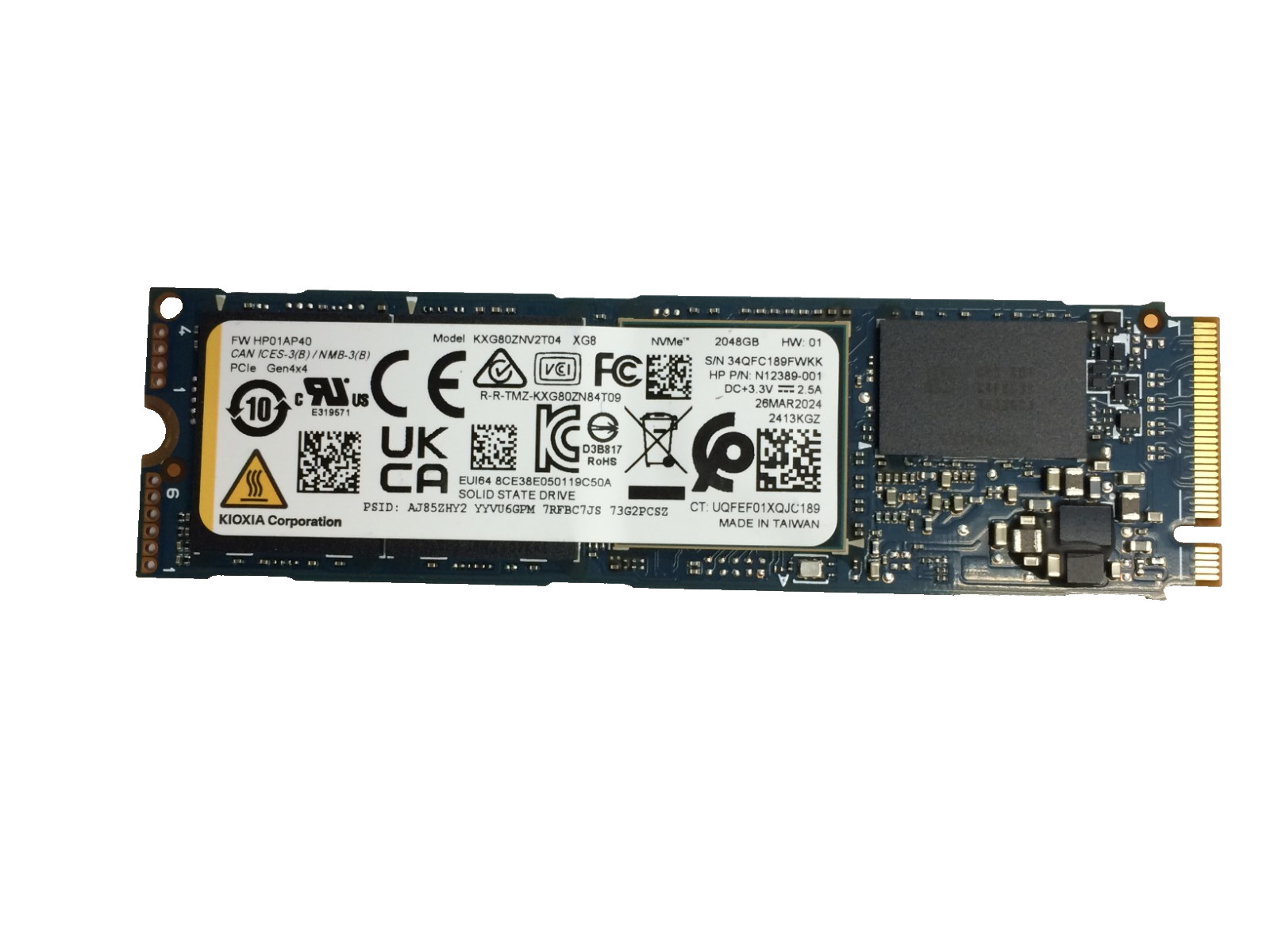

Photos from current listings. Actual item, color, and included accessories may vary.
Internal NVMe SSD Buying Guide
An internal NVMe SSD is a PCIe-attached M.2 drive that bypasses SATA bottlenecks, with real-world speed and endurance set by interface generation (PCIe 3.0 vs 4.0 vs 5.0), NAND type (TLC vs QLC), and DRAM caching. The core trade-off is peak sequential speed versus sustained write consistency and thermal headroom. Buy a TLC drive with DRAM (or a proven HMB implementation) for OS/app workloads; treat DRAM-less QLC as bulk storage only.
Key takeaways
- PCIe generation sets the ceiling: PCIe 3.0 x4 ~3,500 MB/s, PCIe 4.0 x4 ~7,000 MB/s, PCIe 5.0 x4 ~12,000+ MB/s—but only if the motherboard slot and CPU lanes match.
- NAND architecture matters more than the box number: TLC sustains writes far better than QLC once SLC cache is exhausted, often dropping to 100–300 MB/s on QLC versus 800–1,500 MB/s on TLC.
- DRAM cache vs HMB vs DRAM-less: DRAM-equipped drives keep mapping tables on-drive for consistent random 4K; HMB borrows system RAM; DRAM-less QLC is the weakest for OS duty.
At a glance
- Category
- PC Storage Upgrades
- Last updated
- Nov 28, 2026
Current offers
Highlights
- PCIe generation sets the ceiling: PCIe 3.0 x4 ~3,500 MB/s, PCIe 4.0 x4 ~7,000 MB/s, PCIe 5.0 x4 ~12,000+ MB/s—but only if the motherboard slot and CPU lanes match.
- NAND architecture matters more than the box number: TLC sustains writes far better than QLC once SLC cache is exhausted, often dropping to 100–300 MB/s on QLC versus 800–1,500 MB/s on TLC.
- DRAM cache vs HMB vs DRAM-less: DRAM-equipped drives keep mapping tables on-drive for consistent random 4K; HMB borrows system RAM; DRAM-less QLC is the weakest for OS duty.
- M.2 2280 is the dominant form factor; check keying (M-key for NVMe) and whether the slot is PCIe or SATA-only—a SATA M.2 slot will not run an NVMe drive.
Best use cases
- Best fit: OS + applications + games on a TLC PCIe 4.0 drive with DRAM—this is the default sweet spot for desktops and modern laptops with an open M.2 slot.
- Best fit: bulk game library or media scratch on a DRAM-less QLC PCIe 3.0/4.0 drive when cost-per-TB matters more than sustained writes.
- Wrong fit: putting a DRAM-less QLC drive as the sole boot drive in a workstation doing heavy sustained writes—random 4K and SLC-cache exhaustion will feel slower than a good SATA SSD.
- Skip PCIe 5.0 unless the board has a dedicated CPU-attached M.2 slot and you actually move large sequential files; otherwise heat and cost buy no real-world gain.
Buying tips
- Match the drive to the slot: confirm M-key, PCIe generation, and lane allocation—a PCIe 4.0 drive in a PCIe 3.0 slot runs at 3.0 speeds, which is fine but wastes money.
- For a boot drive, prioritize TLC NAND + DRAM (or verified HMB) and look for sustained write ratings, not just peak sequential numbers on the label.
- Capacity tier rule: 1TB and 2TB usually have higher endurance (TBW) and better sustained performance than 500GB models of the same line—avoid 256GB unless it is a cache drive.
- Check physical clearance: 2280 length with single- or double-sided NAND; laptop slots and some ITX boards cannot fit a heatsink or double-sided drive.
Specs
| Interface | PCIe 3.0 / 4.0 / 5.0 x4 (NVMe) |
|---|---|
| Form Factor | M.2 2280 M-key (single/double-sided) |
| NAND Type | TLC vs QLC (SLC cache dependent) |
| DRAM Cache | DRAM / HMB / DRAM-less |
Related searches
What to check before buying
- Confirm the M.2 slot is M-key and PCIe (NVMe), not B-key/SATA-only—check the motherboard or laptop manual, not the drive listing.
- Measure clearance above the slot: 2280 length, single-sided vs double-sided NAND, and whether a heatsink fits under the laptop bottom or GPU.
- Verify motherboard PCIe lane sharing—populating certain M.2 slots can disable SATA ports or drop the GPU to x8.
- For laptops, check if the slot is occupied and whether the battery/thermal design supports an added drive's heat output.
FAQ
Data sources: eBay / Amazon listings and product attribute feeds. Updated Nov 28, 2026.
Some links on this page are affiliate links. If you buy after clicking one, we may earn a commission at no extra cost to you. This does not change which products appear here or their order. Affiliate disclosure.