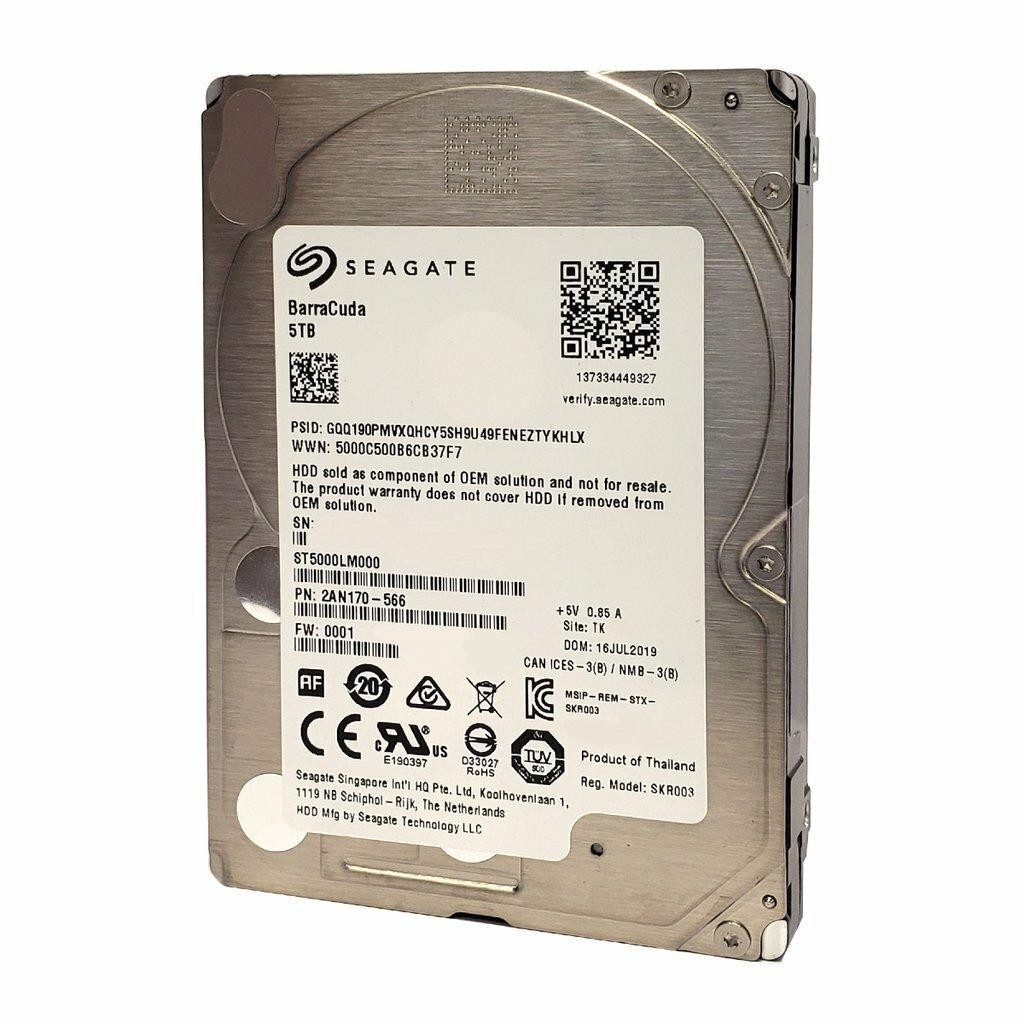

Photos from current listings. Actual item, color, and included accessories may vary.
Internal Hard Drive Buying Guide
Internal hard drives are spinning magnetic platters for bulk storage, backup, and surveillance/NAS workloads, not for booting an OS or loading games fast. The core trade-off is spindle speed and cache versus capacity and cost per terabyte: 5400/5900 RPM 2.5" drives prioritize density and low power, while 7200 RPM 3.5" drives deliver higher sequential throughput and endurance. The decision rule is simple: buy a NAS- or surveillance-rated drive with a workload rating for always-on use, and treat any desktop Barracuda-class drive as a cold-storage or backup target only.
Key takeaways
- 2.5" laptop drives like the Barracuda ST5000LM000 use 5400 RPM class (5.4K) spindles and SATA 6Gb/s, capping sequential transfer around 140-160 MB/s with 128MB cache.
- 3.5" 7200 RPM desktop drives with 256MB cache sustain roughly 200-260 MB/s sequential and are the only HDD tier worth using for large game or media libraries.
- CMR (conventional magnetic recording) drives keep stable write speeds; SMR drives slow sharply on sustained writes and should be avoided for RAID, NAS, or frequent large transfers.
At a glance
- Category
- PC Storage Upgrades
- Last updated
- Nov 28, 2026
Current offers
Highlights
- 2.5" laptop drives like the Barracuda ST5000LM000 use 5400 RPM class (5.4K) spindles and SATA 6Gb/s, capping sequential transfer around 140-160 MB/s with 128MB cache.
- 3.5" 7200 RPM desktop drives with 256MB cache sustain roughly 200-260 MB/s sequential and are the only HDD tier worth using for large game or media libraries.
- CMR (conventional magnetic recording) drives keep stable write speeds; SMR drives slow sharply on sustained writes and should be avoided for RAID, NAS, or frequent large transfers.
- NAS and surveillance drives carry workload ratings of 180-550 TB/year and vibration sensors; desktop drives are typically rated 55-180 TB/year and lack RAID vibration tolerance.
Best use cases
- Best fit for a PS5: skip HDDs entirely — the PS5 requires an NVMe M.2 SSD for internal expansion, and a SATA internal HDD can only serve as an external USB cold-storage drive for PS4 titles.
- Best fit for desktop bulk storage: choose a 3.5" 7200 RPM CMR drive (4-8TB) for video, photos, and backups where sequential speed matters.
- Wrong fit: do not buy a 2.5" 5400 RPM laptop drive expecting fast game loading; it is a low-power archive/backup part, not a performance drive.
- Best fit for always-on NAS: pick a NAS-rated drive with 180+ TB/year workload and vibration compensation; a standard desktop drive will fail early in multi-bay enclosures.
Buying tips
- Match form factor to bay: 3.5" drives need a desktop bay and SATA power; 2.5" drives fit laptops and mini-PCs but top out around 5TB and 5400 RPM.
- Check recording technology: confirm CMR for RAID, NAS, or sustained writes; SMR is acceptable only for write-once backup or media playback.
- For PS5 storage, an internal HDD is not compatible — the M.2 slot requires NVMe PCIe 4.0 (or 3.0) SSD; use an HDD only via USB for PS4 games.
- Size the drive at 80% usable capacity: a 5TB drive holds about 4TB of data after formatting and headroom, so buy one tier above your current needs.
Specs
| Form Factor | 3.5" desktop / 2.5" laptop |
|---|---|
| Spindle Speed | 5400 / 5900 / 7200 RPM |
| Recording Tech | CMR vs SMR |
| Workload Rating | 55-550 TB/year |
Related searches
What to check before buying
- Measure your bay: 3.5" drives are 147 x 101.6 x 26.1 mm; 2.5" drives are 100.45 x 69.85 x 7-15 mm — slim 7mm bays reject 15mm drives.
- Confirm SATA data and power cables are available; 3.5" drives require a separate SATA power connector, while 2.5" drives use the same connector at lower draw.
- Check host RAID/NAS compatibility: many NAS enclosures require CMR drives and list supported models, so verify the drive is on the enclosure's compatibility list.
- For PS5 external use, confirm the enclosure supports USB 3.0 and that the drive is used only for PS4 titles, as PS5 games cannot run from USB HDD storage.
FAQ
Data sources: eBay / Amazon listings and product attribute feeds. Updated Nov 28, 2026.
Some links on this page are affiliate links. If you buy after clicking one, we may earn a commission at no extra cost to you. This does not change which products appear here or their order. Affiliate disclosure.