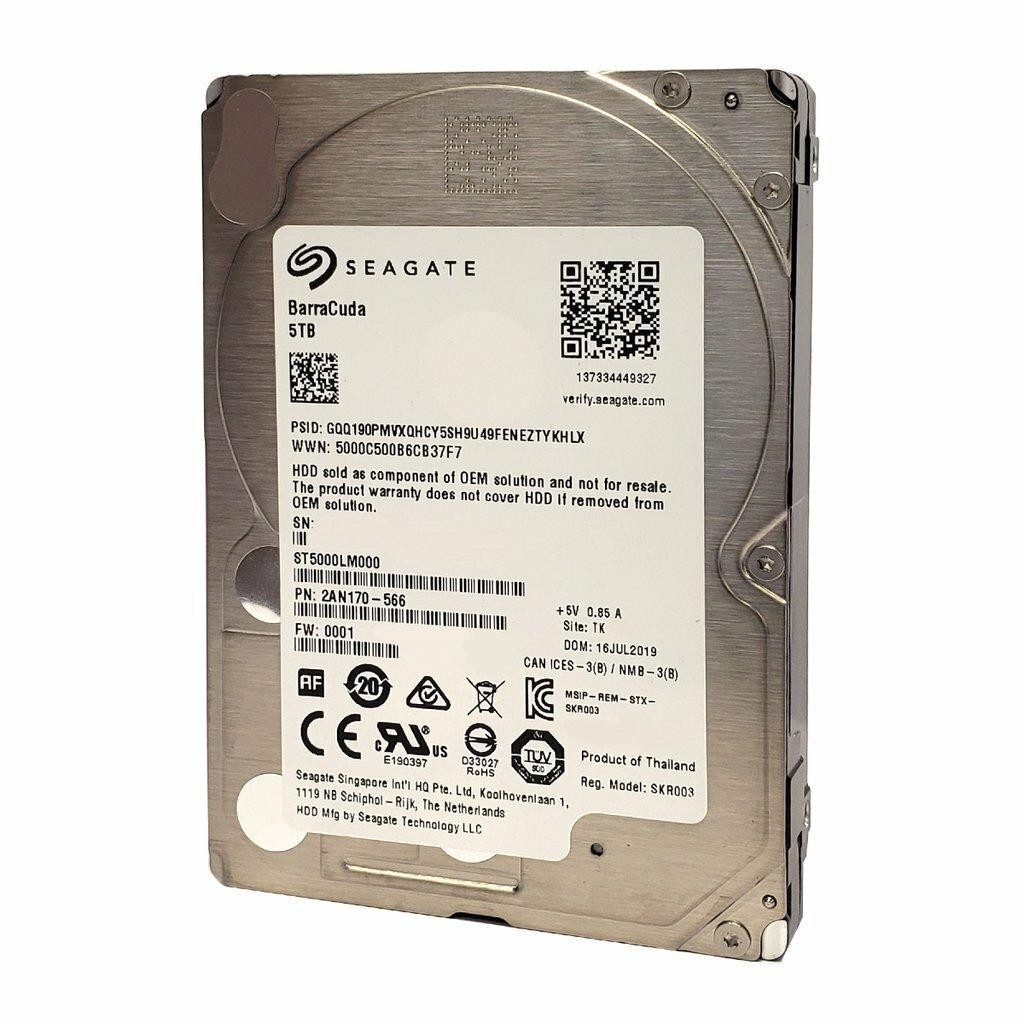

Photos from current listings. Actual item, color, and included accessories may vary.
Hard Drive Buying Guide
Hard drives (HDDs) remain the cheapest per-terabyte storage for bulk data, backups, and cold archives, but their mechanical nature means buyers must choose between SMR (shingled) and CMR (conventional) recording, plus 5400 vs 7200 RPM spindle speeds. The clear decision rule: only buy CMR drives for NAS, RAID, or sustained writes; SMR drives are acceptable solely for write-once cold storage and media libraries.
Key takeaways
- SMR vs CMR recording: SMR drives use overlapping tracks and suffer severe write-speed drops after cache exhaustion; CMR is mandatory for RAID rebuilds and continuous writes.
- 2.5-inch vs 3.5-inch: 2.5-inch drives max out at 5TB and are mostly 5400 RPM SMR (e.g., Seagate ST5000LM000); 3.5-inch offers up to 24TB and true 7200 RPM CMR.
- RPM tiers: 5400 RPM delivers 150-180 MB/s sequential and lower noise; 7200 RPM yields 200-260 MB/s but higher vibration and power draw.
At a glance
- Category
- PC Storage Upgrades
- Last updated
- Nov 28, 2026
Current offers
Highlights
- SMR vs CMR recording: SMR drives use overlapping tracks and suffer severe write-speed drops after cache exhaustion; CMR is mandatory for RAID rebuilds and continuous writes.
- 2.5-inch vs 3.5-inch: 2.5-inch drives max out at 5TB and are mostly 5400 RPM SMR (e.g., Seagate ST5000LM000); 3.5-inch offers up to 24TB and true 7200 RPM CMR.
- RPM tiers: 5400 RPM delivers 150-180 MB/s sequential and lower noise; 7200 RPM yields 200-260 MB/s but higher vibration and power draw.
- Cache and interface: 256MB cache on modern 3.5-inch CMR drives sustains burst writes; SATA 6Gb/s is universal, but PS5 requires an NVMe SSD—HDDs do not fit.
Best use cases
- Best fit: 3.5-inch 7200 RPM CMR drive (e.g., Seagate IronWolf or WD Red Plus) for NAS, surveillance, and desktop bulk storage—skip SMR models entirely.
- Best fit: 2.5-inch 5400 RPM SMR drive (e.g., Seagate Barracuda ST5000LM000) for laptop secondary storage or write-once media archives—never for OS or active projects.
- Wrong fit: any HDD for PS5 internal storage—the PS5 requires an NVMe M.2 SSD; an external USB HDD only works for cold-storing PS4 games, not running PS5 titles.
Buying tips
- Check the manufacturer's spec sheet for 'CMR' or 'SMR'—Seagate Barracuda 2.5-inch 5TB (ST5000LM000) is SMR; WD Red Plus and Seagate IronWolf are CMR.
- For RAID or NAS, match spindle speed and cache across all drives; mixing 5400 and 7200 RPM causes rebuild timeouts and vibration issues.
- External USB HDDs are almost all SMR 5400 RPM—fine for backup rotation, unacceptable for direct video editing or game installs.
- For PS5, buy an NVMe SSD with a heatsink, not an HDD; external HDDs only hold PS4 games and must be USB 3.0 or faster.
Specs
| Recording Tech | CMR (RAID/NAS) vs SMR (cold storage) |
|---|---|
| Form Factor | 3.5-inch (up to 24TB) / 2.5-inch (up to 5TB) |
| Spindle Speed | 7200 RPM (fast) / 5400 RPM (quiet) |
| Interface | SATA 6Gb/s (all HDDs) / USB 3.0 external |
Related searches
What to check before buying
- Measure your drive bay: 3.5-inch drives need a 4-inch bay and SATA power; 2.5-inch drives fit 2.5-inch laptop bays or require an adapter bracket.
- Confirm motherboard SATA ports and power connectors—most 3.5-inch drives need a SATA data cable and a SATA power lead from the PSU.
- For external use, check the enclosure supports UASP and the drive height (2.5-inch 15mm drives may not fit slim enclosures).
- Verify RAID controller compatibility: CMR drives are required for hardware RAID; SMR drives can drop out of RAID arrays during rebuilds.
FAQ
Data sources: eBay / Amazon listings and product attribute feeds. Updated Nov 28, 2026.
Some links on this page are affiliate links. If you buy after clicking one, we may earn a commission at no extra cost to you. This does not change which products appear here or their order. Affiliate disclosure.