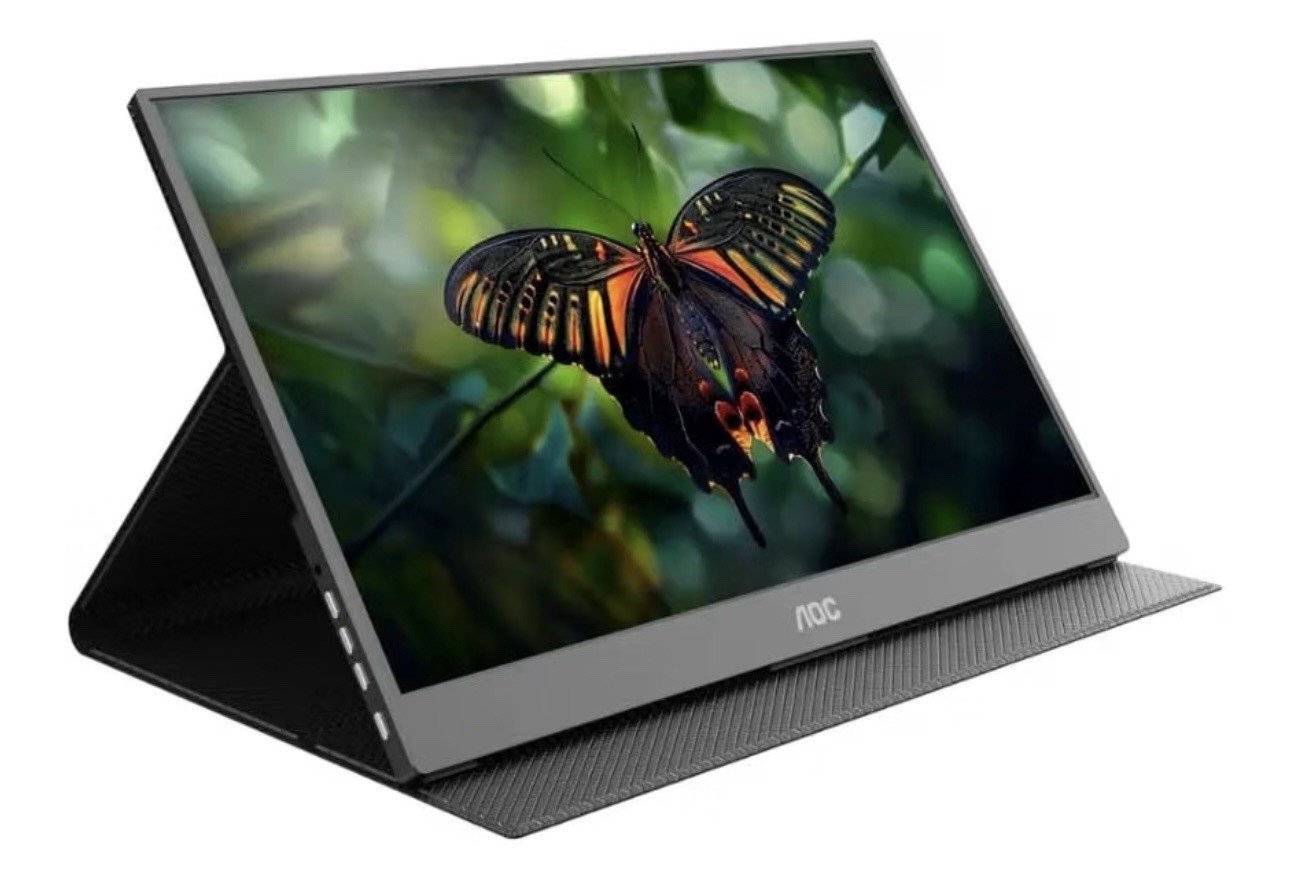

Photos from current listings. Actual item, color, and included accessories may vary.
Portable External Monitor Buying Guide
A portable external monitor is a slim, USB-C-powered display built for travel, dual-screen productivity, or console gaming on the go. The core trade-off is between panel quality and portability: thin IPS panels with high refresh and full sRGB coverage add weight, while ultra-light TN or low-brightness panels compromise color and outdoor visibility. The decision rule is simple: buy an IPS panel with at least 300 nits, USB-C DP Alt Mode, and a built-in kickstand or VESA mount—skip anything that relies on proprietary drivers or lacks a cover case.
Key takeaways
- Panel type is the primary performance differentiator: IPS delivers 178° viewing angles and 99% sRGB, while TN panels wash out off-axis and rarely exceed 250 nits.
- USB-C DP Alt Mode is the standard for single-cable video and power; monitors without it require HDMI plus a separate USB power brick, adding bulk.
- Refresh rate tiers split the market: 60Hz suits document work and media, while 120–144Hz panels target console gaming and smooth scrolling but cost more and drain laptop batteries faster.
At a glance
- Category
- Computer Monitors
- Last updated
- Nov 28, 2026
Current offers
Highlights
- Panel type is the primary performance differentiator: IPS delivers 178° viewing angles and 99% sRGB, while TN panels wash out off-axis and rarely exceed 250 nits.
- USB-C DP Alt Mode is the standard for single-cable video and power; monitors without it require HDMI plus a separate USB power brick, adding bulk.
- Refresh rate tiers split the market: 60Hz suits document work and media, while 120–144Hz panels target console gaming and smooth scrolling but cost more and drain laptop batteries faster.
- Build durability hinges on the kickstand/cover: magnetic folio covers protect the panel but add 0.5–1 lb, whereas built-in kickstands are lighter but offer fewer viewing angles.
Best use cases
- Best fit for remote workers: a 15.6-inch 1080p IPS panel with USB-C DP Alt Mode and a magnetic folio cover—skip 4K models because scaling issues and battery drain outweigh sharpness at this size.
- Best fit for console gamers: a 15.6–17.3-inch 1080p panel with 120Hz+ refresh and HDMI plus USB-C inputs—skip 60Hz office panels because they blur fast motion and lack game modes.
- Best fit for digital nomads: a 13–14-inch sub-1.5 lb panel with a built-in kickstand and 300+ nits brightness—skip 17-inch models because they exceed carry-on tray table dimensions and add 2+ lbs.
- Wrong fit for color-critical photo editing: portable monitors rarely cover 100% Adobe RGB and lack hardware calibration—use a desktop IPS or OLED monitor instead.
Buying tips
- Match size to bag and tray table: 13–14-inch fits airline tray tables and small backpacks; 15.6-inch fits most laptop sleeves; 17.3-inch requires a dedicated carrying case and only works on deep desks.
- Require USB-C with DP Alt Mode and Power Delivery passthrough (at least 60W) so one cable carries video and charges your laptop—avoid monitors that only accept USB-C data and need a separate HDMI cable.
- Check brightness for outdoor use: 300 nits is minimum for shaded patio work; 400+ nits needed for direct sunlight—most budget panels claim 250 nits, which washes out near windows.
- Verify VESA compatibility if you plan to mount: 75x75mm or 100x100mm holes add flexibility, but many ultra-slim models omit them—decide before buying because adapters add bulk.
Specs
| Panel Type | IPS vs TN vs OLED |
|---|---|
| Refresh Rate | 60Hz vs 120–144Hz |
| Brightness | 250–500 nits |
| Connectivity | USB-C DP Alt Mode / mini-HDMI |
Related searches
What to check before buying
- Measure your laptop bag’s padded sleeve: 15.6-inch monitors typically measure 14.2 x 8.9 x 0.4 inches and weigh 1.7–2.2 lbs—confirm the sleeve depth exceeds 1 inch.
- Confirm your laptop’s USB-C port supports DisplayPort Alt Mode and at least 45W Power Delivery; older USB-C 3.1 Gen 1 ports may only pass data, requiring HDMI plus USB power.
- Check desk or tray table depth: a 15.6-inch monitor with kickstand needs at least 10 inches of depth, and a 17.3-inch needs 12 inches—airline tray tables are typically 10.5 x 8.5 inches.
- Verify input standards: HDMI 1.4 supports 1080p at 60Hz; HDMI 2.0 needed for 120Hz at 1080p—match cables and console outputs to avoid refresh-rate caps.
FAQ
Data sources: eBay / Amazon listings and product attribute feeds. Updated Nov 28, 2026.
Some links on this page are affiliate links. If you buy after clicking one, we may earn a commission at no extra cost to you. This does not change which products appear here or their order. Affiliate disclosure.