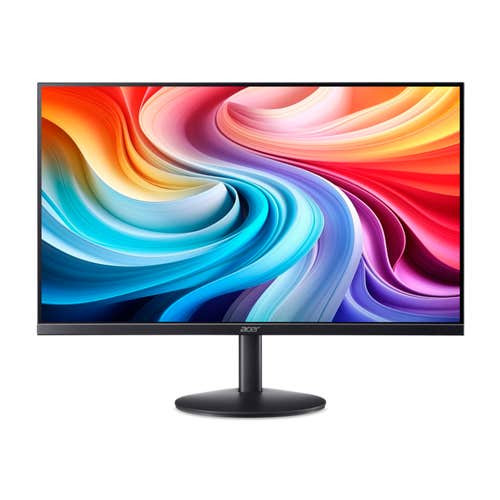

Photos from current listings. Actual item, color, and included accessories may vary.
Portable Computer Monitor Buying Guide
A portable computer monitor is a thin, lightweight display with integrated or bus-powered connectivity designed to extend a laptop or phone screen on the move. The core trade-off is panel brightness and color accuracy versus weight, power draw, and enclosure rigidity. Buy a USB-C DisplayPort Alt Mode unit with at least 300 nits and a rigid aluminum or reinforced shell; skip bus-powered TN panels and flimsy plastic frames with no VESA or cover-stand.
Key takeaways
- USB-C DisplayPort Alt Mode delivers video and power over one cable; HDMI-only units need separate power and a mini-HDMI adapter.
- IPS panels dominate the segment for 178-degree viewing angles and sRGB coverage; TN panels are cheaper but shift color and contrast off-axis.
- Brightness tiers separate usable from marginal: 250 nits struggles outdoors, 300-400 nits suits indoor/soft outdoor, 500+ nits supports direct sun.
At a glance
- Category
- Computer Monitors
- Last updated
- Nov 28, 2026
Current offers
Highlights
- USB-C DisplayPort Alt Mode delivers video and power over one cable; HDMI-only units need separate power and a mini-HDMI adapter.
- IPS panels dominate the segment for 178-degree viewing angles and sRGB coverage; TN panels are cheaper but shift color and contrast off-axis.
- Brightness tiers separate usable from marginal: 250 nits struggles outdoors, 300-400 nits suits indoor/soft outdoor, 500+ nits supports direct sun.
Best use cases
- Remote worker or digital nomad: pick a 14-16 inch USB-C IPS unit at 300-400 nits with a magnetic cover-stand and 1.5 lb or less; skip 17-inch panels that exceed airline tray-table depth.
- Nintendo Switch or Steam Deck docked play: choose a 15.6-inch 1080p panel with mini-HDMI and USB-C power pass-through; skip 4K units that demand more bandwidth and battery than handhelds provide.
- Dual-screen laptop productivity at a desk: select a 15.6-16 inch 1080p IPS with VESA 75mm holes and a rigid kickstand; skip 13-inch bus-powered panels that force resolution scaling at arm's length.
- Photo or video editing on location: require 100% sRGB and Delta-E under 3 with 400+ nits; skip budget TN panels with 45% NTSC that make color grading unreliable.
Buying tips
- Match size to bag and tray table: 13-14 inch fits most laptop sleeves and airline trays; 15.6-16 inch needs a dedicated sleeve and blocks adjacent tray space.
- Confirm USB-C port supports DisplayPort Alt Mode and at least 45W power delivery passthrough; plain USB-C data ports cannot carry video.
- Calculate power budget: a 1080p panel draws 5-8W, 4K draws 10-15W; bus-powered units drain a laptop battery 15-25% faster per hour.
- Check VESA pattern (75x75mm or 100x100mm) if you plan arm mounting; many portable models omit mounting holes entirely.
Specs
| Panel Type | IPS vs TN vs OLED |
|---|---|
| Brightness Tier | 250 / 300-400 / 500+ nits |
| Connection | USB-C DP Alt Mode / mini-HDMI |
| Size Class | 13-14 in / 15.6-16 in / 17 in |
Related searches
What to check before buying
- Measure laptop bag sleeve and desk footprint: a 15.6-inch 16:9 panel is roughly 14.2 x 8.9 inches and needs a 16-inch sleeve.
- Verify source device output: laptop or phone must support DisplayPort Alt Mode over USB-C or provide HDMI 1.4/2.0.
- Confirm wall power: include a 30W+ USB-C PD charger; bus-powered panels may not start from low-wattage laptop ports.
- Check included accessories: magnetic cover-stand, mini-HDMI to HDMI cable, and USB-C cable are often sold separately on budget units.
FAQ
Data sources: eBay / Amazon listings and product attribute feeds. Updated Nov 28, 2026.
Some links on this page are affiliate links. If you buy after clicking one, we may earn a commission at no extra cost to you. This does not change which products appear here or their order. Affiliate disclosure.