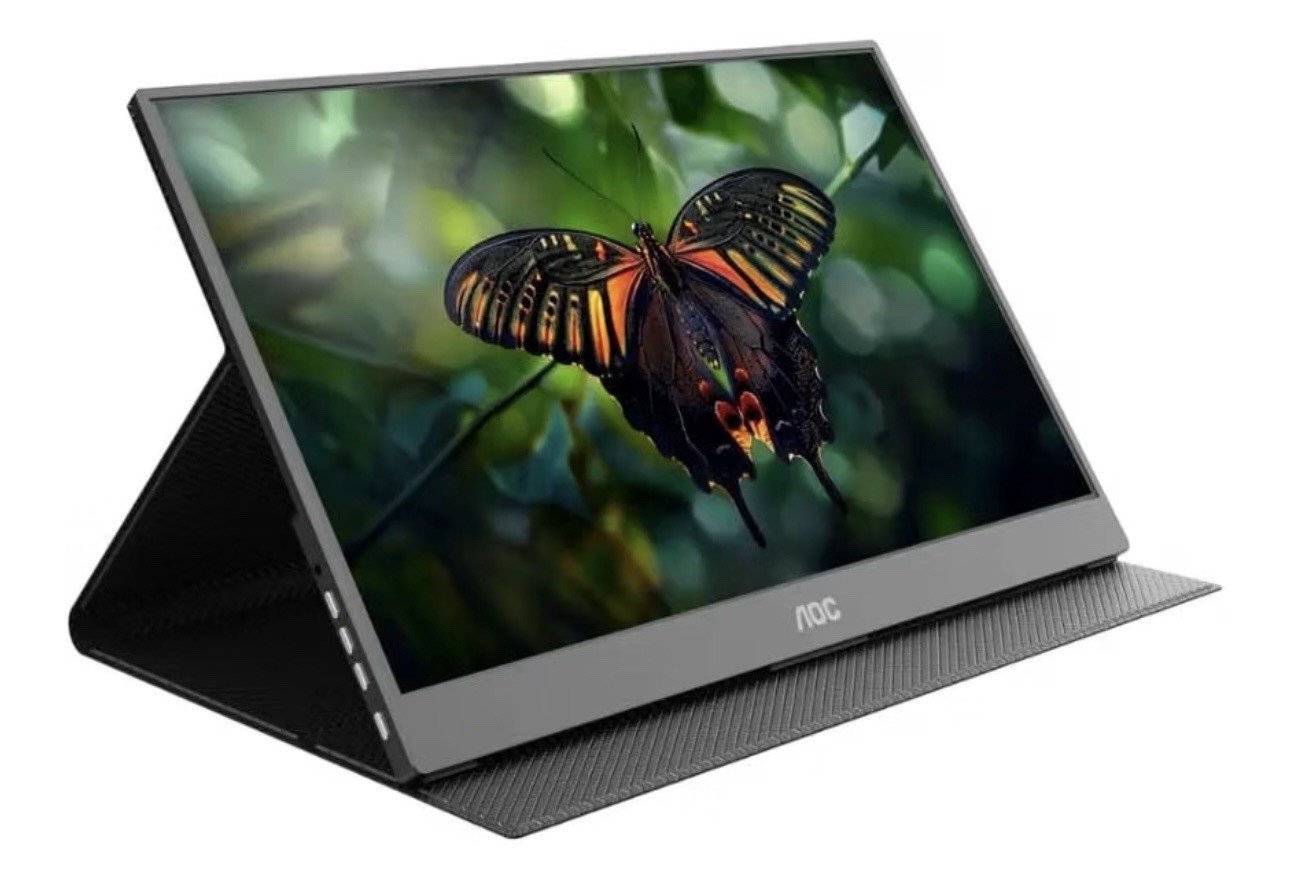

Photos from current listings. Actual item, color, and included accessories may vary.
External Monitor Buying Guide
An external monitor is a second screen that expands laptop or desktop workspace, and the core trade-off is panel quality versus connection and stand flexibility. Durable, high-value options use IPS or VA panels with full-size HDMI and DisplayPort plus VESA mounting, while compromised units rely on TN panels, single micro-HDMI, or fixed plastic stands. The clear decision rule: buy a monitor with at least one full-size video input, 250+ nits brightness, and VESA holes unless you specifically need a portable USB-C travel display.
Key takeaways
- Panel type drives viewing angles and color: IPS gives 178° consistency, VA gives deeper contrast but slower response, TN is only acceptable for budget secondary text screens.
- Resolution and size pair by pixel density: 24-inch 1080p is fine at 92 PPI, 27-inch needs 1440p to avoid visible pixels, and 32-inch or larger demands 4K.
- Connectivity tiers separate usable from compromised: full-size HDMI 1.4/2.0 and DisplayPort 1.2/1.4 with a USB-C DP-alt input cover laptops and desktops, while micro-HDMI and VGA-only models limit refresh and cable life.
At a glance
- Category
- Computer Monitors
- Last updated
- Nov 28, 2026
Current offers
Highlights
- Panel type drives viewing angles and color: IPS gives 178° consistency, VA gives deeper contrast but slower response, TN is only acceptable for budget secondary text screens.
- Resolution and size pair by pixel density: 24-inch 1080p is fine at 92 PPI, 27-inch needs 1440p to avoid visible pixels, and 32-inch or larger demands 4K.
- Connectivity tiers separate usable from compromised: full-size HDMI 1.4/2.0 and DisplayPort 1.2/1.4 with a USB-C DP-alt input cover laptops and desktops, while micro-HDMI and VGA-only models limit refresh and cable life.
- Stand and mount flexibility determines long-term ergonomics: height-adjustable stands or 75x75/100x100mm VESA holes allow proper eye-level placement; fixed tilt-only stands often force monitor risers.
Best use cases
- Best fit for laptop productivity: a 24-27 inch 1080p or 1440p IPS monitor with USB-C power delivery and HDMI, so one cable handles video and charging; skip 4K at 27 inches unless you edit photos.
- Best fit for dual-screen office work: two identical 24-inch 1080p IPS panels with DisplayPort daisy-chain or dual HDMI, plus VESA arms; skip portable USB-C displays for permanent desk setups because their stands and brightness are weaker.
- Best fit for travel and field work: a 15.6-inch portable USB-C monitor under 2 pounds with a magnetic cover stand and 300+ nits; skip it as a primary desktop screen because size and ergonomics are compromised.
- Wrong fit to avoid: a TN panel or micro-HDMI-only monitor for a home office where you will look at it daily; the narrow viewing angles and fragile ports cost more in replacements than a better tier upfront.
Buying tips
- Match resolution to size using pixel density: 1080p up to 24 inches, 1440p at 27 inches, 4K at 32 inches and above; below 90 PPI text looks fuzzy.
- Check the video input standard: HDMI 2.0 supports 4K at 60Hz, HDMI 1.4 caps 4K at 30Hz, and DisplayPort 1.4 handles 4K at 120Hz; USB-C must explicitly list DP Alt Mode.
- For laptop charging over USB-C, confirm the monitor delivers at least 65W power delivery; 45W or lower will not keep most 15-inch laptops charged under load.
- Prefer 250-350 nits for indoor desks and 300+ nits for bright rooms; below 200 nits washes out near windows and defeats the purpose of an external screen.
Specs
| Panel Type | IPS / VA / TN |
|---|---|
| Resolution by Size | 1080p 24in / 1440p 27in / 4K 32in |
| Video Inputs | HDMI 2.0 + DP 1.4 + USB-C |
| Brightness & Mount | 250-350 nits / VESA 75-100mm |
Related searches
What to check before buying
- Measure your desk depth and eye distance: a 27-inch monitor needs about 20-30 inches viewing distance, and a 32-inch needs 30-40 inches to avoid neck turning.
- Confirm the monitor's stand footprint and VESA pattern (75x75 or 100x100mm) fit your desk or arm, and that the arm or wall mount is rated for the monitor's weight.
- Verify your laptop or desktop port supports the monitor's input: USB-C DP Alt Mode, HDMI version, or DisplayPort, and whether you need an adapter or cable in the box.
- Check room lighting and glare: matte anti-glare coatings suit bright offices, while glossy panels need controlled lighting; also confirm the monitor's power brick or internal PSU matches your regional voltage.
FAQ
Data sources: eBay / Amazon listings and product attribute feeds. Updated Nov 28, 2026.
Some links on this page are affiliate links. If you buy after clicking one, we may earn a commission at no extra cost to you. This does not change which products appear here or their order. Affiliate disclosure.