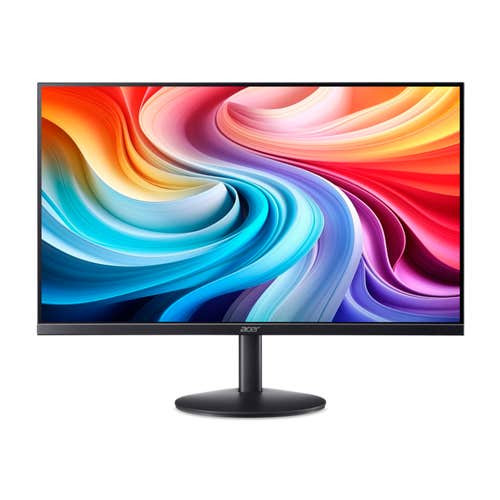

Photos from current listings. Actual item, color, and included accessories may vary.
Computer Monitor With Webcam Buying Guide
A computer monitor with webcam means either a monitor with a built-in camera or a standard monitor paired with a separate USB webcam — the built-in route saves desk space but locks you into fixed resolution and placement, while the separate route gives modular upgrades and better privacy control. The key trade-off is camera quality versus panel quality: integrated webcams are typically 1080p/30fps and non-replaceable, whereas external cams can hit 4K and clip anywhere. The decision rule: buy an integrated-webcam monitor only if the camera is 1080p with a privacy shutter and the panel meets your color/refresh needs; otherwise buy a better panel and a standalone USB-C webcam.
Key takeaways
- Integrated webcams are almost universally 1080p/30fps with fixed focus — no monitor-branded model offers 4K or autofocus competitive with standalone cams.
- Privacy shutters are mechanical slides on integrated cams; standalone webcams offer physical lens caps or software disable, a real security differentiator.
- Monitor USB-C hubs with webcam often deliver 60W–90W power delivery, enough to charge a laptop while carrying video and camera data on one cable.
At a glance
- Category
- Computer Monitors
- Last updated
- Nov 28, 2026
Current offers
Highlights
- Integrated webcams are almost universally 1080p/30fps with fixed focus — no monitor-branded model offers 4K or autofocus competitive with standalone cams.
- Privacy shutters are mechanical slides on integrated cams; standalone webcams offer physical lens caps or software disable, a real security differentiator.
- Monitor USB-C hubs with webcam often deliver 60W–90W power delivery, enough to charge a laptop while carrying video and camera data on one cable.
- Panel specs remain the dominant cost: 1080p/120Hz like the Acer SB243Y G0bi is budget-tier, while 1440p/165Hz IPS or 4K IPS is the durable productivity sweet spot.
Best use cases
- Best fit for integrated webcam: clean hybrid-work desk where the monitor is used for video calls daily and desk space is tight — pick a 1080p IPS panel with a 1080p shutter cam and USB-C 65W.
- Best fit for separate webcam: content creation or streaming where 4K/60fps capture or autofocus matters — buy a color-accurate 1440p/4K monitor and a clip-on 4K webcam; skip integrated-cam models.
- Wrong fit: buying a budget 1080p/120Hz monitor with a low-grade integrated cam for professional presentations — the fixed-focus cam and TN-like viewing angles undermine video quality; a 1440p IPS plus external cam is the better spend.
Buying tips
- Match webcam resolution to panel: a 1080p cam on a 4K panel wastes sharpness — pair 4K panels with 4K cams, and 1080p panels with 1080p cams to avoid overspending.
- Check USB-C power delivery wattage: 60W charges ultrabooks, but 90W+ is required for 15–16-inch performance laptops; below 45W only trickle-charges.
- For 24-inch 1080p, pixel density is about 92 PPI — fine for video calls; for text-heavy work at 27 inches, insist on 1440p (109 PPI) or 4K (163 PPI) to avoid visible pixelation next to a sharp webcam feed.
- Refresh rate matters for motion: 120Hz+ reduces eye strain in scrolling and is now standard at budget tier; integrated-webcam models often cap at 60Hz — decide which feature you prioritize.
Specs
| Webcam Resolution | 1080p/30fps standard; 4K on premium |
|---|---|
| Panel Type | IPS vs VA vs TN (IPS best all-round) |
| USB-C Power Delivery | 45W / 65W / 90W tiers |
| Privacy Shutter | Mechanical slide vs none |
Related searches
What to check before buying
- Measure desk depth and VESA pattern: integrated-webcam monitors often lack VESA mounts, so confirm 75x75mm or 100x100mm if you plan an arm mount.
- Confirm your laptop's USB-C supports DisplayPort Alt Mode and Power Delivery — a webcam monitor's single-cable setup fails on USB-C ports that are data-only.
- Check room lighting: integrated cams with fixed focus struggle in backlit or dim rooms; plan a key light or choose a standalone cam with HDR/low-light correction.
- Verify webcam field of view: 65–78° is natural for desk distance; wider than 90° distorts faces and captures too much room — check the spec before buying.
FAQ
Data sources: eBay / Amazon listings and product attribute feeds. Updated Nov 28, 2026.
Some links on this page are affiliate links. If you buy after clicking one, we may earn a commission at no extra cost to you. This does not change which products appear here or their order. Affiliate disclosure.