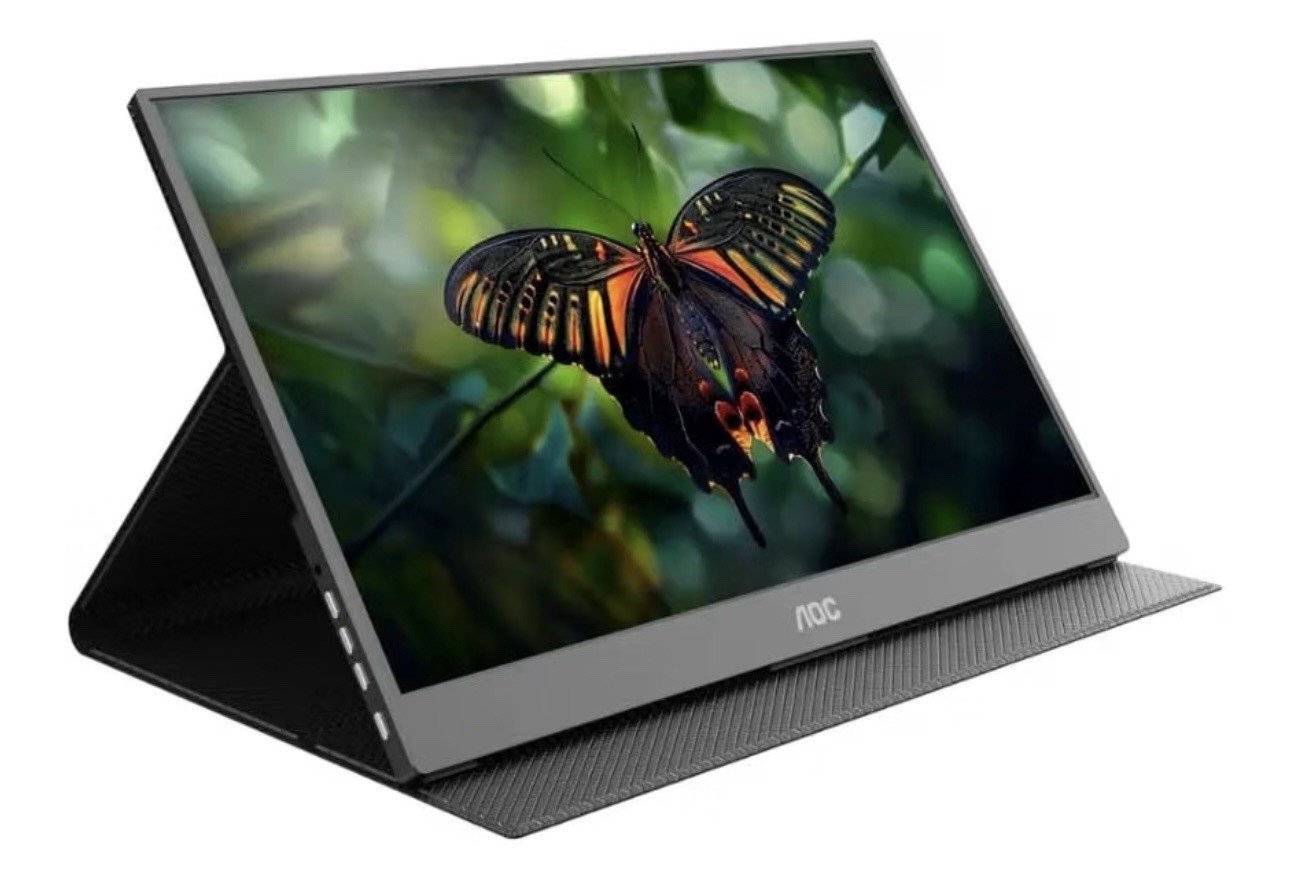

Photos from current listings. Actual item, color, and included accessories may vary.
Aoc Portable Monitor Buying Guide
AOC portable monitors are slim USB-C secondary displays for laptops and compact setups, trading panel brightness and build rigidity for true plug-and-play portability. The core split is between bus-powered 15.6-inch IPS panels that run off a single cable and larger or higher-refresh units that need external power for full brightness. Buy the former for travel and single-cable simplicity; step up only if you need a specific size, refresh rate, or built-in battery.
Key takeaways
- Most AOC portables use a 15.6-inch IPS panel at 1920x1080, 60Hz, 250-nit typical brightness, powered over USB-C (DisplayPort Alt Mode) at 7.5-15W.
- Bus-powered USB-C models draw power from the laptop or source device; models with a second USB-C or mini-HDMI port accept external power for sustained full brightness.
- Slim bezel and ~0.5-inch chassis weight around 1.5-1.8 lbs; the magnetic or foldable cover doubles as a stand and adds roughly 0.5 lb.
At a glance
- Category
- Computer Monitors
- Last updated
- Nov 28, 2026
Current offers
Highlights
- Most AOC portables use a 15.6-inch IPS panel at 1920x1080, 60Hz, 250-nit typical brightness, powered over USB-C (DisplayPort Alt Mode) at 7.5-15W.
- Bus-powered USB-C models draw power from the laptop or source device; models with a second USB-C or mini-HDMI port accept external power for sustained full brightness.
- Slim bezel and ~0.5-inch chassis weight around 1.5-1.8 lbs; the magnetic or foldable cover doubles as a stand and adds roughly 0.5 lb.
- Some AOC portable lines offer 15.6-inch 144Hz or 16-inch 1200p variants; these typically require USB-C PD power delivery (45W+) for full performance.
Best use cases
- Best fit: mobile professionals and students adding a second 1080p screen to a USB-C laptop — pick the single-cable bus-powered 15.6-inch IPS model and skip anything with a built-in battery.
- Right fit: light gaming or productivity on a 144Hz-capable laptop — choose the 144Hz AOC portable and budget for a 45W+ USB-C PD charger, since bus power alone caps refresh and brightness.
- Wrong fit: permanent dual-monitor desk setups or color-critical photo editing — a bus-powered 250-nit portable cannot match a 300+ nit desktop IPS with height adjustment; buy a standard desktop monitor instead.
- Wrong fit: users with only USB-A or older HDMI 1.4 laptops — skip USB-C-only portables unless the model includes mini-HDMI and a separate power input.
Buying tips
- Verify your laptop's USB-C port supports DisplayPort Alt Mode; USB-C charging-only ports will not carry video, so choose a mini-HDMI-equipped AOC model instead.
- For bus-powered use, confirm the monitor's rated draw (typically under 15W) against your laptop's USB-C power output; higher-refresh or 16-inch panels need external PD power.
- Match the monitor size to your bag: 15.6-inch models fit most 15-inch laptop sleeves, while 16-inch 16:10 panels need a dedicated 16-inch sleeve.
- Check the included cover/stand: AOC portables ship with a foldable magnetic cover that props at a fixed angle; if you need height or tilt adjustment, plan a separate tablet-style stand.
Specs
| Panel Type | 15.6-16 in IPS, 1080p/1200p |
|---|---|
| Refresh Rate | 60Hz standard / 144Hz select models |
| Power Input | USB-C bus power or PD 45W+ |
| Video Input | USB-C DP Alt Mode / mini-HDMI |
Related searches
What to check before buying
- Laptop USB-C port: confirm DisplayPort Alt Mode support and available power headroom (at least 15W free) before choosing a bus-powered model.
- Bag or sleeve internal dimensions: measure for at least 14.5 x 9 inches of flat space for a 15.6-inch AOC portable with cover.
- Desk or travel surface: the foldable cover stand needs roughly 12 x 8 inches of flat area and does not clamp to a monitor arm.
- Power accessories: for high-refresh or 16-inch models, have a 45W+ USB-C PD charger and a USB-C cable rated for video (USB 3.1 Gen 2 or Thunderbolt).
FAQ
Data sources: eBay / Amazon listings and product attribute feeds. Updated Nov 28, 2026.
Some links on this page are affiliate links. If you buy after clicking one, we may earn a commission at no extra cost to you. This does not change which products appear here or their order. Affiliate disclosure.