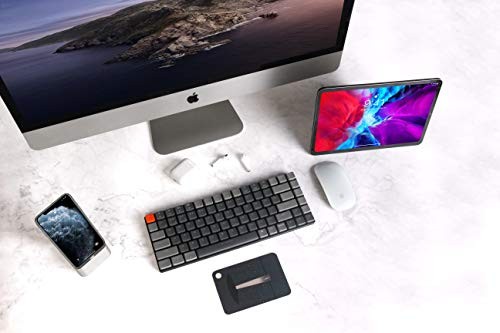

Photos from current listings. Actual item, color, and included accessories may vary.
Keychron K3 VERSION 2 Buying Guide
The Keychron K3 Version 2 is an ultra-slim 75% low-profile mechanical keyboard with Bluetooth 5.1 and wired USB-C, aimed at buyers who want mechanical feel in a laptop-thin footprint. The core trade-off is low-profile switch height and 84-key layout versus full-height key travel and dedicated function keys. Choose it only if you prioritize portability and Mac/Windows dual compatibility; skip it if you need hot-swap socket durability, per-key RGB, or a numpad.
Key takeaways
- Version 2 upgrades the original K3 with Bluetooth 5.1, a 1000 Hz polling rate in wired mode, and a redesigned low-profile Gateron switch housing for reduced wobble.
- The 84-key layout omits the numpad and separates arrow keys, but retains F-row and delete key via Fn-layer combos rather than dedicated keys.
- Low-profile Gateron switches use a 2.5 mm total travel and 1.1 mm actuation point — roughly 30% shorter than standard 4 mm MX-style travel, which reduces typing fatigue but increases accidental presses.
At a glance
- Category
- Mechanical Keyboards
- Status
- Listings available
- Last updated
- Nov 24, 2026
Current offers
Highlights
- Version 2 upgrades the original K3 with Bluetooth 5.1, a 1000 Hz polling rate in wired mode, and a redesigned low-profile Gateron switch housing for reduced wobble.
- The 84-key layout omits the numpad and separates arrow keys, but retains F-row and delete key via Fn-layer combos rather than dedicated keys.
- Low-profile Gateron switches use a 2.5 mm total travel and 1.1 mm actuation point — roughly 30% shorter than standard 4 mm MX-style travel, which reduces typing fatigue but increases accidental presses.
- The 1550 mAh battery delivers roughly 34 hours with backlight off and 4 hours with RGB on; charging is USB-C only, with no wireless charging or swappable cells.
Best use cases
- Best fit: MacBook or ultrabook users who want a mechanical keyboard that matches laptop thickness and pairs instantly via Bluetooth 5.1 — pick the K3 V2 with brown switches for quiet office use.
- Best fit: Writers and coders who type on the go and need a 75% layout with arrow keys in a 12-inch-wide footprint — choose the RGB backlight version only if you work in dim environments, as it cuts battery life by 85%.
- Wrong fit: Competitive FPS gamers who need 1 ms wired latency and full-height linear switches — skip the K3 V2 and buy a full-size wired board with per-key polling; Bluetooth adds 8–15 ms of input lag even in low-latency mode.
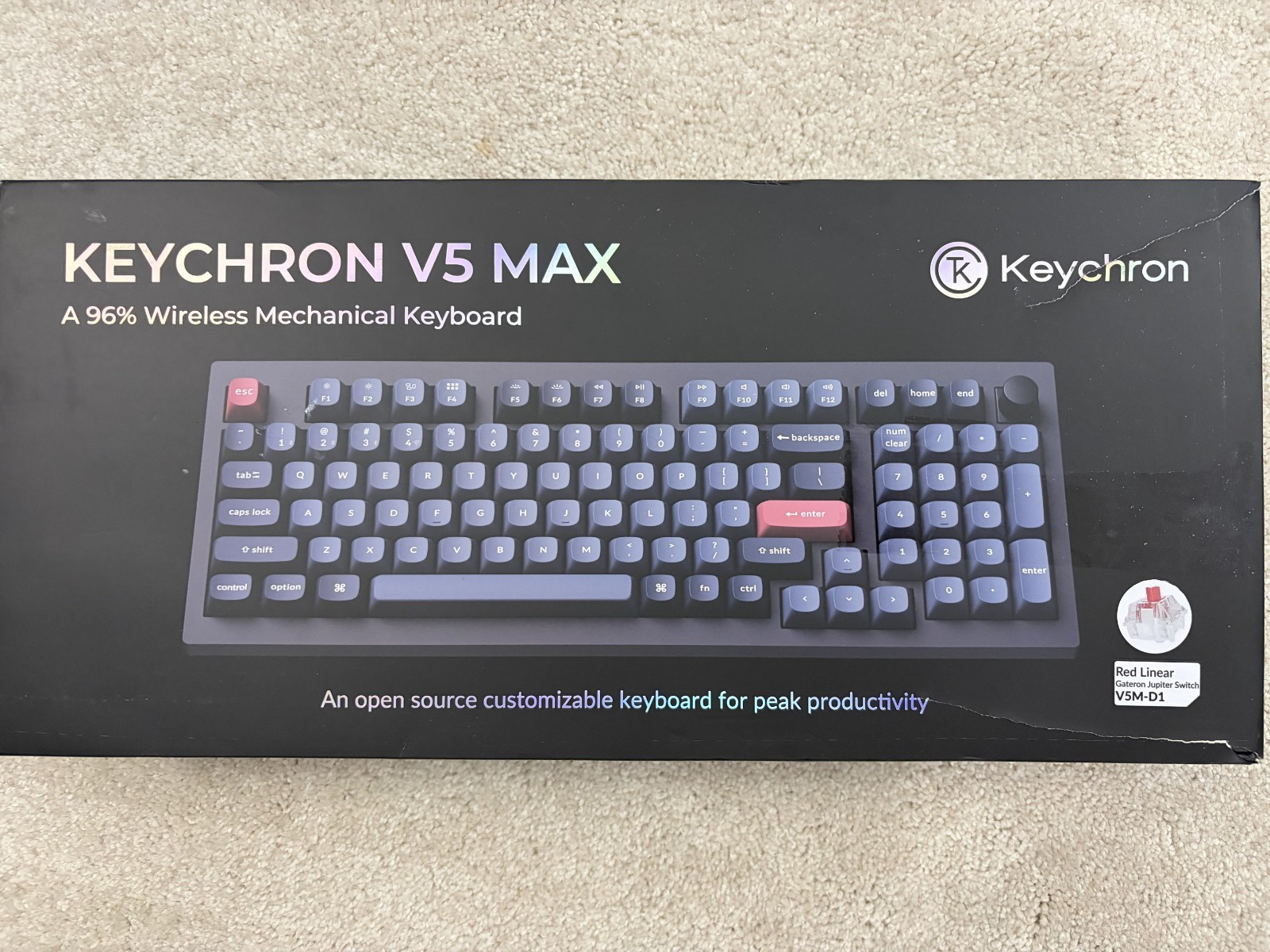
- Wrong fit: Heavy Excel or CAD users who rely on a numpad and dedicated function keys — the 84-key K3 V2 forces Fn-layer combos for F1–F12 and has no numpad; choose a 96% or full-size board instead.
Buying tips
- Pick the optical switch version only if you want hot-swappable sockets — the standard Gateron low-profile mechanical version is soldered and not hot-swap compatible.
- Match switch color to environment: red for quiet offices and shared rooms (linear, 45 g), brown for tactile feedback without loud clicks, blue only for private spaces due to audible click.
- Confirm your OS layout before ordering — the K3 V2 ships with a Mac layout (Command/Option keycaps) and includes Windows keycaps in the box, but the physical F-row media keys default to macOS functions.
- If you need per-key RGB, buy the RGB backlight variant; the white backlight version has only 14 preset lighting effects and no per-key customization.
Specs
| Layout | 75% / 84-key (no numpad) |
|---|---|
| Switch Type | Low-profile Gateron mechanical |
| Connectivity | Bluetooth 5.1 + USB-C wired |
| Battery | 1550 mAh / ~34 hr (no backlight) |
Alternatives to compare
Related searches
What to check before buying
- Measure your desk or lap space: the K3 V2 is 12.0 inches (306 mm) wide and 4.6 inches (116 mm) deep — confirm it fits alongside a mouse on a 24-inch desk.
- Check your device's Bluetooth version: Bluetooth 5.1 on the keyboard pairs with Bluetooth 4.0+ hosts, but macOS 10.15+ and Windows 10+ are required for full key remapping via Keychron's web app.
- Verify your USB-C port orientation: the K3 V2's charging port is recessed and requires a slim-profile USB-C cable; thick braided cables may not seat fully.
- Confirm you do not need a wrist rest: the K3 V2's 5-degree typing angle and 0.6-inch front height are designed for flat typing, and adding a wrist rest changes the ergonomics significantly.
FAQ
Data sources: eBay / Amazon listings and product attribute feeds. Updated Nov 24, 2026.
Some links on this page are affiliate links. If you buy after clicking one, we may earn a commission at no extra cost to you. This does not change which products appear here or their order. Affiliate disclosure.