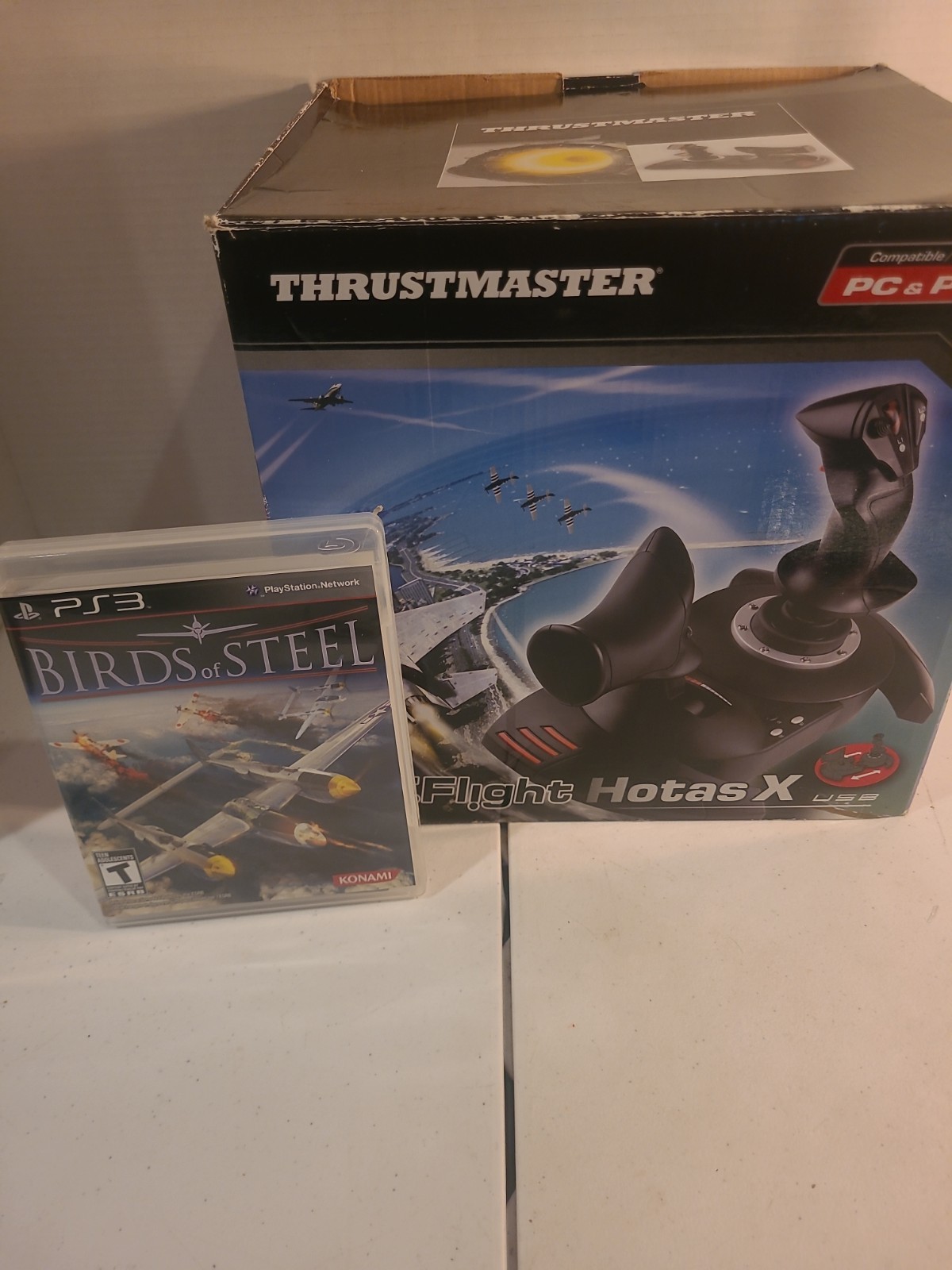

Photos from current listings. Actual item, color, and included accessories may vary.
Thrustmaster T Flight HOTAS X Buying Guide
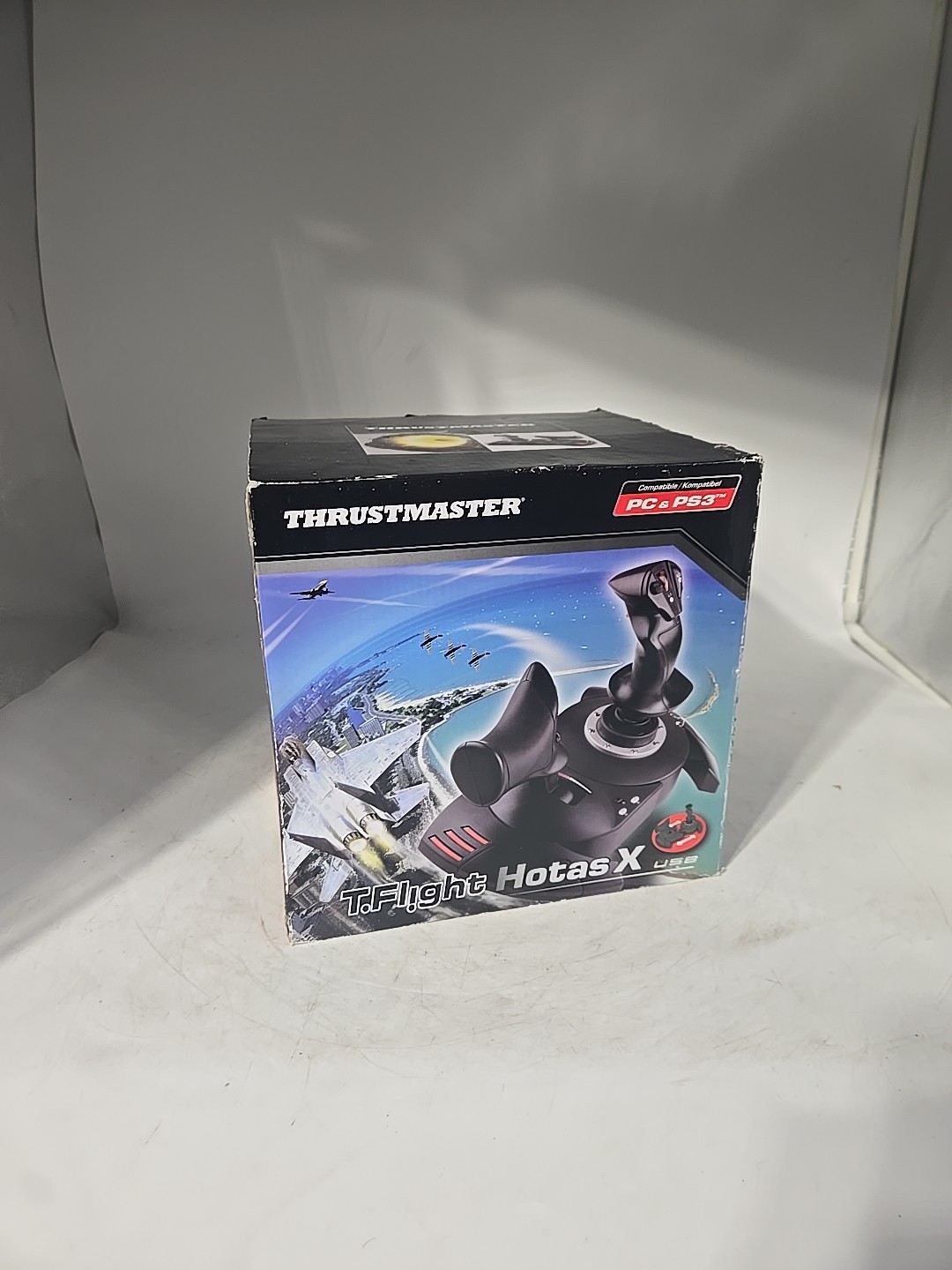
The Thrustmaster T-Flight Hotas X is a budget all-in-one HOTAS (hands-on throttle-and-stick) bundle for PC and PS3, pairing a non-contact Hall-effect X/Y stick with a detachable throttle. The core trade-off is plastic construction and a single-piece, non-modular design versus a price that undercuts dual-rail metal HOTAS systems; buy it for entry-level flight-sim use, and skip it if you need metal gimbals, twist-rudder precision, or console compatibility beyond PS3.
Median $52.57
Key takeaways
- Stick axes use Thrustmaster's Hall-effect magnetic sensors (no contact potentiometers on X/Y), which resist wear and drift far better than the carbon-track pots on generic budget sticks.
- Throttle is detachable and can be separated from the stick base, letting you place throttle left and stick right for a realistic split-hands layout; the two halves reconnect for compact storage.
- Includes a twist-rudder function on the stick grip plus a 4-way hat and 12 action buttons, covering yaw and basic cockpit commands without a separate rudder pedal purchase.
At a glance
- Category
- Flight Sim Joysticks & HOTAS
- Status
- Listings available
- Last updated
- Nov 27, 2026
Current offers
Highlights
- Stick axes use Thrustmaster's Hall-effect magnetic sensors (no contact potentiometers on X/Y), which resist wear and drift far better than the carbon-track pots on generic budget sticks.
- Throttle is detachable and can be separated from the stick base, letting you place throttle left and stick right for a realistic split-hands layout; the two halves reconnect for compact storage.
- Includes a twist-rudder function on the stick grip plus a 4-way hat and 12 action buttons, covering yaw and basic cockpit commands without a separate rudder pedal purchase.
- Officially supported on PC (Windows) and PlayStation 3 only; it is not recognized as a native PS4, PS5, or Xbox controller, so console buyers must step up to the T-Flight HOTAS 4 or Xbox variants.
Best use cases
- Best fit: PC flight-sim beginners playing Microsoft Flight Simulator, X-Plane, or combat sims who want a full stick-plus-throttle layout on a tight budget — buy this over a standalone stick.
- Best fit: PS3 owners needing a supported HOTAS for arcade and sim flight titles — this is one of the few officially licensed PS3 HOTAS options.
- Wrong fit: PS4/PS5 or Xbox Series X|S players — skip this and choose the platform-specific T-Flight HOTAS 4 (PlayStation) or HOTAS One (Xbox), which carry the correct console chipset.
- Wrong fit: Competitive or long-session simmers wanting metal gimbals, adjustable spring tension, and pedal-ready rudder axes — step up to a mid-tier dual-rail HOTAS instead.
Buying tips
- Confirm the model/platform tag before buying: the T-Flight HOTAS X targets PC + PS3, the HOTAS 4 targets PS4/PS5/PC, and the HOTAS One targets Xbox/PC — the plastic shell looks similar but the internal controller board differs.
- Check desk depth: the combined stick-plus-throttle footprint is roughly 40 cm wide when joined, so measure your desk or mount area before committing to a side-by-side layout.
- Expect a plastic gimbal with moderate centering spring; if you fly helicopters or need fine yaw, budget for separate rudder pedals rather than relying on the twist axis.
- Buy the version with the detachable throttle cable and quick-release connector intact — the throttle-to-base link is the most commonly lost or damaged part on used units.
Specs
| Sensor Type | Hall-effect X/Y + pot throttle |
|---|---|
| Platform Support | PC (Windows) / PS3 only |
| Throttle Design | Detachable, split or joined layout |
| Rudder Control | Twist axis on stick grip |
Alternatives to compare
Related searches
What to check before buying
- Desk or mount width of at least 45 cm if you plan to split throttle and stick into a realistic left/right layout.
- PC running Windows 10/11 (or a PS3 console) — verify your sim supports DirectInput/XInput game controllers before purchase.
- A USB-A port available; the HOTAS X uses a standard USB connection and needs no external power supply.
- If buying used, confirm the throttle detach cable, the base clamp/suction cups, and the stick-to-base connector are all included.
FAQ
Data sources: eBay / Amazon listings and product attribute feeds. Updated Nov 27, 2026.
Some links on this page are affiliate links. If you buy after clicking one, we may earn a commission at no extra cost to you. This does not change which products appear here or their order. Affiliate disclosure.