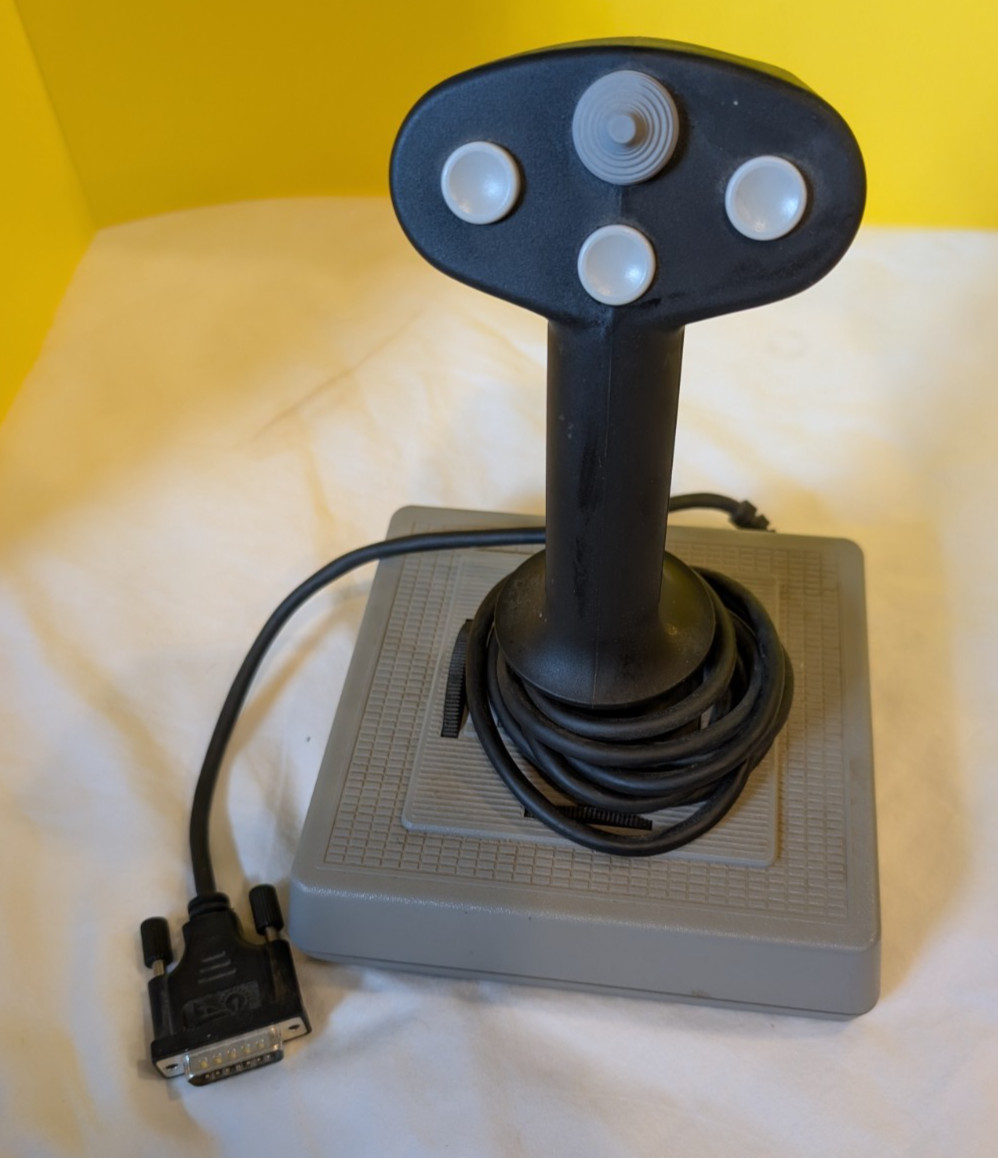

Photos from current listings. Actual item, color, and included accessories may vary.
CH Products Flightstick Buying Guide
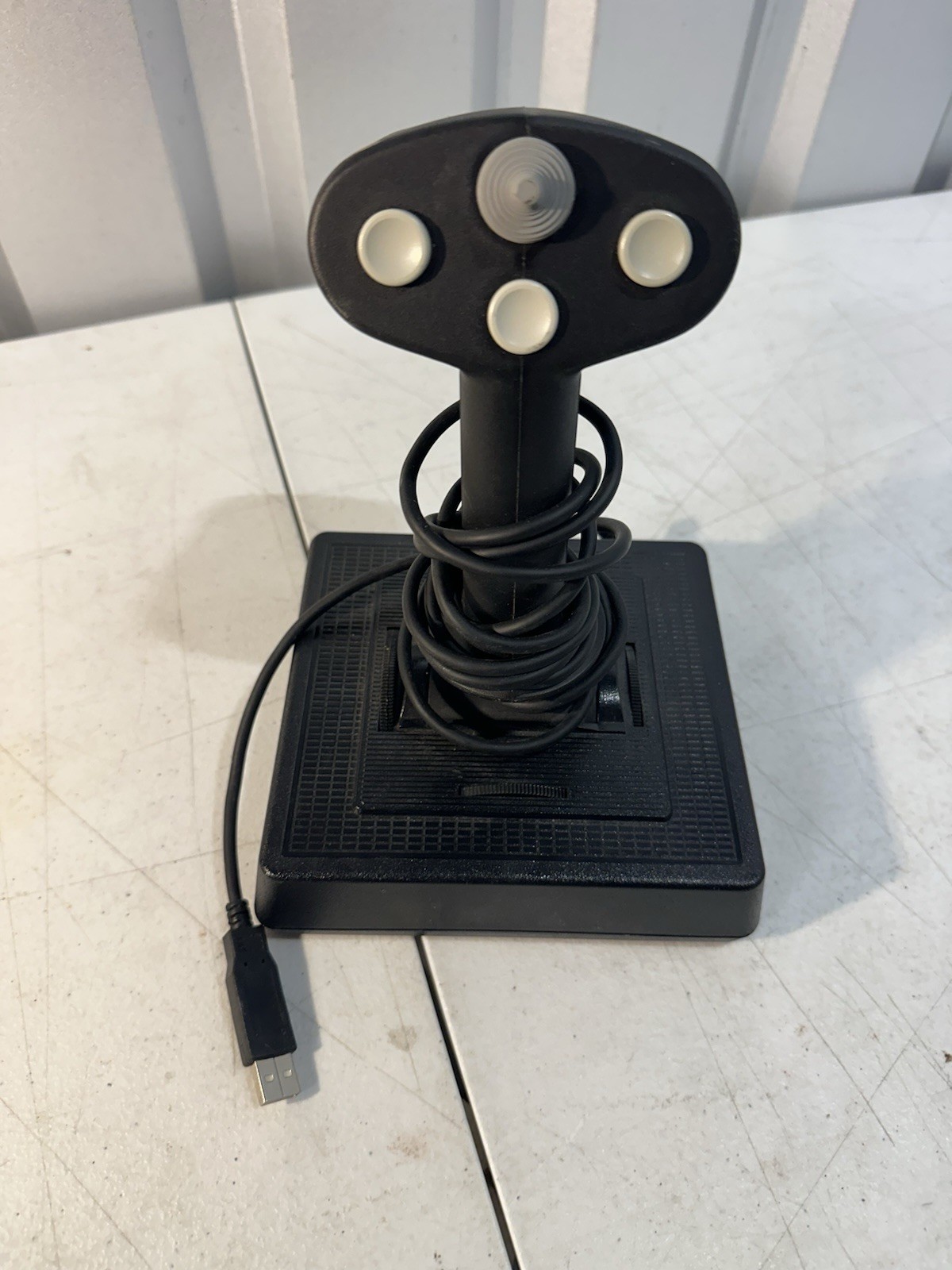
The CH Products Flightstick Pro (model 02227) is a classic USB joystick built around a contactless Hall-effect sensor and a heavy plastic gimbal, offering a linear-response alternative to modern force-feedback or spring-heavy HOTAS bases. The primary trade-off is mechanical simplicity and sensor longevity versus limited button count, no twist rudder, and a light centering feel. Buy it if you want precise, low-drag axis control for flight sims with a separate rudder pedal setup; skip it if you need twist yaw, dual throttles, or console compatibility.
Key takeaways
- Hall-effect magnetic sensors on both X and Y axes — no potentiometer wear, no dead zones from dirt, and consistent output over years of use.
- Four thumb buttons plus a top-mounted 8-way hat switch and a pinky-side mode button give 10 programmable inputs, but no twist-rudder axis.
- Plastic gimbal with light coil-spring centering — smooth and linear, but the ~1.5 lb centering force is noticeably lighter than modern cam-and-spring bases.
At a glance
- Category
- Flight Sim Joysticks & HOTAS
- Status
- Listings available
- Last updated
- Nov 27, 2026
Current offers
Highlights
- Hall-effect magnetic sensors on both X and Y axes — no potentiometer wear, no dead zones from dirt, and consistent output over years of use.
- Four thumb buttons plus a top-mounted 8-way hat switch and a pinky-side mode button give 10 programmable inputs, but no twist-rudder axis.
- Plastic gimbal with light coil-spring centering — smooth and linear, but the ~1.5 lb centering force is noticeably lighter than modern cam-and-spring bases.
- USB 1.1/2.0 plug-and-play on Windows 10/11 with DirectInput; recognized as a standard game controller without proprietary drivers or software.
Best use cases
- Best fit: fixed-wing and helicopter sim pilots who already own rudder pedals and want a precise, low-force X/Y stick for fine formation or approach control.
- Best fit: retro-flight-sim players (Microsoft Flight Simulator 9/FSX, X-Plane 9/10) who need a reliable USB stick that maps cleanly to legacy DirectInput titles.
- Wrong fit: space-sim or arcade players who need twist-rudder yaw and 15+ buttons — choose a twist-capable stick like the Thrustmaster T.16000M instead.
- Wrong fit: modern combat-sim pilots needing dual throttles, split axis detents, and metal cams — a full HOTAS like the Logitech X56 or Thrustmaster Warthog is the correct tier.
Buying tips
- Confirm your sim supports separate rudder hardware — the Flightstick Pro has no twist axis, so you must budget for USB pedals (e.g., CH Pro Pedals) or map yaw to keyboard.
- Check the gimbal feel against your mounting: the light centering spring and ~6-inch stick height suit desktop use, but a floor or chair mount with a heavier spring may feel vague.
- Buy the USB version (02227) not the legacy gameport version — gameport units require a USB adapter and lose button mapping fidelity on modern Windows.
- Inspect used units for the hat switch — it is the most common wear point on this model; a mushy or non-clicking hat indicates heavy use and should be avoided.
Specs
| Sensor Type | Hall-effect magnetic (X/Y axes) |
|---|---|
| Rudder Axis | None — requires pedals |
| Connectivity | USB-A wired (DirectInput) |
| Button Count | 4 buttons + 8-way hat + mode |
Alternatives to compare
Related searches
What to check before buying
- Measure your desk or mount clearance: the stick base is roughly 6 x 7 inches and the handle reaches ~7 inches tall — ensure it does not obstruct keyboard or throttle placement.
- Verify you have a free USB-A port and Windows 10/11 or a DirectInput-compatible sim — macOS and consoles are not supported without third-party remapping.
- Confirm you own or will buy rudder pedals — without them, yaw control defaults to keyboard or a second controller, which compromises helicopter and crosswind landings.
- Check the unit's centering spring tension against your preferred grip force — lighter springs suit fingertip precision flying; heavier-handed pilots may prefer a stiffer aftermarket stick.
FAQ
Data sources: eBay / Amazon listings and product attribute feeds. Updated Nov 27, 2026.
Some links on this page are affiliate links. If you buy after clicking one, we may earn a commission at no extra cost to you. This does not change which products appear here or their order. Affiliate disclosure.