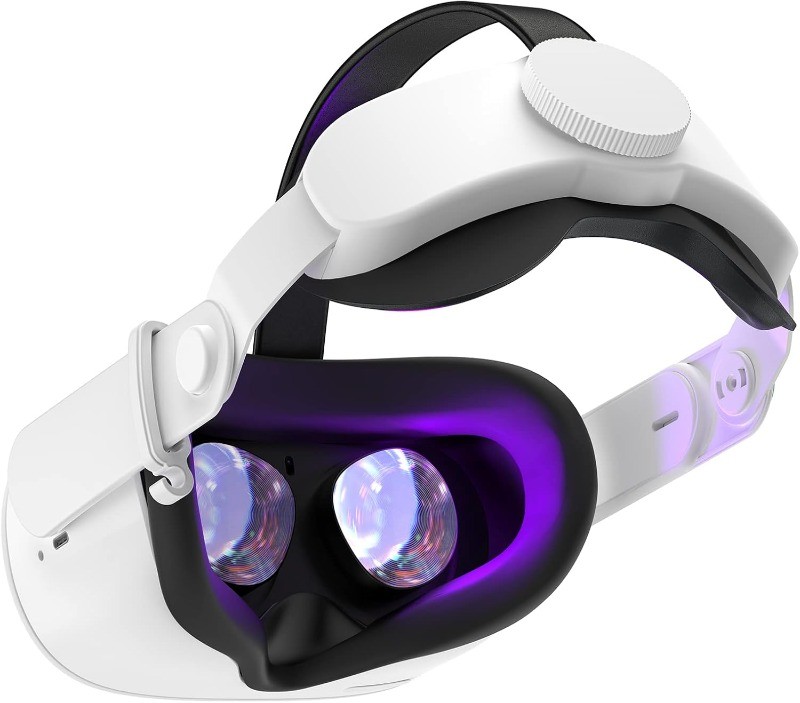

Photos from current listings. Actual item, color, and included accessories may vary.
VR Headset Strap Buying Guide
A VR headset strap is the load-bearing interface that transfers headset mass to the skull, and the core trade-off is rigid halo-style support versus soft-strap simplicity. Rigid straps with a rear counterweight and dial tensioner eliminate face pressure and improve balance; soft fabric straps are lighter and packable but shift during fast motion. The decision rule: buy a rigid strap with a rear cradle for active or long sessions, and stay with a soft strap only for seated, short-duration media viewing.
Median $18.00
Key takeaways
- Halo vs facial-pressure architecture: halo straps clamp the forehead and occiput, removing 100% of weight from cheekbones; elite-style rigid straps still tension against the face but add a rear cradle to cut frontal load.
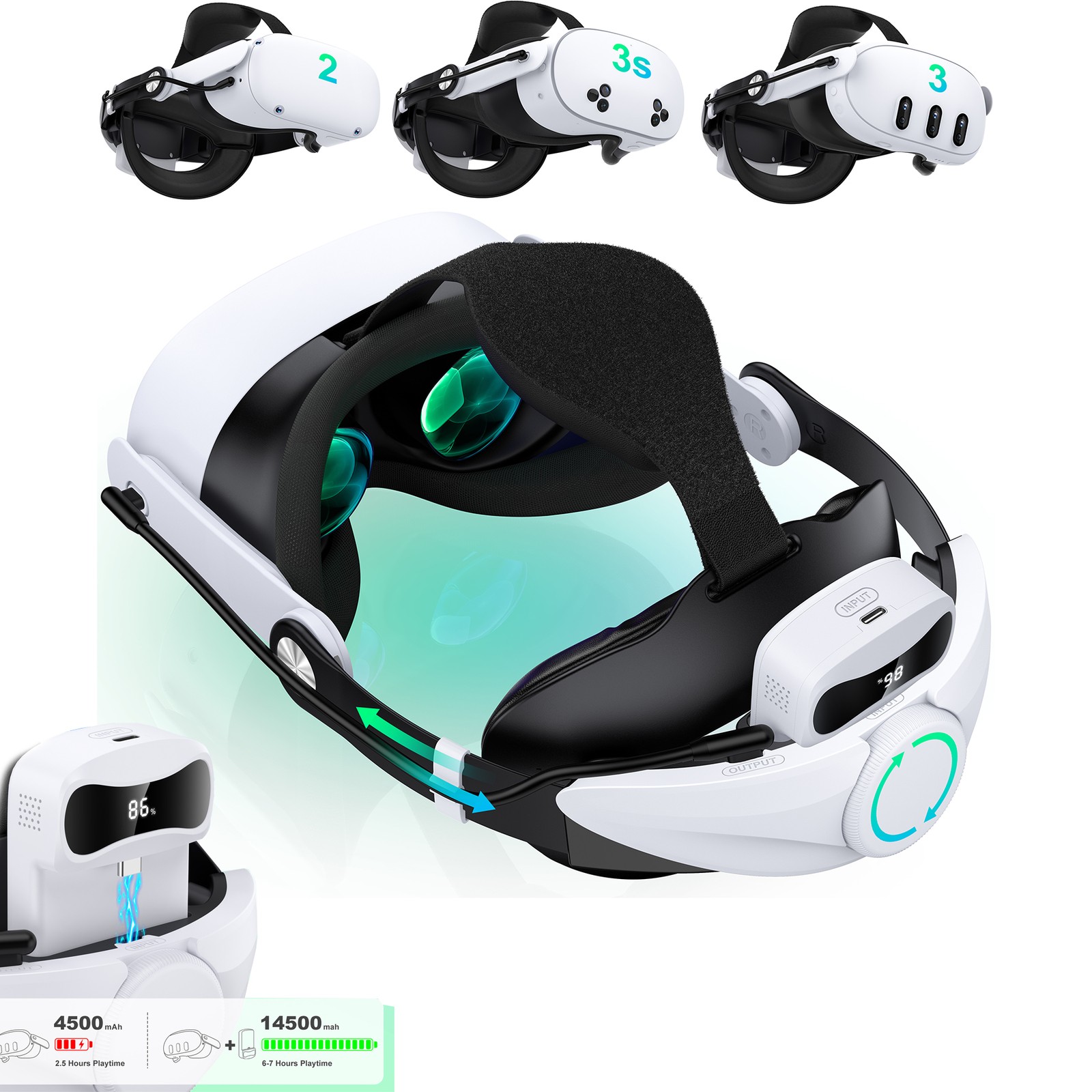
- Quest 2 stock strap is a flexible fabric Y-split with no rear counterweight; the Elite Strap adds a rigid rear cradle and fit wheel, while the Elite Strap with Battery adds a rear-mounted cell that counterbalances the front-heavy headset.
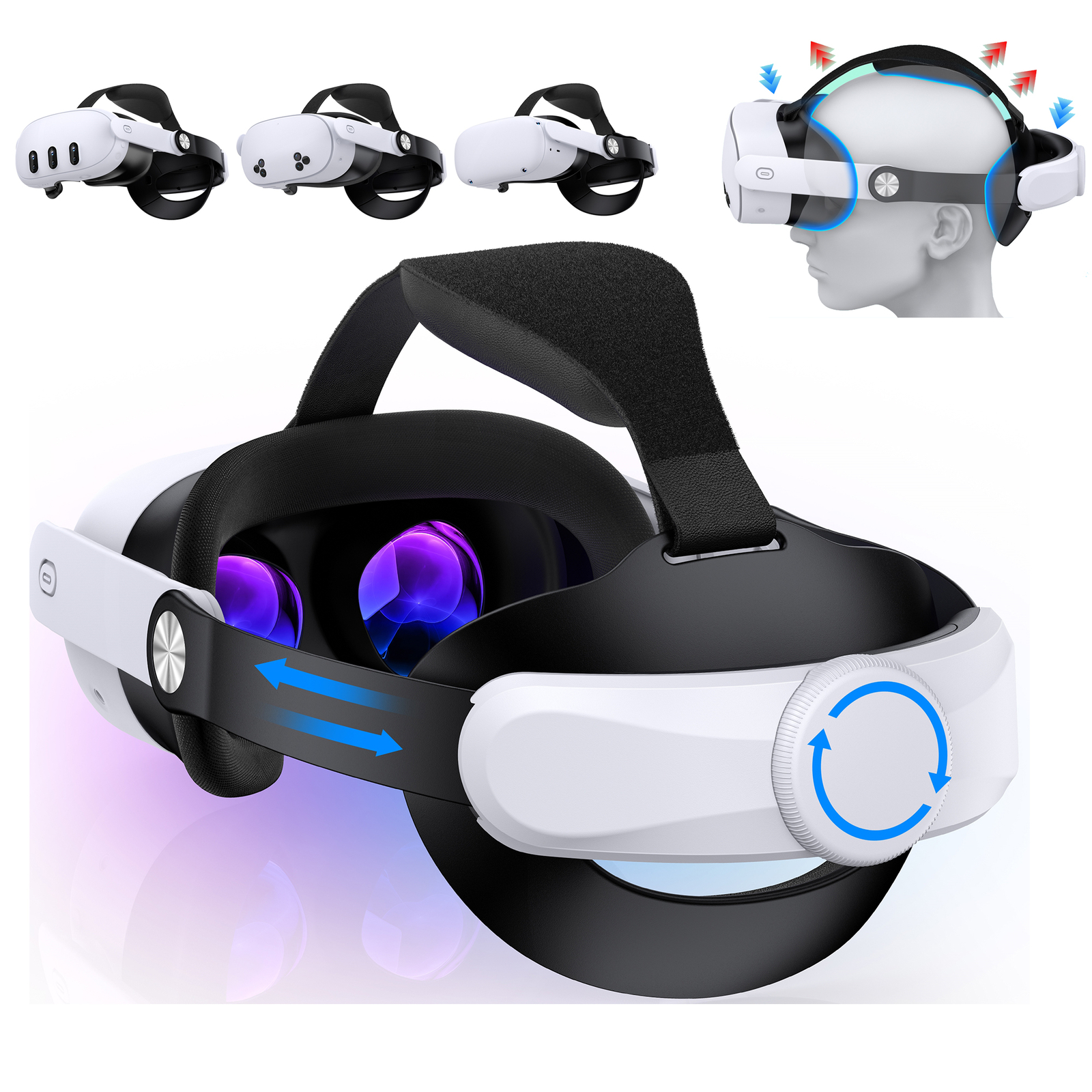
- Quest 3 and 3S use a split hard-plastic front arm and cloth rear strap; third-party rigid straps replace the entire rear assembly and must match the Quest 3/3S side-arm clip geometry, which differs from Quest 2's slider rails.
At a glance
- Category
- VR Gaming Hardware & Accessories
- Last updated
- Nov 27, 2026
Current offers
Highlights
- Halo vs facial-pressure architecture: halo straps clamp the forehead and occiput, removing 100% of weight from cheekbones; elite-style rigid straps still tension against the face but add a rear cradle to cut frontal load.
- Quest 2 stock strap is a flexible fabric Y-split with no rear counterweight; the Elite Strap adds a rigid rear cradle and fit wheel, while the Elite Strap with Battery adds a rear-mounted cell that counterbalances the front-heavy headset.
- Quest 3 and 3S use a split hard-plastic front arm and cloth rear strap; third-party rigid straps replace the entire rear assembly and must match the Quest 3/3S side-arm clip geometry, which differs from Quest 2's slider rails.
- Dial tensioners distribute clamp force across the rear cradle; straps without a dial rely on hook-and-loop or elastic, which loses tension as foam compresses over a session.
Best use cases
- Pick a rigid rear-cradle strap with dial tensioner for Beat Saber, fitness, and 2-hour sessions — the rear mass offsets the headset's front bias and stops nose pressure.
- Pick a soft fabric or halo strap for seated cockpit, media, and travel use where packability matters more than motion stability.
- Choose a battery-integrated Elite-style strap only if you routinely play beyond the headset's internal battery runtime; otherwise the added rear mass is dead weight for short sessions.
- Skip universal 'one-size' fabric straps for Quest 3/3S if you need a rigid fit — the Quest 3/3S side-arm clip is not interchangeable with Quest 2 slider rails.
Buying tips
- Match the mount geometry to the headset generation: Quest 2 uses side slider rails, while Quest 3 and 3S use a hard side-arm clip — a Quest 2 strap will not lock onto Quest 3/3S arms.
- Prioritize a rear cradle with a dial tensioner and at least 1 cm of foam padding; thin foam compresses within weeks and loosens clamp force.
- For battery straps, match the rear cell's USB-C output to the headset's input and confirm pass-through charging so the strap can power the headset while itself recharging.
- Check strap mass: a rigid strap adds roughly 100–150 g, and a battery strap adds 250–350 g at the rear — this is beneficial counterweight only if the headset is front-heavy.
Specs
| Strap Architecture | Halo / Rigid elite / Soft fabric |
|---|---|
| Mount Geometry | Quest 2 slider rail / Quest 3 clip |
| Tension System | Dial wheel vs hook-and-loop |
| Battery Integration | Rear cell with USB-C pass-through |
Related searches
What to check before buying
- Confirm your exact headset model and generation (Quest 2 vs Quest 3 vs Quest 3S) because side-arm clip geometry is generation-specific.
- Measure head circumference and check the strap's adjustment range covers it with the rear cradle seated at the occiput, not the neck.
- Verify the strap's connection type matches your headset: slider rail for Quest 2, side-arm clip for Quest 3/3S.
- For battery straps, confirm USB-C pass-through charging and that the rear cell does not block the headset's own charging port.
FAQ
Data sources: eBay / Amazon listings and product attribute feeds. Updated Nov 27, 2026.
Some links on this page are affiliate links. If you buy after clicking one, we may earn a commission at no extra cost to you. This does not change which products appear here or their order. Affiliate disclosure.