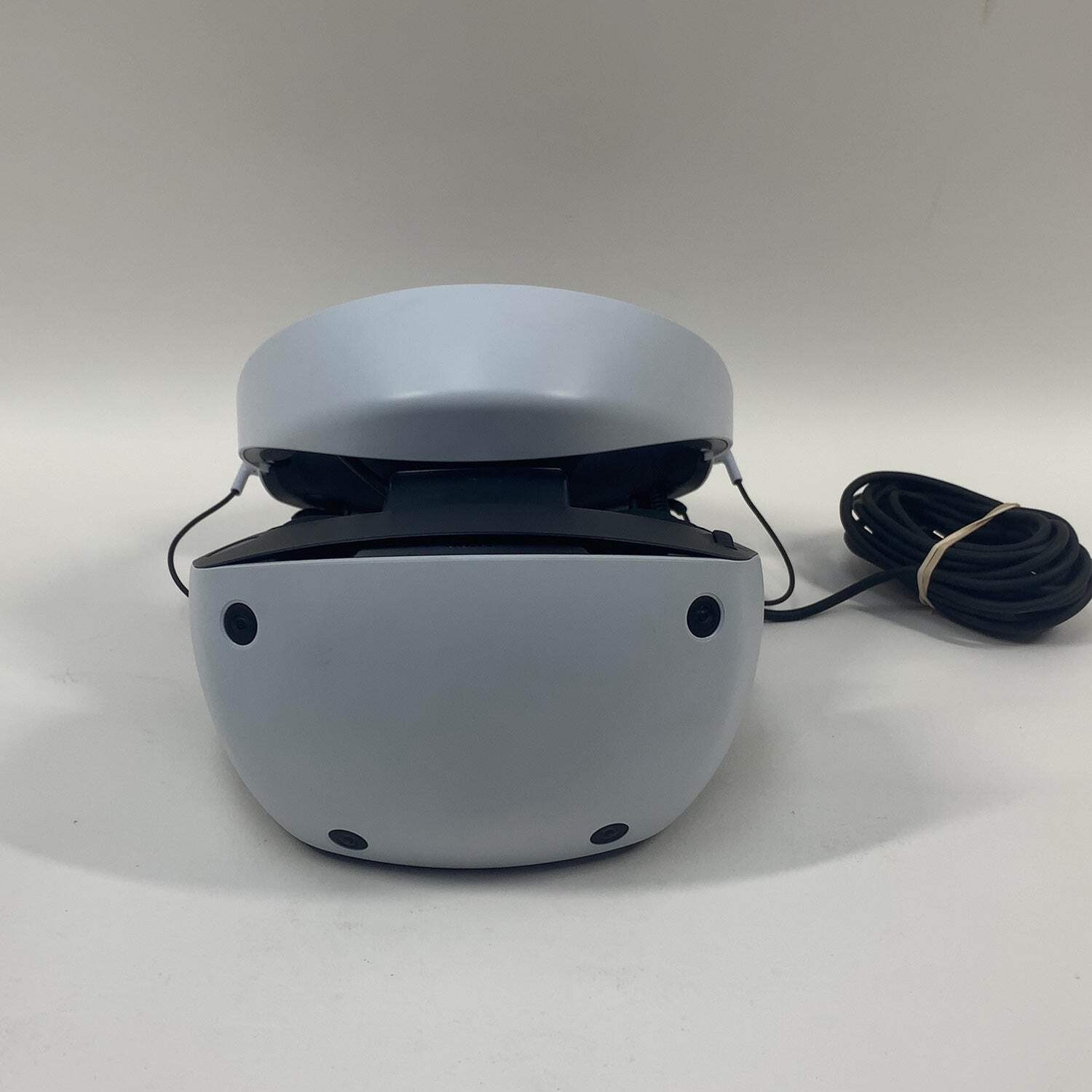

Photos from current listings. Actual item, color, and included accessories may vary.
VR Headset Compatible With PS5 Buying Guide
PlayStation VR2 is the only current VR headset engineered to work natively with the PS5, connecting via a single USB-C cable and requiring no external camera or breakout box. The core trade-off is ecosystem lock-in versus plug-and-play simplicity: PSVR2 uses inside-out tracking and eye tracking to deliver console-grade VR, but it cannot run PC VR content without the separate PC adapter. Buy PSVR2 if you own a PS5 and want guaranteed compatibility; skip any other headset if native PS5 support without a PC is your requirement.
Key takeaways
- PSVR2 connects to PS5 through a single USB-C cable, using inside-out camera tracking with no external base stations or processing unit.
- The headset uses OLED displays at 2000x2040 per eye with up to 120Hz refresh, plus eye tracking for foveated rendering.
- PSVR2 requires the separate PSVR2 PC Adapter to run on Windows PCs; it does not work with Xbox, Switch, or standalone.
At a glance
- Category
- VR Gaming Hardware & Accessories
- Last updated
- Nov 28, 2026
Current offers
Highlights
- PSVR2 connects to PS5 through a single USB-C cable, using inside-out camera tracking with no external base stations or processing unit.
- The headset uses OLED displays at 2000x2040 per eye with up to 120Hz refresh, plus eye tracking for foveated rendering.
- PSVR2 requires the separate PSVR2 PC Adapter to run on Windows PCs; it does not work with Xbox, Switch, or standalone.
- PSVR2 Sense controllers feature adaptive triggers and haptic feedback, charged via USB-C and paired per-headset.
Best use cases
- Best fit: PS5 owners who want native, cable-simple VR with eye tracking and haptics — choose PSVR2 and skip PC-only headsets like Quest or Index.
- Wrong fit: PC-first gamers who occasionally use a PS5 — buy a PC VR headset and skip PSVR2, since PSVR2 needs an adapter for PC and offers no PS5 alternative.
- Best fit: buyers wanting room-scale inside-out tracking without base stations — PSVR2's camera-based tracking suits varied room sizes and avoids lighthouse setup.
Buying tips
- Confirm your PS5 has a free USB-C port; PSVR2 uses a single USB-C tether and does not support USB-A without an adapter.
- Budget for the PSVR2 PC Adapter only if you also game on a Windows PC; the adapter is required for PC VR and sold separately.
- Check controller charging: PSVR2 Sense controllers use USB-C and need periodic charging; plan a charging dock or cable reach.
- Verify game compatibility: PSVR2 plays PSVR2 titles natively; original PSVR1 games are not backward-compatible on PS5 without legacy hardware.
Specs
| Native Console | PS5 (USB-C single cable) |
|---|---|
| Tracking Type | Inside-out camera, no base stations |
| Display | OLED 2000x2040 per eye, 120Hz |
| PC Support | Requires PSVR2 PC Adapter (sold separate) |
Related searches
What to check before buying
- Measure your play space: PSVR2 inside-out tracking needs roughly 2m x 2m of clear floor for room-scale titles, with adequate lighting.
- Confirm your PS5 model and firmware are up to date; PSVR2 setup requires a recent system software version.
- Check display and audio: PSVR2 has built-in headphones via a 3.5mm jack, so no separate audio device is required.
- Verify USB-C cable length and routing from your PS5 to your play area; the tether limits distance and needs slack.
FAQ
Data sources: eBay / Amazon listings and product attribute feeds. Updated Nov 28, 2026.
Some links on this page are affiliate links. If you buy after clicking one, we may earn a commission at no extra cost to you. This does not change which products appear here or their order. Affiliate disclosure.