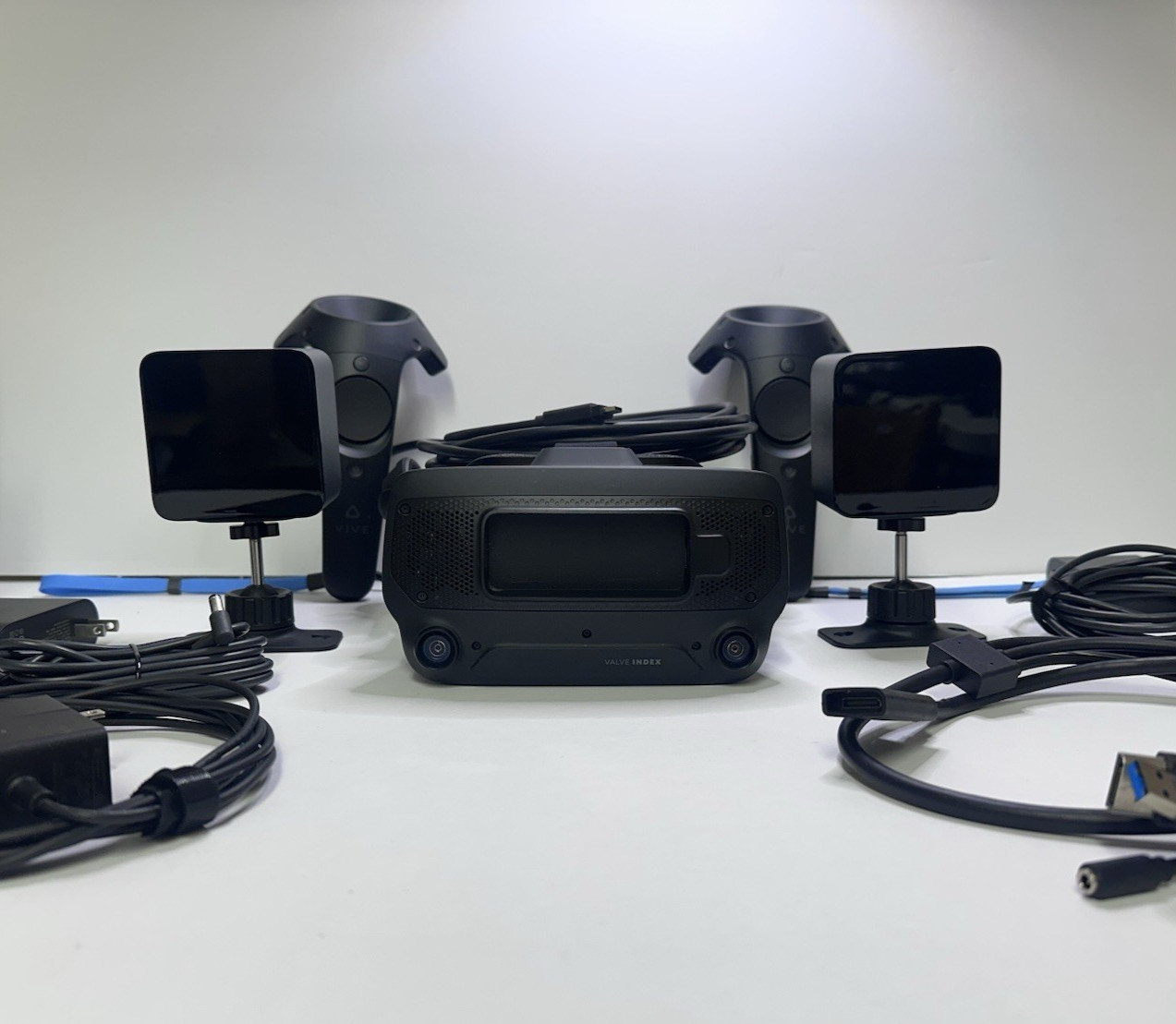

Photos from current listings. Actual item, color, and included accessories may vary.
Vive Headset Buying Guide
The Vive headset family spans first-generation room-scale VR (Vive, Vive Pro) through the modern modular Vive Pro 2 and standalone Vive Focus 3, with the primary trade-off being OLED vs LCD panels and older SteamVR base-station tracking versus inside-out or modular ecosystems. Buyers must match the headset generation to their existing base stations, controllers, and PC GPU tier, because a cheap first-gen Vive will not run natively with Vive Pro 2 face gaskets or Focus 3 accessories. The clear decision rule: pick a model whose tracking architecture and display standard match your PC and play-space, and avoid any kit missing its link box, base stations, or proprietary cable.
Key takeaways
- Vive (2016) and Vive Pro use 1st-gen SteamVR base stations (v1.0) with 110° FOV and dual OLED panels at 1080x1200 per eye; Vive Pro 2 requires base station v2.0 and delivers 2448x2448 per eye at 120Hz.
- Vive Pro 2 uses LCD panels with 120° FOV and a 5K combined resolution, while Vive Pro and original Vive use OLED for deeper blacks but lower pixel density.
- Vive Focus 3 is a standalone 6DoF headset with inside-out tracking, no base stations, and a Snapdragon XR2 chipset; it does not natively run SteamVR PC titles without streaming software.
At a glance
- Category
- VR Gaming Hardware & Accessories
- Last updated
- Nov 28, 2026
Current offers
Highlights
- Vive (2016) and Vive Pro use 1st-gen SteamVR base stations (v1.0) with 110° FOV and dual OLED panels at 1080x1200 per eye; Vive Pro 2 requires base station v2.0 and delivers 2448x2448 per eye at 120Hz.
- Vive Pro 2 uses LCD panels with 120° FOV and a 5K combined resolution, while Vive Pro and original Vive use OLED for deeper blacks but lower pixel density.
- Vive Focus 3 is a standalone 6DoF headset with inside-out tracking, no base stations, and a Snapdragon XR2 chipset; it does not natively run SteamVR PC titles without streaming software.
- The original Vive kit includes two base stations, two wand controllers, a link box, and a 3-in-1 cable; missing any of these turns a bargain headset into a nonfunctional parts unit.
Best use cases
- Best fit: Buy a used original Vive kit only if you have a DisplayPort PC, a 2m x 2m play space, and want full SteamVR room-scale on a budget—skip it if your GPU lacks DisplayPort or you need wireless.
- Best fit: Choose Vive Pro 2 for high-resolution PC VR with base station v2.0 tracking and 120Hz—skip it if you only have v1.0 base stations or a GPU below the recommended GTX 1070 tier.
- Best fit: Pick Vive Focus 3 for standalone enterprise or location-based VR with no PC and inside-out tracking—skip it for home SteamVR libraries unless you add wireless PC streaming.
- Wrong fit: Do not buy a bare Vive headset without controllers and base stations expecting plug-and-play; the headset alone cannot track or run without the full kit.
Buying tips
- Match base stations to headset generation: v1.0 base stations work with original Vive and Vive Pro but not Vive Pro 2; v2.0 base stations support all three but require the correct headset cable.
- Check the 3-in-1 cable and link box are included—replacement cables are proprietary and costly, and a missing link box blocks PC connection entirely.
- For original Vive, confirm the headset has the deluxe audio strap or original strap intact; the built-in headphones on early units are a common failure point.
- Verify PC GPU has DisplayPort 1.2+ and at least 8GB VRAM for Vive Pro 2; original Vive needs HDMI 1.4 or DisplayPort and a GTX 970-class GPU.
Specs
| Tracking Type | SteamVR base station vs inside-out |
|---|---|
| Panel Tech | OLED (Vive/Pro) vs LCD (Pro 2) |
| Per-Eye Resolution | 1080x1200 to 2448x2448 |
| Base Station Gen | v1.0 (Vive/Pro) vs v2.0 (Pro 2) |
Related searches
What to check before buying
- Measure your play space: base-station tracking needs at least 2m x 1.5m for room-scale, and base stations must be mounted 2m high facing each other.
- Confirm your PC has the required port: original Vive and Vive Pro use HDMI or DisplayPort via link box; Vive Pro 2 requires DisplayPort 1.2+ directly.
- Check your region's power plug for base stations and link box—Vive kits ship with region-specific AC adapters, and mismatched plugs need a compatible adapter.
- Verify you have the correct controllers: original Vive wands use v1.0 tracking, Vive Pro 2 can use Valve Index knuckles or Vive wands with v2.0 base stations.
FAQ
Data sources: eBay / Amazon listings and product attribute feeds. Updated Nov 28, 2026.
Some links on this page are affiliate links. If you buy after clicking one, we may earn a commission at no extra cost to you. This does not change which products appear here or their order. Affiliate disclosure.