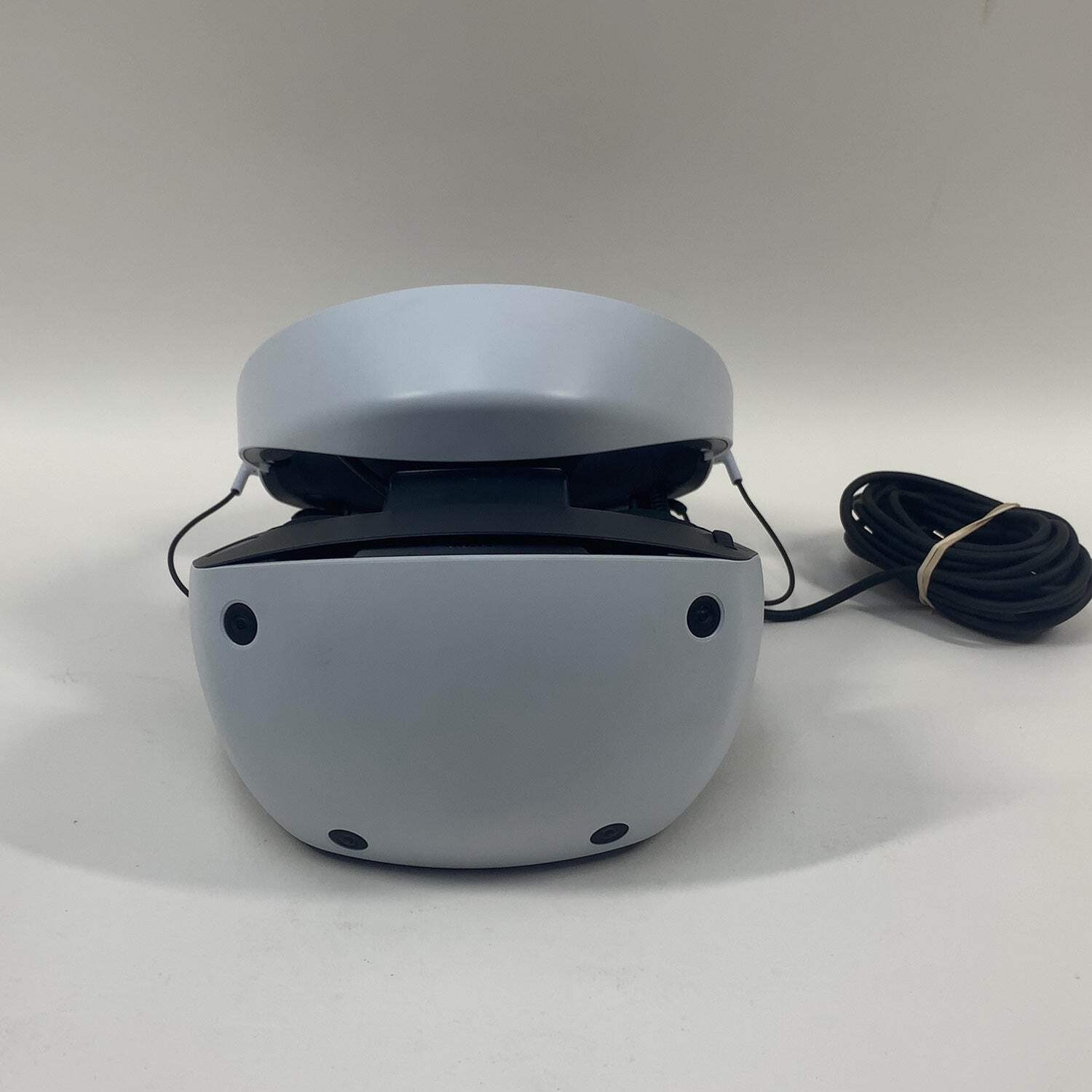

Photos from current listings. Actual item, color, and included accessories may vary.
PS5 With VR Buying Guide
The PS5 with VR pairing means a PlayStation 5 console driving the PlayStation VR2 headset over a single USB-C cable, not the older PSVR1 camera-based system. The core trade-off is headset generation: PSVR2 delivers inside-out tracking, eye tracking, and OLED HDR, while used PSVR1 units require a camera adapter and deliver far lower fidelity. Buy PSVR2 (CFI-ZVR1) if you want native PS5 VR; treat any PSVR1 bundle as a legacy accessory purchase.
Key takeaways
- PSVR2 connects via one USB-C cable to the PS5 front port and uses inside-out camera tracking—no external PlayStation Camera or breakout box required.
- PSVR2 panels are OLED at 2000x2040 per eye with 90Hz/120Hz modes and eye-tracked foveated rendering, a generation ahead of PSVR1's 1920x1080 LCD.
- PSVR1 (CUH-ZVR1/ZVR2) needs the free PS5 camera adapter and PlayStation Camera; it runs PS4 VR titles only and is not compatible with PSVR2 games.
At a glance
- Category
- VR Gaming Hardware & Accessories
- Last updated
- Nov 28, 2026
Current offers
Highlights
- PSVR2 connects via one USB-C cable to the PS5 front port and uses inside-out camera tracking—no external PlayStation Camera or breakout box required.
- PSVR2 panels are OLED at 2000x2040 per eye with 90Hz/120Hz modes and eye-tracked foveated rendering, a generation ahead of PSVR1's 1920x1080 LCD.
- PSVR1 (CUH-ZVR1/ZVR2) needs the free PS5 camera adapter and PlayStation Camera; it runs PS4 VR titles only and is not compatible with PSVR2 games.
- The PS5 Digital Edition has the same USB-C front port and runs PSVR2 identically; disc vs digital does not affect VR compatibility.
Best use cases
- Pick PSVR2 if you own a PS5 or PS5 Digital Edition and want native titles like Gran Turismo 7 VR and Resident Evil Village VR—skip PSVR1 entirely.
- Pick a PSVR1 bundle only for cheap access to legacy PS4 VR libraries, and only if you accept the required camera adapter and lower resolution.
- Skip VR entirely if you plan to play mostly on a 1080p TV at long sessions—PSVR2's cable tether and setup favor dedicated play spaces.
- Pick PSVR2 for room-scale-ish standing play with at least 2m x 2m clear space; skip it for seated-only setups only if you accept limited tracking volume.
Buying tips
- Buy the PSVR2 model CFI-ZVR1, which includes the headset, two Sense controllers, and stereo headphones—avoid listings missing the Sense controllers.
- If buying used PSVR1, confirm the seller includes the PS5 camera adapter; without it the headset cannot track on a PS5.
- Match the headset to the console port: PSVR2 requires the PS5's front USB-C; a USB-A hub or adapter can cause tracking dropouts.
- Check the headset's lens condition and included cable length—PSVR2's tether is fixed, so a damaged cable means a non-functional unit.
Specs
| Headset Generation | PSVR2 (CFI-ZVR1) vs PSVR1 |
|---|---|
| Tracking | Inside-out 6DoF vs camera-based |
| Display | OLED 2000x2040/eye vs LCD 1920x1080 |
| Connection | Single USB-C vs breakout box + camera |
Related searches
What to check before buying
- Measure your play area: PSVR2 needs roughly 2m x 2m of clear floor for standing VR and at least 60cm of arm clearance.
- Confirm your PS5 has a free front USB-C port and current system software—PSVR2 requires a recent PS5 firmware update.
- Verify the listing includes both Sense controllers, the stereo earbuds, and the USB-C cable for PSVR2; PSVR1 needs the camera and adapter.
- Check room lighting: inside-out tracking on PSVR2 needs even, moderate light and visible room features—avoid pitch-dark or glass-walled rooms.
FAQ
Data sources: eBay / Amazon listings and product attribute feeds. Updated Nov 28, 2026.
Some links on this page are affiliate links. If you buy after clicking one, we may earn a commission at no extra cost to you. This does not change which products appear here or their order. Affiliate disclosure.