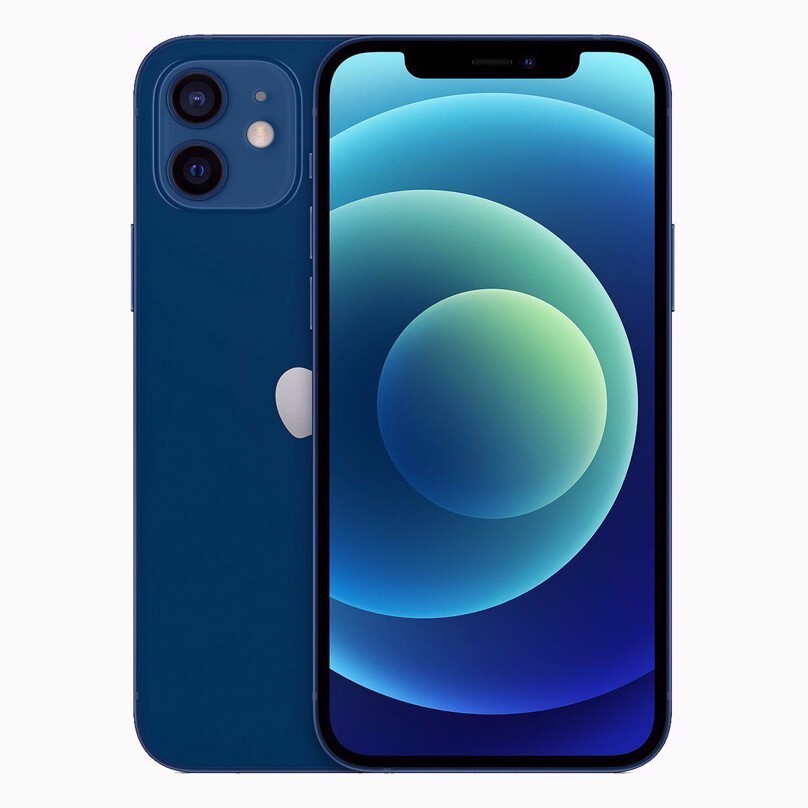

Photos from current listings. Actual item, color, and included accessories may vary.
Apple Phone Buying Guide
Apple phones are iOS smartphones built on Apple's own silicon, sold in distinct model tiers (standard, Plus/Max, Pro, Pro Max) that differ in chip generation, display technology, camera system, and build materials. The primary trade-off is between paying for a newer chipset with longer iOS support and better cameras versus buying a prior-generation model that still performs well but hits the update ceiling sooner. The decision rule: buy the newest generation your budget allows for maximum lifespan, or a two-to-three-year-old model only if it has at least 128 GB storage and a verified battery health above 85%.
Key takeaways
- Pro models use ProMotion 120Hz LTPO displays and titanium frames; standard models use 60Hz panels and aluminum frames with the same A-series chip family one tier down.
- Storage tiers are 64/128/256/512GB and 1TB; 64GB is insufficient for modern iOS updates and photo libraries, making 128GB the practical minimum.
- Apple publishes iOS support for roughly 6-7 years per model, so a newer chip generation directly extends usable lifespan and resale value.
At a glance
- Category
- Smartphones
- Last updated
- Nov 28, 2026
Current offers
Highlights
- Pro models use ProMotion 120Hz LTPO displays and titanium frames; standard models use 60Hz panels and aluminum frames with the same A-series chip family one tier down.
- Storage tiers are 64/128/256/512GB and 1TB; 64GB is insufficient for modern iOS updates and photo libraries, making 128GB the practical minimum.
- Apple publishes iOS support for roughly 6-7 years per model, so a newer chip generation directly extends usable lifespan and resale value.
- Battery health percentage in Settings is the single best proxy for used-phone condition; below 85% indicates a worn cell needing replacement.
Best use cases
- Best fit for budget buyers: iPhone 12 or newer with 128GB and confirmed battery health above 85% — skip 64GB units entirely.
- Best fit for camera and display priority: iPhone 16 Pro or Pro Max with 256GB — skip standard models if you want 120Hz and telephoto.
- Best fit for maximum longevity: newest-generation standard model with 256GB — skip prior-generation Pro if the chip generation is older.
- Wrong fit: 64GB base models for anyone storing photos, apps, or offline media — the storage ceiling causes premature replacement.
Buying tips
- Choose 128GB minimum for standard use and 256GB for photo/video-heavy users; 64GB models cannot reliably hold a modern iOS install plus apps.
- Check battery health in Settings > Battery; buy only at 85% or higher, or budget for an Apple battery service.
- Prefer unlocked models for carrier flexibility; carrier-locked units restrict resale and SIM swapping.
- For Pro features (120Hz, telephoto, titanium), step up to Pro or Pro Max; standard models omit these regardless of storage tier.
Specs
| Chip Generation | A14 Bionic to A18 Pro |
|---|---|
| Display Refresh | 60Hz standard / 120Hz ProMotion Pro |
| Storage Tiers | 64GB to 1TB (128GB min recommended) |
| Build Material | Aluminum standard / Titanium Pro |
Related searches
What to check before buying
- Confirm the model generation and chip (e.g., A14 Bionic in iPhone 12 vs A18 Pro in iPhone 16 Pro Max) to gauge iOS support years remaining.
- Verify storage tier is 128GB or higher; 64GB is a hard skip for most buyers.
- Check battery health percentage in Settings and confirm it is 85% or above.
- Confirm the phone is carrier-unlocked and that the IMEI is clean (not reported lost/stolen) before purchase.
FAQ
Data sources: eBay / Amazon listings and product attribute feeds. Updated Nov 28, 2026.
Some links on this page are affiliate links. If you buy after clicking one, we may earn a commission at no extra cost to you. This does not change which products appear here or their order. Affiliate disclosure.