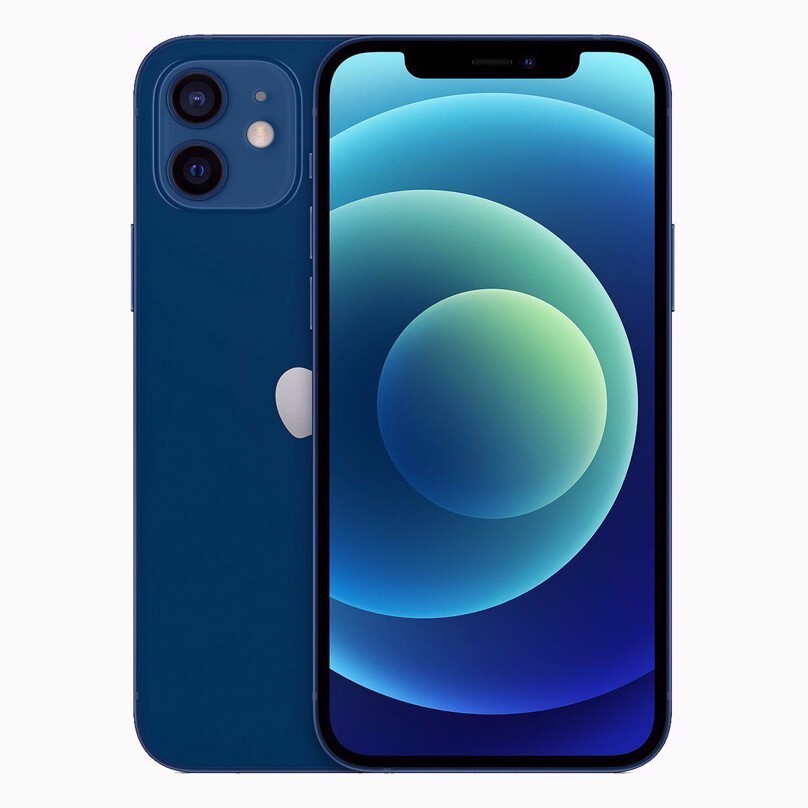

Photos from current listings. Actual item, color, and included accessories may vary.
iPhone Buying Guide
The iPhone line spans entry-level SE models to Pro Max flagships, with the primary trade-off being display technology (LCD vs OLED), camera hardware (single vs triple-lens), and chip generation (A15 vs A18 Pro) that dictate longevity and performance. Buyers should prioritize models with at least an A15 Bionic or newer for multi-year iOS support, and choose Pro models only if they need advanced camera systems or ProMotion displays. The clear decision rule: pick a base or Plus model for balanced value, an SE for budget and Touch ID, and a Pro or Pro Max for professional-grade photography and maximum future-proofing.
Key takeaways
- Pro models (15 Pro and later) use titanium frames with Action button and USB-C 3.0 speeds, while non-Pro models retain aluminum frames and USB-C 2.0.
- Display tiers: ProMotion 120Hz always-on OLED on Pro/Pro Max, 60Hz OLED on standard models, and LCD on SE (3rd gen) with Touch ID.
- Chip generations determine iOS support: A15 Bionic (iPhone 13/SE 3) receives updates longer than A14 (iPhone 12), and A17/A18 Pro adds hardware ray tracing.
At a glance
- Category
- Smartphones
- Last updated
- Nov 28, 2026
Current offers
Highlights
- Pro models (15 Pro and later) use titanium frames with Action button and USB-C 3.0 speeds, while non-Pro models retain aluminum frames and USB-C 2.0.
- Display tiers: ProMotion 120Hz always-on OLED on Pro/Pro Max, 60Hz OLED on standard models, and LCD on SE (3rd gen) with Touch ID.
- Chip generations determine iOS support: A15 Bionic (iPhone 13/SE 3) receives updates longer than A14 (iPhone 12), and A17/A18 Pro adds hardware ray tracing.
- Camera systems: Pro Max includes 5x telephoto (12 Pro Max) or 5x tetraprism (15 Pro Max), while standard models have dual-lens with no telephoto.
Best use cases
- Best fit for budget-conscious buyers: iPhone SE (3rd gen) with A15 Bionic and Touch ID—skip if you need Face ID or edge-to-edge display.
- Best fit for balanced performance: iPhone 13 or 14 standard models offer OLED and dual cameras—skip Pro if you don't need telephoto or ProMotion.
- Best fit for professional photography: iPhone 15 Pro Max or 16 Pro Max with tetraprism zoom and ProRAW—skip if you primarily shoot in auto mode.
- Wrong fit: iPhone 12 mini or 13 mini for heavy media consumption due to smaller battery—choose Plus or Pro Max for longer endurance.
Buying tips
- Check battery health: any used iPhone below 85% capacity will need a battery replacement soon; factor in replacement cost.
- Storage: 64GB is insufficient for modern apps and photos; 128GB is minimum for most, 256GB recommended for Pro users shooting 4K ProRes.
- Verify model number for carrier lock: unlocked models (e.g., A2482 for iPhone 13) work with all carriers; carrier-locked models may not support eSIM.
- Generation gap: iPhone 12 (A14) receives iOS updates but lacks ProMotion and macro photography; iPhone 13 (A15) adds Cinematic mode and better battery.
Specs
| Display Type | OLED 60Hz / ProMotion 120Hz / LCD |
|---|---|
| Chip Generation | A15 Bionic / A16 / A17 Pro / A18 |
| Camera System | Dual / Triple + LiDAR / Single |
| Port & Charging | Lightning / USB-C (2.0 or 3.0) |
Related searches
What to check before buying
- Confirm your carrier supports eSIM if buying iPhone 14 or later (no physical SIM slot in US models).
- Check that the model number (e.g., A2846 for iPhone 15) matches your region's 5G bands and warranty coverage.
- Ensure you have a USB-C cable for iPhone 15/16 or Lightning cable for iPhone 14 and earlier.
- For used purchases, verify Activation Lock is disabled and IMEI is clean via carrier or third-party checker.
FAQ
Data sources: eBay / Amazon listings and product attribute feeds. Updated Nov 28, 2026.
Some links on this page are affiliate links. If you buy after clicking one, we may earn a commission at no extra cost to you. This does not change which products appear here or their order. Affiliate disclosure.