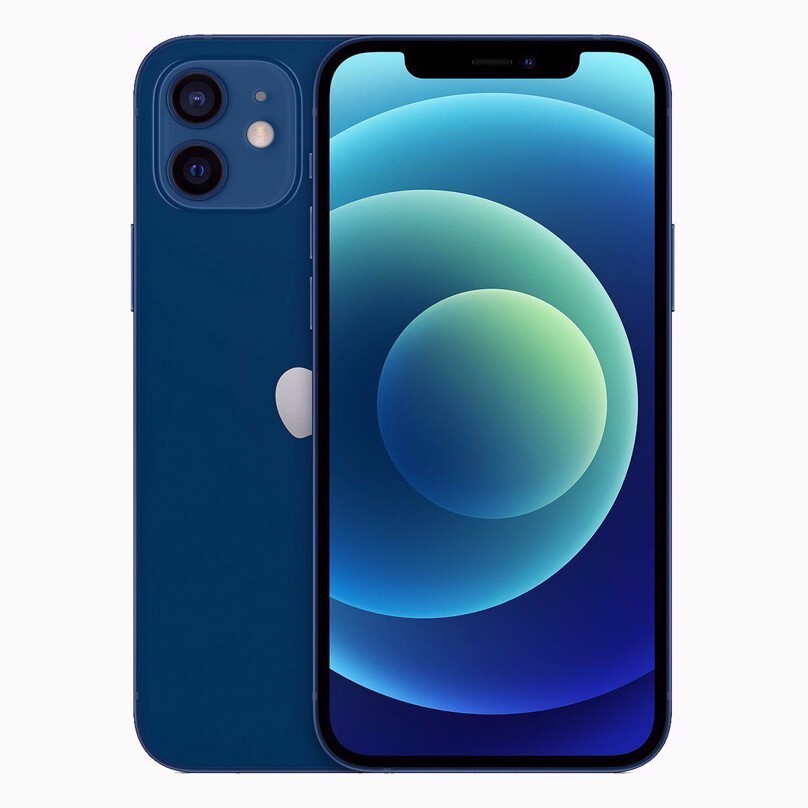

Photos from current listings. Actual item, color, and included accessories may vary.
Apple iPhone Buying Guide
Apple iPhone is a vertically integrated smartphone family defined by iOS, the A-series chip, and multi-year software support. The primary trade-off is generation and storage tier: older models save money but hit performance and battery-life ceilings, while Pro models add ProMotion, telephoto, and titanium build. The decision rule: buy the newest chip generation your budget allows with at least 128GB, and skip base-storage or pre-13 models unless battery health is verified.
Key takeaways
- Chip generation tiers: A12 (XS/XR) through A18 Pro (16 Pro) determine years of iOS updates; A15 and newer guarantee 5+ years of support.
- Display tiers: standard models use 60Hz OLED or LCD; Pro models use 120Hz ProMotion LTPO OLED with always-on, a major perceived-speed difference.
- Build materials: aluminum frames on standard models, stainless steel through 14 Pro, titanium on 15 Pro and 16 Pro for weight reduction and scratch resistance.
At a glance
- Category
- Smartphones
- Last updated
- Nov 28, 2026
Current offers
Highlights
- Chip generation tiers: A12 (XS/XR) through A18 Pro (16 Pro) determine years of iOS updates; A15 and newer guarantee 5+ years of support.
- Display tiers: standard models use 60Hz OLED or LCD; Pro models use 120Hz ProMotion LTPO OLED with always-on, a major perceived-speed difference.
- Build materials: aluminum frames on standard models, stainless steel through 14 Pro, titanium on 15 Pro and 16 Pro for weight reduction and scratch resistance.
- Connectivity: Lightning through iPhone 14; USB-C on iPhone 15 and 16; 5G sub-6 on 12 and later, with mmWave only on US-market models.
Best use cases
- Buy a 13, 14, or 15 standard model for daily use if you want 5G, OLED, and years of updates without paying Pro prices; skip the 12 if battery health is under 85%.
- Buy a Pro or Pro Max if you shoot video, want telephoto zoom, ProMotion smoothness, or LiDAR; skip base models if 120Hz and 3x+ optical zoom matter.
- Buy an SE (2nd/3rd gen) only for a compact, budget, Touch ID device; skip it if you need night-mode ultrawide, Face ID, or modern battery endurance.
- Buy a 16 Pro Max with 256GB or more for heavy 4K ProRes and gaming; skip 64GB and 128GB iPhone 12/13 units unless you stream everything and keep photos in iCloud.
Buying tips
- Demand battery health at 85% or higher on used units; below 80% iOS throttles performance, and a replacement battery adds real cost.
- Choose at least 128GB; 64GB iPhone 12 units fill after iOS, photos, and apps, and iOS updates need 10GB+ free.
- Match charger and cable to port: Lightning for iPhone 14 and older, USB-C for iPhone 15 and 16; a 20W+ USB-C PD adapter charges any model fast.
- Confirm carrier lock status: 'Unlocked' means any GSM/CDMA carrier; 'carrier locked' or 'activation locked' (Find My on) units are unusable without the original owner.
Specs
| Chip Generation | A12 to A18 Pro by model year |
|---|---|
| Display Refresh | 60Hz standard / 120Hz ProMotion Pro |
| Charging Port | Lightning (14-) / USB-C (15+) |
| Base Storage | 64GB-256GB; 128GB+ recommended |
Related searches
What to check before buying
- Verify the model number and exact capacity on the About screen; refurbishers sometimes mislabel 64GB as 128GB.
- Check IMEI/MEID and confirm Find My iPhone and Activation Lock are off before paying for a used device.
- Confirm the phone supports your carrier's bands and whether it is eSIM-only (US iPhone 14 and later have no SIM tray).
- Inspect or ask for battery health percentage, screen condition, and water-damage indicator status on any used listing.
FAQ
Data sources: eBay / Amazon listings and product attribute feeds. Updated Nov 28, 2026.
Some links on this page are affiliate links. If you buy after clicking one, we may earn a commission at no extra cost to you. This does not change which products appear here or their order. Affiliate disclosure.