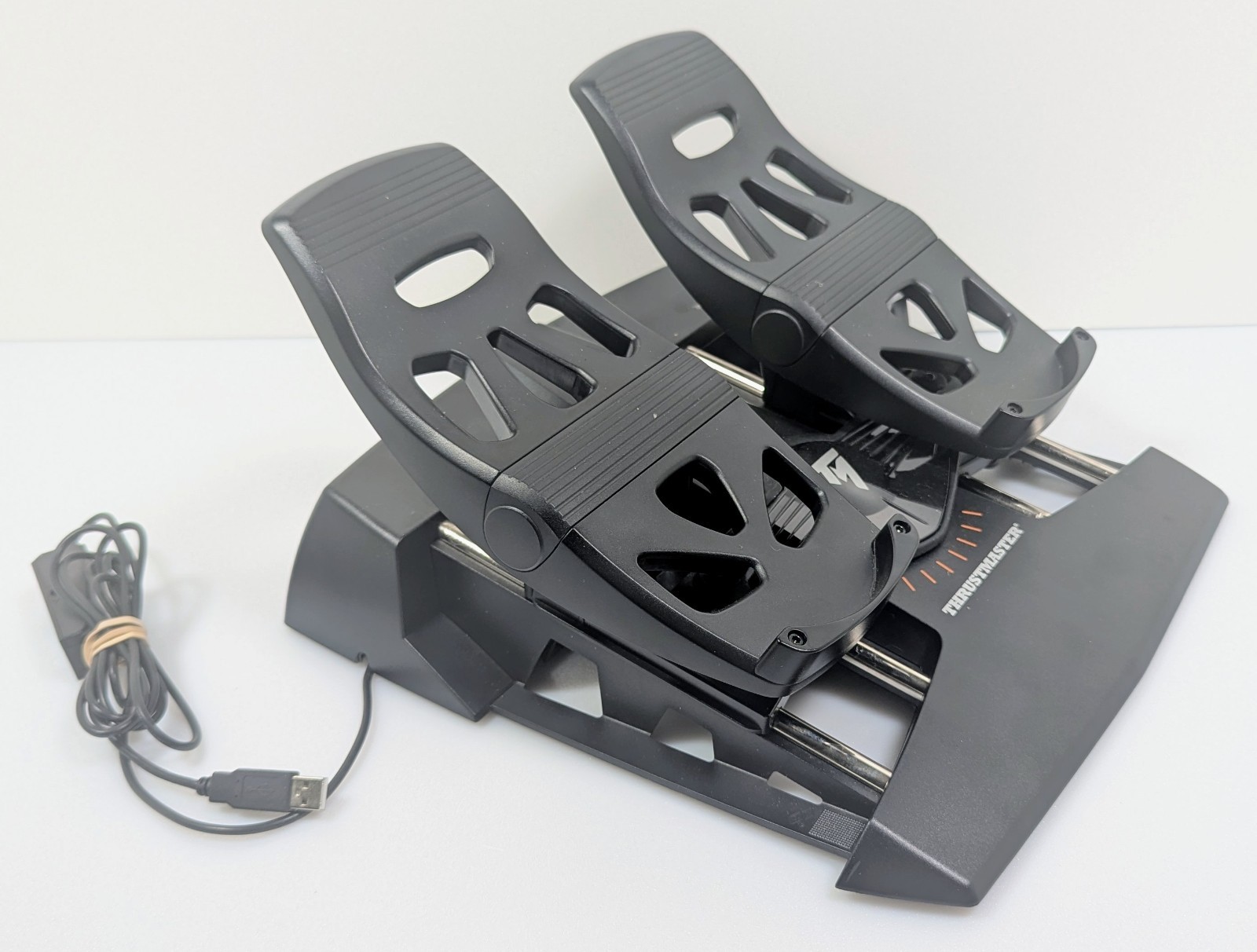

Photos from current listings. Actual item, color, and included accessories may vary.
Saitek Pro Flight Rudder Pedal Buying Guide
Saitek Pro Flight Rudder Pedals are a legacy USB plug-and-play pedal set using sliding rails and a center detent, popular for entry-level flight simming but limited by potentiometer wear and no hall-effect sensors. The core trade-off is a low-cost, fully assembled three-axis pedal against long-term durability and precision — modern magnetic sensors and load-cell toe brakes clearly outlast carbon-track pots. Buy Saitek only for casual, low-hour use or a complete working set at a genuine entry tier; step up to hall-effect pedals for serious, high-hour sim flying.
Key takeaways
- Sensor type is the durability divider: Saitek uses carbon-film potentiometers on all three axes, which wear and spike over time; hall-effect or contactless magnetic sensors eliminate this failure mode entirely.
- The pedal mechanism is a sliding rail with a spring-centered detent, not a cam or pendulum — smooth but less precise than cam-based designs and prone to dust ingress on the rails.
- Toe brakes are analog on a single axis per pedal via potentiometer, giving differential braking but with limited resolution compared with load-cell or hall-effect brake axes.
At a glance
- Category
- Flight Sim Rudder Pedals
- Last updated
- Nov 23, 2026
Current offers
Highlights
- Sensor type is the durability divider: Saitek uses carbon-film potentiometers on all three axes, which wear and spike over time; hall-effect or contactless magnetic sensors eliminate this failure mode entirely.
- The pedal mechanism is a sliding rail with a spring-centered detent, not a cam or pendulum — smooth but less precise than cam-based designs and prone to dust ingress on the rails.
- Toe brakes are analog on a single axis per pedal via potentiometer, giving differential braking but with limited resolution compared with load-cell or hall-effect brake axes.
- Connectivity is USB 2.0 wired only with no external power; it enumerates as a standard HID game controller and works driver-free on Windows and most sims, but lacks native Xbox/PlayStation compatibility.
Best use cases
- Best fit: a first-time simmer on a tight budget flying Cessna-style GA aircraft in Microsoft Flight Simulator or X-Plane who needs working rudder and differential brakes without spending flagship money.
- Best fit: a buyer who finds a genuinely unused or light-use complete set and accepts potentiometer maintenance (contact cleaner, recalibration) as part of ownership.
- Wrong fit: high-hour competitive or airliner simmers — the pot wear, center detent, and rail flex will degrade precision and repeatability within months of heavy use; choose hall-effect cam pedals instead.
- Wrong fit: console-only simmers on Xbox or PlayStation — the Saitek is a PC HID device and will not work natively without an adapter, so pick a console-licensed pedal set.
Buying tips
- Check the sensor generation first: any Saitek/Logitech pedal using potentiometers is a wear item; hall-effect or magnetic sensors are the only long-term precision guarantee.
- Verify the set is complete with both pedal arms, the central base, and the USB cable — replacement parts for legacy Saitek are scarce, so an incomplete set is a paperweight.
- Test for potentiometer spiking before buying used: erratic rudder input at center or dead zones near travel limits indicate worn carbon tracks that need replacement or cleaning.
- Match the pedal width and base footprint to your desk or rig floor — the Saitek base is wide and needs stable, non-slip flooring or a pedal plate to prevent sliding under rudder pressure.
Specs
| Sensor Type | Potentiometer (carbon-film) vs Hall-effect |
|---|---|
| Pedal Mechanism | Sliding rail w/ center detent vs Cam |
| Toe Brakes | Analog single-axis per pedal |
| Connectivity | USB-A wired HID / PC only |
Related searches
What to check before buying
- Measure your floor or rig area: the Saitek base is roughly 12–14 inches wide and 10–12 inches deep, so confirm clearance behind the desk and a stable surface.
- Confirm your sim supports direct HID axis mapping for rudder and toe brakes — MSFS, X-Plane, and DCS do; some arcade titles do not expose separate brake axes.
- Check your PC OS and connection: Windows 10/11 recognizes it as a game controller over USB-A; macOS support is limited and may require third-party HID software.
- If buying used, inspect the potentiometers and rail cleanliness and confirm the USB plug type (standard USB-A) matches your hub or extension setup.
FAQ
Data sources: eBay / Amazon listings and product attribute feeds. Updated Nov 23, 2026.
Some links on this page are affiliate links. If you buy after clicking one, we may earn a commission at no extra cost to you. This does not change which products appear here or their order. Affiliate disclosure.