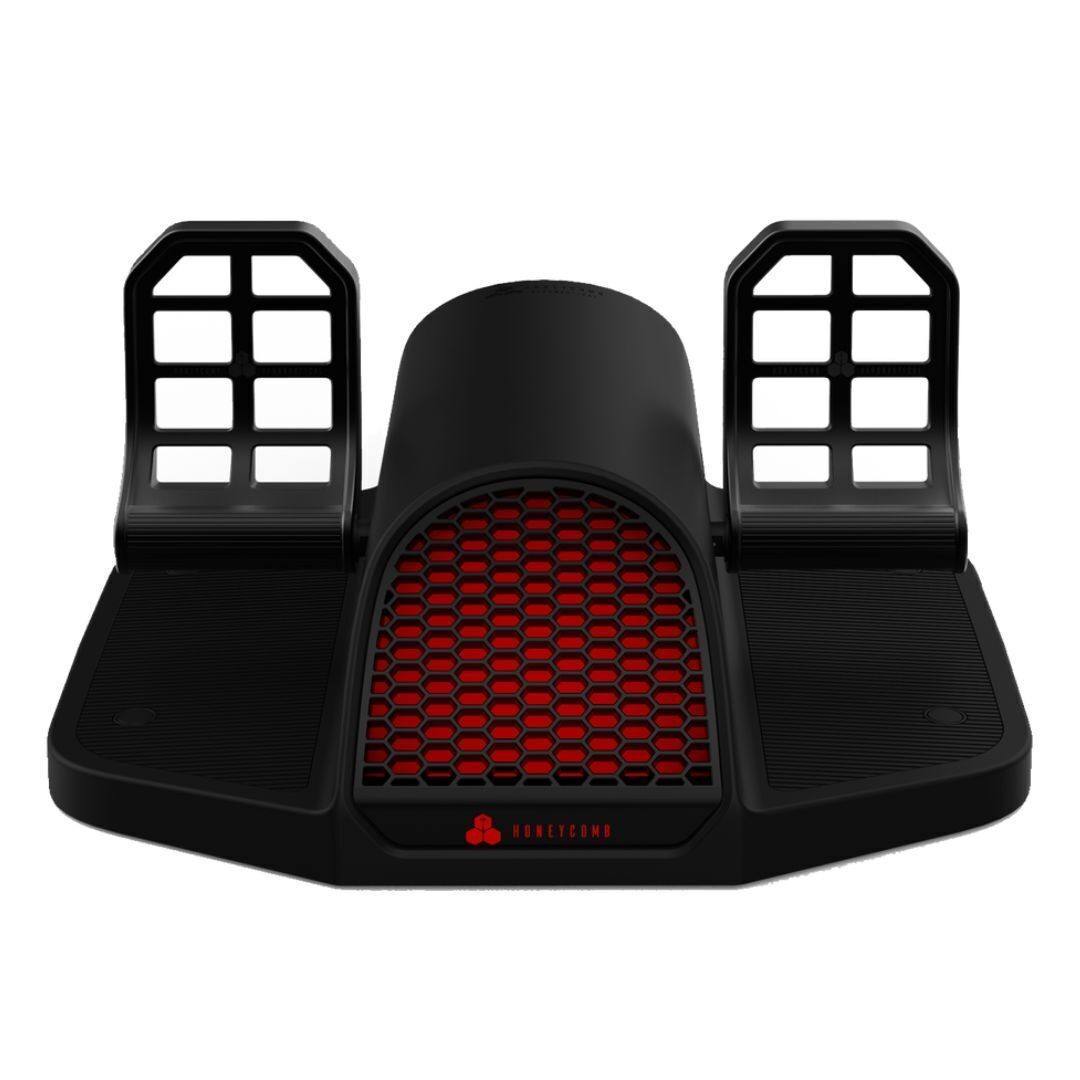

Photos from current listings. Actual item, color, and included accessories may vary.
Honeycomb Rudder Pedal Buying Guide
Honeycomb rudder pedals are metal-and-plastic flight-sim controls built around a cam-based tension system with an adjustable knob, designed to pair with Honeycomb's Alpha and Bravo peripherals. The core trade-off is between the Charlie's all-metal pedal arms and polymer housing versus cheaper all-plastic pedals that flex under heel-and-toe braking. Buy the Charlie if you want a tension-tunable, Hall-effect-free but robust cam rudder for GA and airliner sims; skip it if you need force-feedback or console compatibility.
Key takeaways
- Cam-and-spring tension mechanism with an externally accessible adjustment knob lets you tune centering force without disassembly.
- Pedal arms are metal for heel-and-toe differential braking; the base housing is reinforced polymer to keep weight and cost down.
- Wide adjustable pedal spacing and a pivoting footbed accommodate different leg widths and rudder-vs-brake foot positions.
At a glance
- Category
- Flight Sim Rudder Pedals
- Last updated
- Nov 23, 2026
Current offers
Highlights
- Cam-and-spring tension mechanism with an externally accessible adjustment knob lets you tune centering force without disassembly.
- Pedal arms are metal for heel-and-toe differential braking; the base housing is reinforced polymer to keep weight and cost down.
- Wide adjustable pedal spacing and a pivoting footbed accommodate different leg widths and rudder-vs-brake foot positions.
- USB plug-and-play HID device works with PC flight sims without proprietary drivers; no Xbox or PlayStation native support.
Best use cases
- Best fit: GA and airliner simmers on PC who want precise rudder authority and differential braking in MSFS or X-Plane and already own Honeycomb Alpha/Bravo.
- Best fit: Desk-based simmers with a rigid floor or rudder plate who need a compact, tension-adjustable pedal that won't slide under braking.
- Wrong fit: Console-only pilots—Charlie is PC USB HID only, so skip it for Xbox/PS5 setups and choose a console-licensed pedal instead.
- Wrong fit: Buyers wanting force-feedback or hydraulic feel—cam-and-spring pedals are passive; step up to a force-feedback rudder if that's the requirement.
Buying tips
- Confirm PC-only USB HID compatibility: Charlie has no console chipset, so match it to MSFS, X-Plane, DCS, or Prepar3D on Windows.
- Measure your floor-to-desk height and leg reach: the pedal base needs flat, rigid flooring or a rudder plate; carpet and sliding chairs ruin braking precision.
- Plan for heel-and-toe braking: metal pedal arms support differential toe brakes, but you need sim rudder axes mapped and calibrated in-sim.
- Match to your Honeycomb stack: Charlie pairs natively with Alpha yoke and Bravo throttle for a consistent desktop footprint and shared software config.
Specs
| Pedal Material | Metal arms / polymer housing |
|---|---|
| Tension Control | Cam-spring, external knob |
| Brake Axes | Differential left/right toe |
| Platform | PC USB HID only |
Related searches
What to check before buying
- Floor surface: place on hard flooring or a non-slip rudder plate; thick carpet lets the base rock under braking.
- Desk and chair clearance: ensure your chair wheels are locked or replaced with casters so you don't roll back during rudder input.
- USB port and cable run: reserve a direct rear USB-A port on the PC; avoid unpowered hubs for stable HID enumeration.
- Sim mapping: verify your sim supports separate rudder and left/right toe-brake axes before committing to a pedal with differential brakes.
FAQ
Data sources: eBay / Amazon listings and product attribute feeds. Updated Nov 23, 2026.
Some links on this page are affiliate links. If you buy after clicking one, we may earn a commission at no extra cost to you. This does not change which products appear here or their order. Affiliate disclosure.