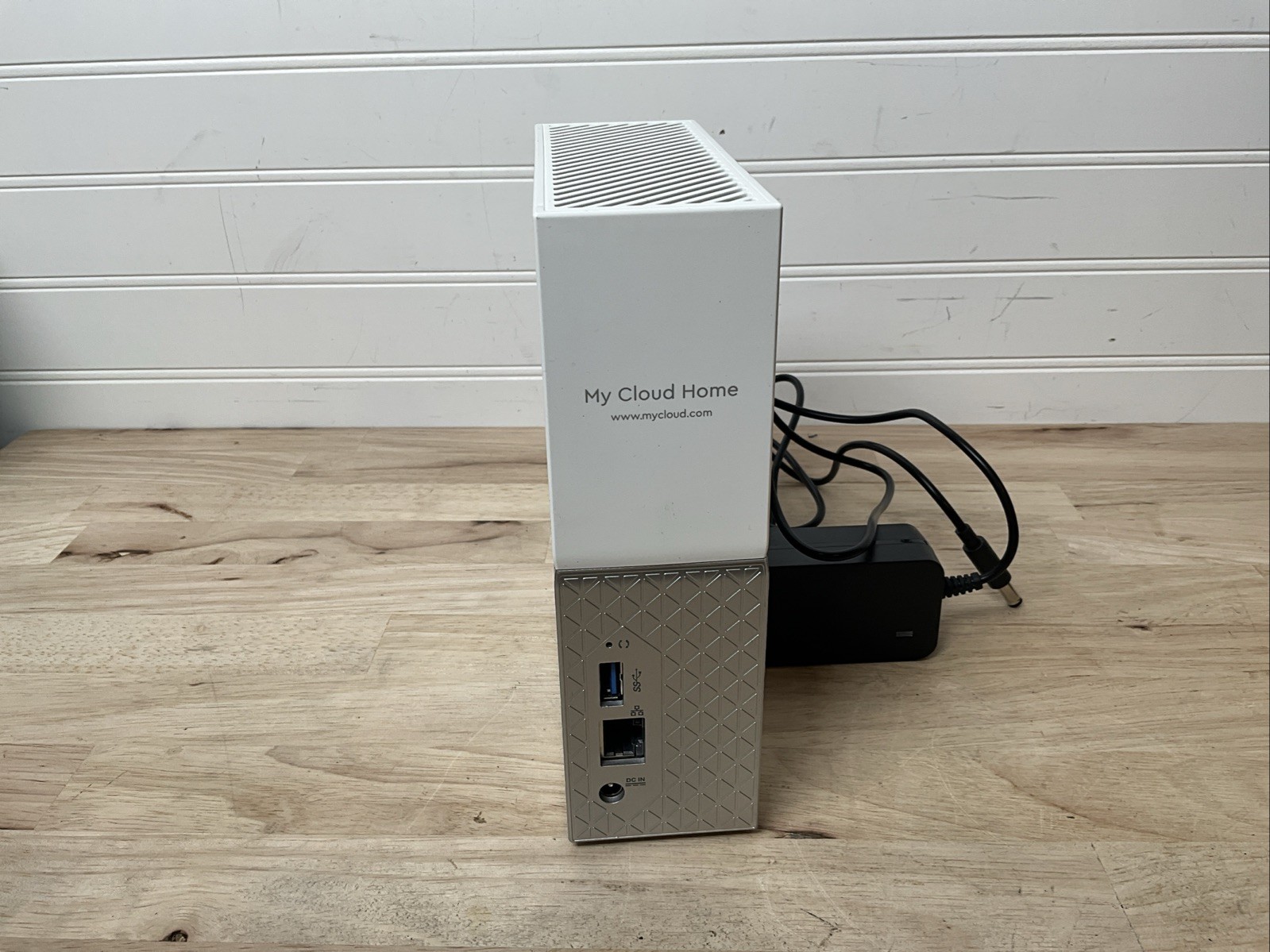

Photos from current listings. Actual item, color, and included accessories may vary.
Western Digital WD My Cloud Home Buying Guide
The WD My Cloud Home is a single-bay personal cloud NAS that combines a WD Red-class HDD with a simplified, app-driven OS for automatic phone/PC backup and remote file access. The core trade-off is convenience versus flexibility: it offers near-zero setup but lacks the multi-bay RAID, Docker, and granular user permissions of true NAS systems. Buy it only if you want effortless centralized backup and media streaming for one household; choose a multi-bay NAS if you need redundancy, snapshots, or expandable storage pools.
Key takeaways
- Single-bay architecture with one pre-installed WD Red NAS drive (CMR, 24/7 rated) in 2TB, 3TB, 4TB, 6TB, or 8TB capacities; no RAID, no hot-swap, no expansion bays.
- Gigabit Ethernet (RJ45) plus two USB 3.0 Type-A ports for direct external drive import/export; Wi-Fi is not supported—wired router connection is required.
- My Cloud Home mobile app (iOS/Android) and desktop agent (Windows/macOS) handle automatic camera roll and folder backup; remote access routes through WD relay servers, not a user-owned VPN.
At a glance
- Category
- NAS Storage & Drives
- Status
- Listings available
- Last updated
- Nov 23, 2026
Current offers
Highlights
- Single-bay architecture with one pre-installed WD Red NAS drive (CMR, 24/7 rated) in 2TB, 3TB, 4TB, 6TB, or 8TB capacities; no RAID, no hot-swap, no expansion bays.
- Gigabit Ethernet (RJ45) plus two USB 3.0 Type-A ports for direct external drive import/export; Wi-Fi is not supported—wired router connection is required.
- My Cloud Home mobile app (iOS/Android) and desktop agent (Windows/macOS) handle automatic camera roll and folder backup; remote access routes through WD relay servers, not a user-owned VPN.
- Plex Media Server is built in and can transcode 1080p; 4K direct play works only with compatible clients, and the ARM CPU cannot software-transcode 4K.
Best use cases
- Best fit: a single household wanting one wired drive that automatically backs up phones and laptops and streams movies via Plex—pick the 4TB or 6TB tier for a family of 3–5 devices.
- Wrong fit: anyone needing RAID 1 mirroring, snapshots, Time Machine over SMB, or Docker containers—skip this and choose a 2-bay Synology or QNAP instead.
- Best fit: a small office or remote worker who wants a simple shared folder accessible over the internet without port forwarding—the WD relay handles NAT traversal automatically.
- Wrong fit: users with large existing media libraries (20TB+) or who demand fast 10GbE transfers—the single Gigabit port caps sequential throughput around 110 MB/s.
Buying tips
- Size the drive at 2–3× your current phone + laptop photo/video total; 4TB covers roughly 3–4 years for a typical family, and the drive is not user-replaceable without voiding warranty.
- Confirm your router has a free Gigabit LAN port and is not a locked-down ISP gateway; the My Cloud Home requires DHCP and internet access for initial setup and remote access.
- For Plex 1080p transcoding, the ARM-based My Cloud Home handles one stream; if you need multiple simultaneous transcodes, step up to an x86-based NAS.
- Buy the highest capacity you can justify at purchase—there is no expansion bay, and migrating to a larger drive later requires an external USB drive and a full re-copy.
Specs
| Bay Count | 1-bay (no RAID) |
|---|---|
| Drive Type | WD Red CMR HDD, 5400 RPM |
| Network | 1× Gigabit Ethernet; no Wi-Fi |
| Capacity Range | 2TB / 3TB / 4TB / 6TB / 8TB |
Alternatives to compare
Related searches
What to check before buying
- Measure your router location: the unit needs a nearby power outlet and a wired Ethernet run—it does not connect over Wi-Fi.
- Verify your internet upload speed is at least 10–20 Mbps if you plan to stream remotely; the NAS itself does not improve your ISP upload cap.
- Check that your phones/PCs run supported OS versions (iOS 14+, Android 9+, Windows 10+, macOS 11+) for the My Cloud Home app.
- Decide whether you need Time Machine or SMB network shares—if yes, this device is the wrong tier; it uses its own app protocol, not standard SMB for backups.
FAQ
Data sources: eBay / Amazon listings and product attribute feeds. Updated Nov 23, 2026.
Some links on this page are affiliate links. If you buy after clicking one, we may earn a commission at no extra cost to you. This does not change which products appear here or their order. Affiliate disclosure.