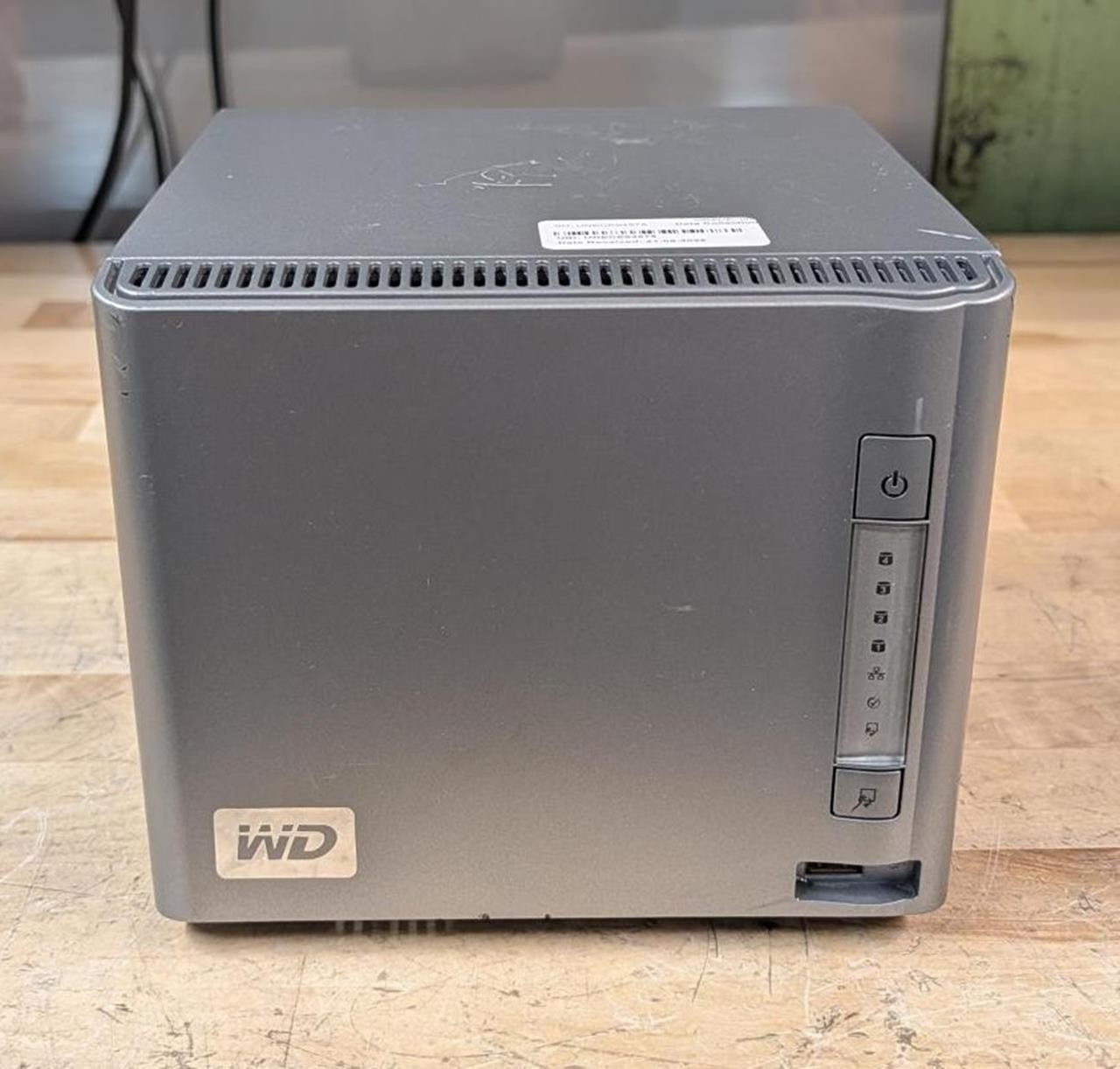

Photos from current listings. Actual item, color, and included accessories may vary.
Western Digital SHARESPACE NETWORK STORAGE Buying Guide
The WD ShareSpace is a legacy 4-bay network-attached storage unit from Western Digital's early consumer NAS era. The critical trade-off is between its low upfront cost as used surplus and its outdated 1000BASE-T networking, aging RAID controller, and lack of modern security updates. Buy it only for offline archival or a lab tinker box; skip it for any live production, remote-access, or multi-user workload.
Key takeaways
- 4-bay desktop chassis with hardware RAID 0/1/5/10 via a 400 MHz Marvell 88F5182 ARM CPU and 128 MB DDR2 RAM — far below modern NAS compute.
- Single gigabit Ethernet port (1000BASE-T) with no link aggregation; real-world SMB throughput caps around 30–50 MB/s.
- Two USB 2.0 Type-A ports for external drive expansion or UPS signaling, not for host connectivity.
At a glance
- Category
- NAS Storage & Drives
- Status
- Listings available
- Last updated
- Nov 23, 2026
Current offers
Highlights
- 4-bay desktop chassis with hardware RAID 0/1/5/10 via a 400 MHz Marvell 88F5182 ARM CPU and 128 MB DDR2 RAM — far below modern NAS compute.
- Single gigabit Ethernet port (1000BASE-T) with no link aggregation; real-world SMB throughput caps around 30–50 MB/s.
- Two USB 2.0 Type-A ports for external drive expansion or UPS signaling, not for host connectivity.
- Ships with WD Green or Caviar-class SATA II drives in tray-less caddies; drive compatibility is limited to legacy 3.5-inch SATA HDDs.
Best use cases
- Best fit: offline cold archive of media or documents on a local LAN — pick a unit with tested matching drives and keep it off the internet.
- Best fit: homelab or retro-computing project where you want a cheap 4-bay enclosure to reflash or experiment with — accept the slow CPU and RAM ceiling.
- Wrong fit: family file sharing, Time Machine targets, or remote access — skip it because firmware is end-of-life and SMB1-era security is unsafe.
- Wrong fit: Plex transcoding, VM storage, or Docker containers — the ARM CPU and 128 MB RAM cannot run modern NAS apps.
Buying tips
- Confirm the unit includes all four drive caddies and the external power brick — replacements are scarce and proprietary.
- Treat bundled drives as consumable: any WD Green or Caviar drive from this era has 40,000+ power-on hours and should be replaced with fresh NAS-grade SATA drives.
- Verify firmware version before use; the final official firmware is required for RAID 5 support and any SMB2 compatibility, and it is not user-updatable beyond that.
- Plan for a UPS: the stock power supply is unregulated and a power loss during RAID 5 rebuild can corrupt the array.
Specs
| Bay Count | 4 x 3.5-inch SATA |
|---|---|
| RAID Levels | 0 / 1 / 5 / 10 / JBOD |
| Network Port | 1 x 1000BASE-T Gigabit |
| CPU / RAM | 400 MHz ARM / 128 MB DDR2 |
Alternatives to compare
Related searches
What to check before buying
- Measure your shelf or desk: the 4-bay enclosure is roughly 8.5 inches wide and 7 inches tall — confirm clearance and airflow around the fan.
- Confirm your router or switch has a free gigabit Ethernet port and that you can place the NAS near it; Wi-Fi is not supported.
- Check your regional plug type against the included external adapter — the unit uses a 12 V DC barrel jack, not a standard IEC cable.
- Verify you have a spare SATA drive or two for testing before migrating data; the unit will not initialize without at least one drive.
FAQ
Data sources: eBay / Amazon listings and product attribute feeds. Updated Nov 23, 2026.
Some links on this page are affiliate links. If you buy after clicking one, we may earn a commission at no extra cost to you. This does not change which products appear here or their order. Affiliate disclosure.