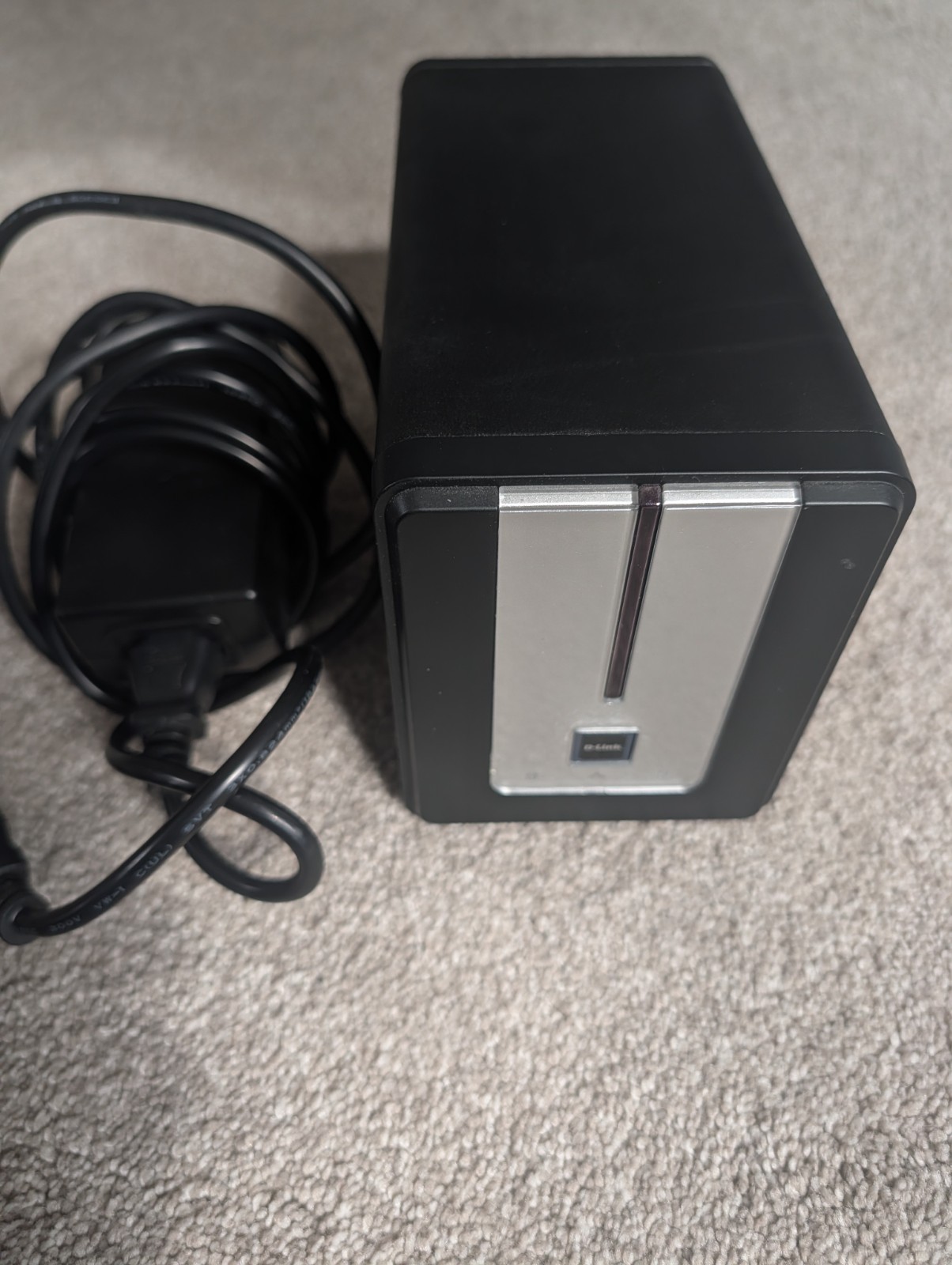

Photos from current listings. Actual item, color, and included accessories may vary.
D-Link DNS-323 Buying Guide
The D-Link DNS-323 is a legacy 2-bay SATA network-attached storage enclosure from the mid-2000s, built around a slow ARM processor and 1000BASE-T Ethernet with no modern security or app ecosystem. The core trade-off is rock-bottom cost and simple SMB/FTP file serving versus obsolete firmware, limited drive support, and no official security patches. Buy it only as a cheap bare enclosure for cold local backups or retro tinkering; skip it for anything needing remote access, media transcoding, or ransomware-resistant storage.
Key takeaways
- 2-bay SATA I/II enclosure with hardware RAID 0, RAID 1, and JBOD; drives are hot-swappable only in RAID 1 with matched capacities.
- Gigabit Ethernet (1000BASE-T) and USB 2.0 host port for external drive expansion or UPS signaling — USB 2.0 caps around 30-40 MB/s real-world.
- Single-core Marvell ARM CPU with 64 MB RAM; SMB throughput typically 20-40 MB/s and no Plex, Docker, or modern TLS support.
At a glance
- Category
- NAS Storage & Drives
- Status
- Listings available
- Last updated
- Nov 23, 2026
Current offers
Highlights
- 2-bay SATA I/II enclosure with hardware RAID 0, RAID 1, and JBOD; drives are hot-swappable only in RAID 1 with matched capacities.
- Gigabit Ethernet (1000BASE-T) and USB 2.0 host port for external drive expansion or UPS signaling — USB 2.0 caps around 30-40 MB/s real-world.
- Single-core Marvell ARM CPU with 64 MB RAM; SMB throughput typically 20-40 MB/s and no Plex, Docker, or modern TLS support.
- Official firmware stopped receiving security updates years ago; best practice is to isolate it on a LAN-only VLAN with no WAN port forwarding.
Best use cases
- Best fit: LAN-only cold backup of documents and photos in RAID 1 with two identical 2 TB drives — cheap redundancy for a secondary copy.
- Best fit: retro-computing lab or vintage network tinkering where SMB1/FTP and telnet access are features, not liabilities.
- Wrong fit: remote access, cloud sync, or media streaming — the CPU cannot transcode and the firmware lacks modern TLS/VPN support.
- Skip: primary storage for business or family data; no official patches and RAID 1 is not a backup, so pair with an offline USB drive.
Buying tips
- Confirm the unit ships with its original 12V/3A power adapter — the DNS-323 uses a non-standard barrel jack and replacements are scarce.
- Use two identical SATA drives of the same capacity for RAID 1; mismatched sizes waste the larger drive's extra space.
- Keep individual drives at 2 TB or below unless a community firmware explicitly lists your model — the stock firmware has known large-drive limits.
- Budget for a small UPS: the DNS-323 has no battery and an unclean shutdown during a RAID rebuild can corrupt the array.
Specs
| Bays / Drive Type | 2-bay 3.5" SATA I/II |
|---|---|
| RAID Levels | RAID 0 / RAID 1 / JBOD |
| Network Port | 1x Gigabit Ethernet (1000BASE-T) |
| USB Expansion | 1x USB 2.0 host port |
Alternatives to compare
Related searches
What to check before buying
- Measure shelf or closet depth and clearance — the DNS-323 is a compact desktop box but needs 2-3 cm rear clearance for the fan and cables.
- Verify your router or switch has a free Gigabit LAN port and that you can create a separate VLAN or guest network for legacy devices.
- Confirm your region's plug type and that the included adapter outputs 12V DC at 3A with a compatible barrel connector.
- Have two SATA drives of equal capacity on hand plus a small UPS or surge protector before first RAID setup.
FAQ
Data sources: eBay / Amazon listings and product attribute feeds. Updated Nov 23, 2026.
Some links on this page are affiliate links. If you buy after clicking one, we may earn a commission at no extra cost to you. This does not change which products appear here or their order. Affiliate disclosure.