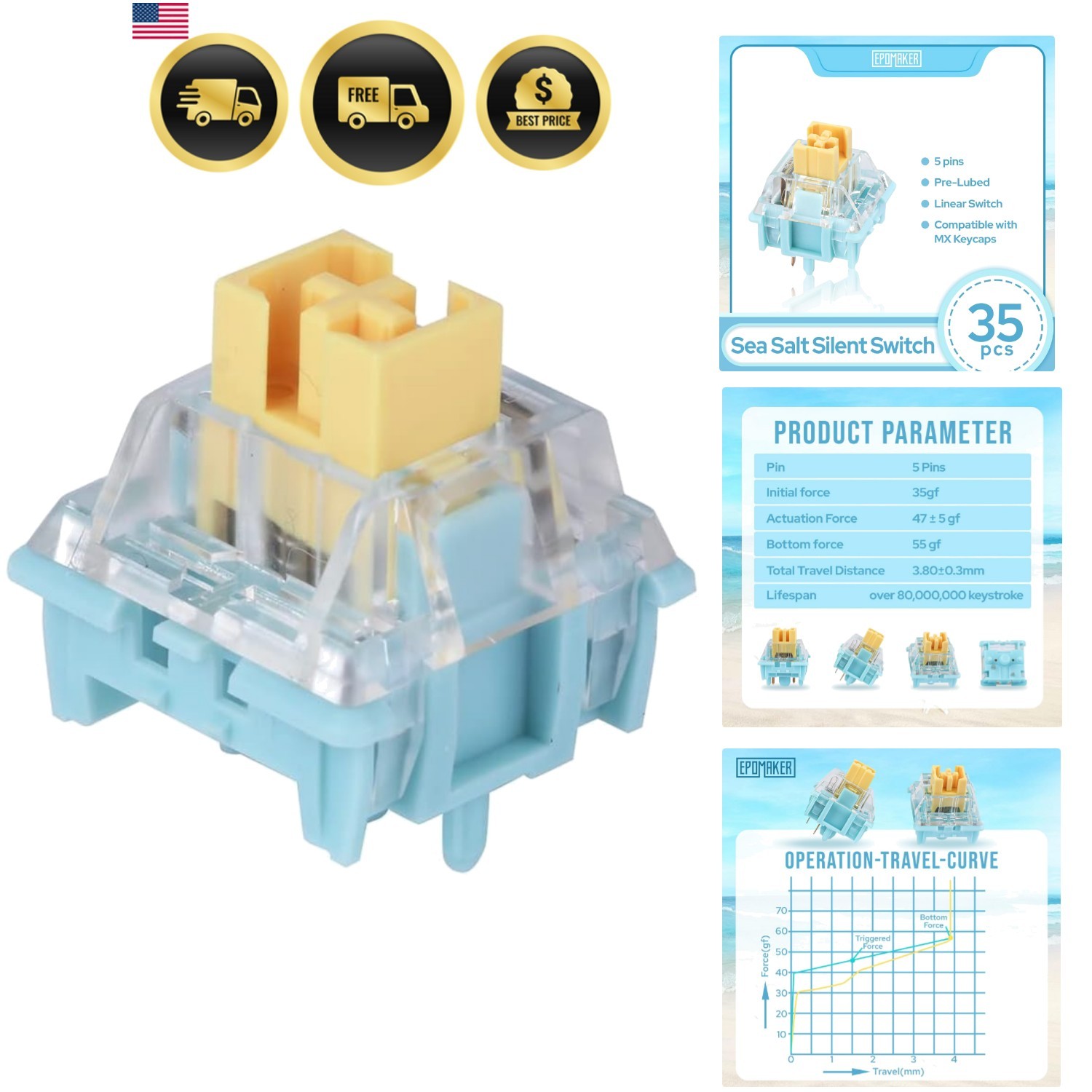

Photos from current listings. Actual item, color, and included accessories may vary.
Mechanical Keyboard Silent Switch Buying Guide
Silent mechanical keyboard switches use internal dampening (silicone pads, rubber rings, or specialized stem legs) to reduce bottom-out and top-out noise while preserving mechanical feel. The primary trade-off is between maximum quietness and tactile/audible feedback, with linear silents being the quietest and tactile silents offering a mid-ground. Choose switches rated for 50 million+ actuations with factory lubrication for durability, and avoid unrated or unlubed models that develop scratch and rattle within months.
Key takeaways
- Silent switches typically achieve 35–45 dB versus 50–60 dB for standard mechanicals, with linear silents quietest due to no tactile bump noise.
- Factory pre-lubed switches reduce friction and spring ping, extending smoothness past 50 million actuations; unlubed budget models often degrade by 10–20 million presses.
- 5-pin switches fit both 3-pin and 5-pin hot-swap PCBs, while 3-pin versions require plate-mount stability and cannot be used on 5-pin-only boards without clipping.
At a glance
- Category
- Keyboard Switches
- Last updated
- Nov 23, 2026
Current offers
Highlights
- Silent switches typically achieve 35–45 dB versus 50–60 dB for standard mechanicals, with linear silents quietest due to no tactile bump noise.
- Factory pre-lubed switches reduce friction and spring ping, extending smoothness past 50 million actuations; unlubed budget models often degrade by 10–20 million presses.
- 5-pin switches fit both 3-pin and 5-pin hot-swap PCBs, while 3-pin versions require plate-mount stability and cannot be used on 5-pin-only boards without clipping.
- Dampening methods vary: silicone pads on the stem (e.g., Cherry MX Silent Red) versus rubber rings on the housing (e.g., Gateron Silent) alter both sound profile and key travel feel.
Best use cases
- Best fit: Office or shared living spaces where noise is a concern—choose linear silent switches like Cherry MX Silent Red or Gateron Silent Black for lowest dB and smooth keystrokes.
- Wrong fit: Competitive gamers needing immediate tactile feedback or audible click confirmation—skip silent switches and use standard speed or clicky switches instead.
- Best fit: Hot-swap keyboard owners wanting to try silence without soldering—pick 5-pin factory-lubed silent switches in a 35-piece set for a full board; skip 3-pin only if your PCB lacks plate-mount support.
- Wrong fit: Builders using 5-pin-only PCBs with tight tolerances—avoid thick dampening rings that can bind; choose low-profile silent switches designed for reduced travel.
Buying tips
- Match pin count to your PCB: 5-pin switches fit both 3-pin and 5-pin hot-swap sockets; 3-pin switches need plate-mount stability and cannot be used on 5-pin-only boards without clipping the extra legs.
- Prioritize factory lubrication and a rated lifespan of at least 50 million actuations; unlubed or unrated switches often develop scratch and rattle within 10–20 million presses.
- For linear silence, look for silicone dampening on the stem (e.g., Cherry MX Silent Red); for tactile silence, choose rubber-damped housings (e.g., Gateron Silent Brown) but expect slightly reduced tactility.
- Buy in sets sized to your keyboard: 35 pieces covers a 30–35 key layout, 70 pieces covers a 60–65% board, and 90–110 pieces covers a full-size keyboard; always add 5–10 spares for damage or experimentation.
Specs
| Switch Type | Linear / Tactile silent |
|---|---|
| Pin Count | 3-pin or 5-pin (PCB mount) |
| Lifespan Rating | 50–100 million actuations |
| Noise Reduction | 10–15 dB vs standard mechanical |
Related searches
What to check before buying
- Confirm your keyboard’s switch socket type (3-pin or 5-pin) and whether it is hot-swap; soldered boards require desoldering and are not compatible with quick swaps.
- Measure your keyboard’s plate thickness and keycap puller clearance—thick dampening rings on silent switches can interfere with tight-tolerance plates or low-profile keycaps.
- Check operating force and travel: silent switches often have 1.5–2.0 mm actuation and 3.5–4.0 mm total travel versus 2.0 mm and 4.0 mm standard, which affects typing feel and requires adaptation.
- Verify compatibility with your keycap set—Cherry-profile keycaps may sit differently on silent switches with reduced travel; ensure stabilizer clearance for longer keys.
FAQ
Data sources: eBay / Amazon listings and product attribute feeds. Updated Nov 23, 2026.
Some links on this page are affiliate links. If you buy after clicking one, we may earn a commission at no extra cost to you. This does not change which products appear here or their order. Affiliate disclosure.