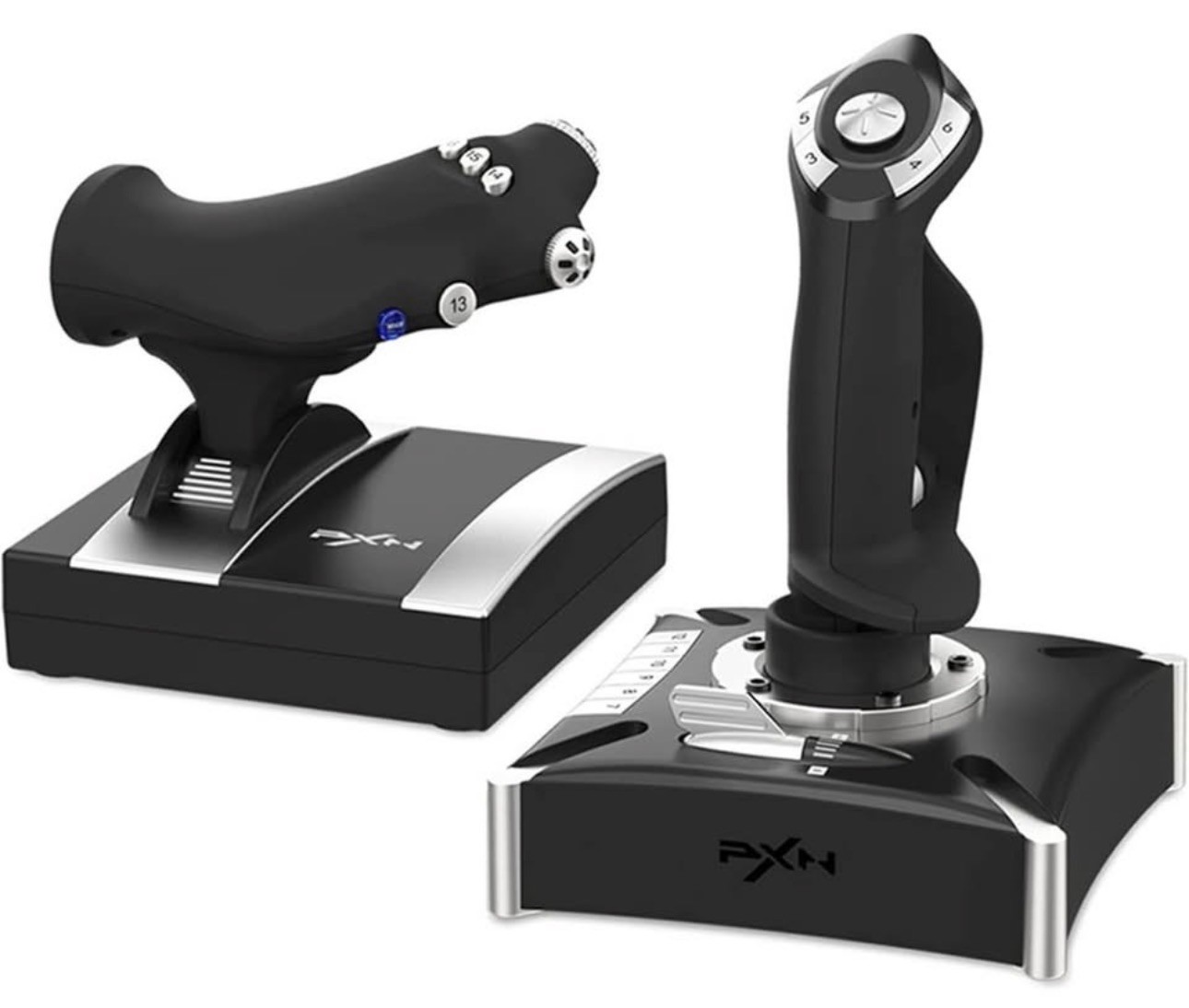

Photos from current listings. Actual item, color, and included accessories may vary.
Xbox Flight Joystick Buying Guide
An Xbox flight joystick is a dedicated control peripheral that pairs with Xbox consoles for flight and space combat sims, where the core trade-off is between licensed Xbox compatibility (official security chip) and PC-centric feature sets like hall-effect sensors or force feedback. The decision rule: buy a stick with an official Xbox compatibility chip and console-specific button mapping; skip any stick that only lists PC/PS4 support or requires a third-party adapter for Xbox use.
Key takeaways
- Official Xbox compatibility requires a licensed security chip (Xbox One/Series X|S), so sticks without it will not register on console regardless of USB connection.
- Hall-effect or contactless magnetic sensors eliminate potentiometer dead zones and drift, while budget sticks use carbon-film pots that wear out after heavy use.
- HOTAS bundles split into two tiers: integrated throttle-base units (single USB) versus separate stick-plus-throttle with independent calibration and mounting.
At a glance
- Category
- Flight Sim Joysticks & HOTAS
- Last updated
- Nov 27, 2026
Current offers
Highlights
- Official Xbox compatibility requires a licensed security chip (Xbox One/Series X|S), so sticks without it will not register on console regardless of USB connection.
- Hall-effect or contactless magnetic sensors eliminate potentiometer dead zones and drift, while budget sticks use carbon-film pots that wear out after heavy use.
- HOTAS bundles split into two tiers: integrated throttle-base units (single USB) versus separate stick-plus-throttle with independent calibration and mounting.
- Force feedback is rare on Xbox-licensed sticks; most console-compatible models use spring centering with adjustable tension rather than motorized feedback.
Best use cases
- Best fit: Xbox Series X|S or Xbox One console owner playing Microsoft Flight Simulator or Star Wars Squadrons — pick a stick with the official Xbox chip and console button labels.
- Best fit: PC-primary player who occasionally uses Xbox — choose a PC stick with Xbox compatibility mode rather than a console-first stick with limited PC software.
- Wrong fit: Buyers wanting full HOTAS throttle realism on console — most Xbox sticks are single-unit joysticks; separate throttle quadrants often lack Xbox licensing.
- Wrong fit: Competitive PC sim racers needing 1000Hz polling and high-end force feedback — console-licensed sticks typically cap at 250Hz polling and omit FFB.
Buying tips
- Confirm the Xbox compatibility chip is built in (not an adapter): a stick listing only PC/PS4 support will not work on Xbox even with a USB-C cable.
- For durability, choose hall-effect or magnetic sensors over carbon potentiometers; potentiometer sticks develop dead zones and drift within 12-24 months of regular use.
- Match the stick's button layout to your sim: Xbox-labeled A/B/X/Y and View/Menu buttons are essential for Microsoft Flight Simulator's console control scheme.
- Check desk or lap mounting: most Xbox sticks use a wide base with suction cups or clamp points; measure your surface width against the base footprint before buying.
Specs
| Xbox Compatibility | Official chip vs adapter-required |
|---|---|
| Sensor Type | Hall-effect vs carbon potentiometer |
| HOTAS Config | Single stick vs stick + throttle |
| Connection | Wired USB-A (no wireless) |
Related searches
What to check before buying
- Verify your Xbox model (One, Series S, Series X) and that the stick lists official Xbox compatibility, not just 'PC/PS4/Xbox' in a generic title.
- Measure available desk depth and width — full-size HOTAS bases often exceed 30 cm wide and need clearance for throttle and stick throw.
- Confirm USB-A port availability on your console or TV; Xbox consoles have limited USB ports and may require a hub for stick plus headset.
- Check whether the stick includes a detachable cable and calibration software for PC use if you plan to switch between console and computer.
FAQ
Data sources: eBay / Amazon listings and product attribute feeds. Updated Nov 27, 2026.
Some links on this page are affiliate links. If you buy after clicking one, we may earn a commission at no extra cost to you. This does not change which products appear here or their order. Affiliate disclosure.