
Photos from current listings. Actual item, color, and included accessories may vary.
Thrustmaster T Flight HOTAS Buying Guide
Thrustmaster's T.Flight HOTAS family spans four console/PC generations, and buying the wrong one locks you out of compatibility or forces workarounds. The physical layout is identical across models—a full-size stick and throttle—so the decision hinges on platform certification, not ergonomics.
Platform License:PC/PS3, PS4/PS5, Xbox, Xbox SeriesConnection:Wired USB-A (no USB-C)Stick & Throttle:Fixed combined base, plastic gimbalConsole Buttons:PS touchpad / Xbox Guide by model
Typical price range$65.15 – $200.00
Median $109.99
Key takeaways
- HOTAS X is the PC/PS3 legacy model with a single USB-A cable and no Xbox or PS4/PS5 certification.
- HOTAS 4 adds official PS4/PS5 licensing with a built-in touchpad and PS button for console menus.
- HOTAS One is the Xbox-certified version (Xbox One/X|S) and includes the Xbox Guide button and impulse trigger integration.
At a glance
- Category
- Flight Sim Joysticks & HOTAS
- Last updated
- Nov 27, 2026
Current offers
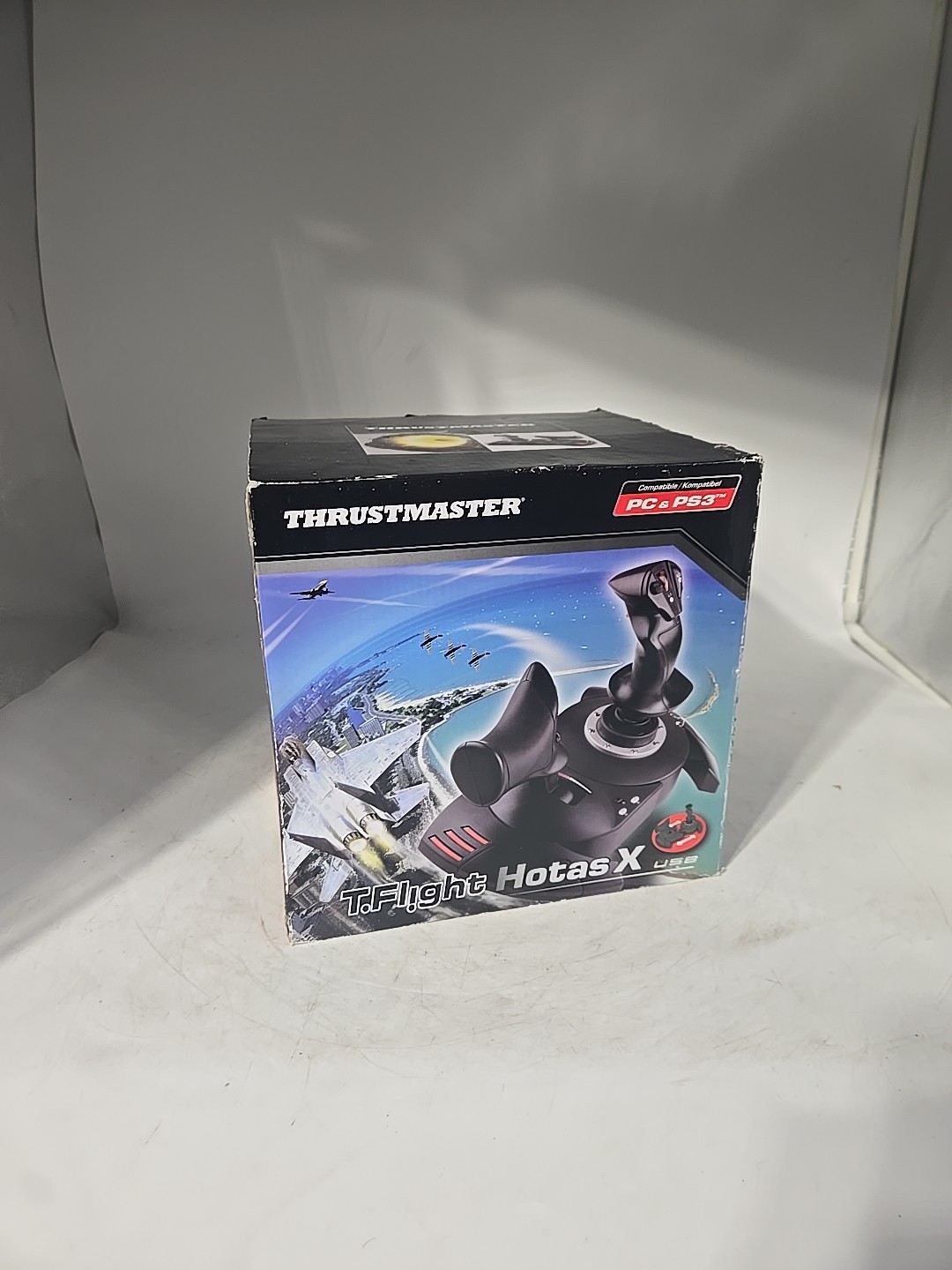 Thrustmaster T-Flight Hotas x PC PlayStation 3 PS3 Flightstick New In Box$65.15View on eBay
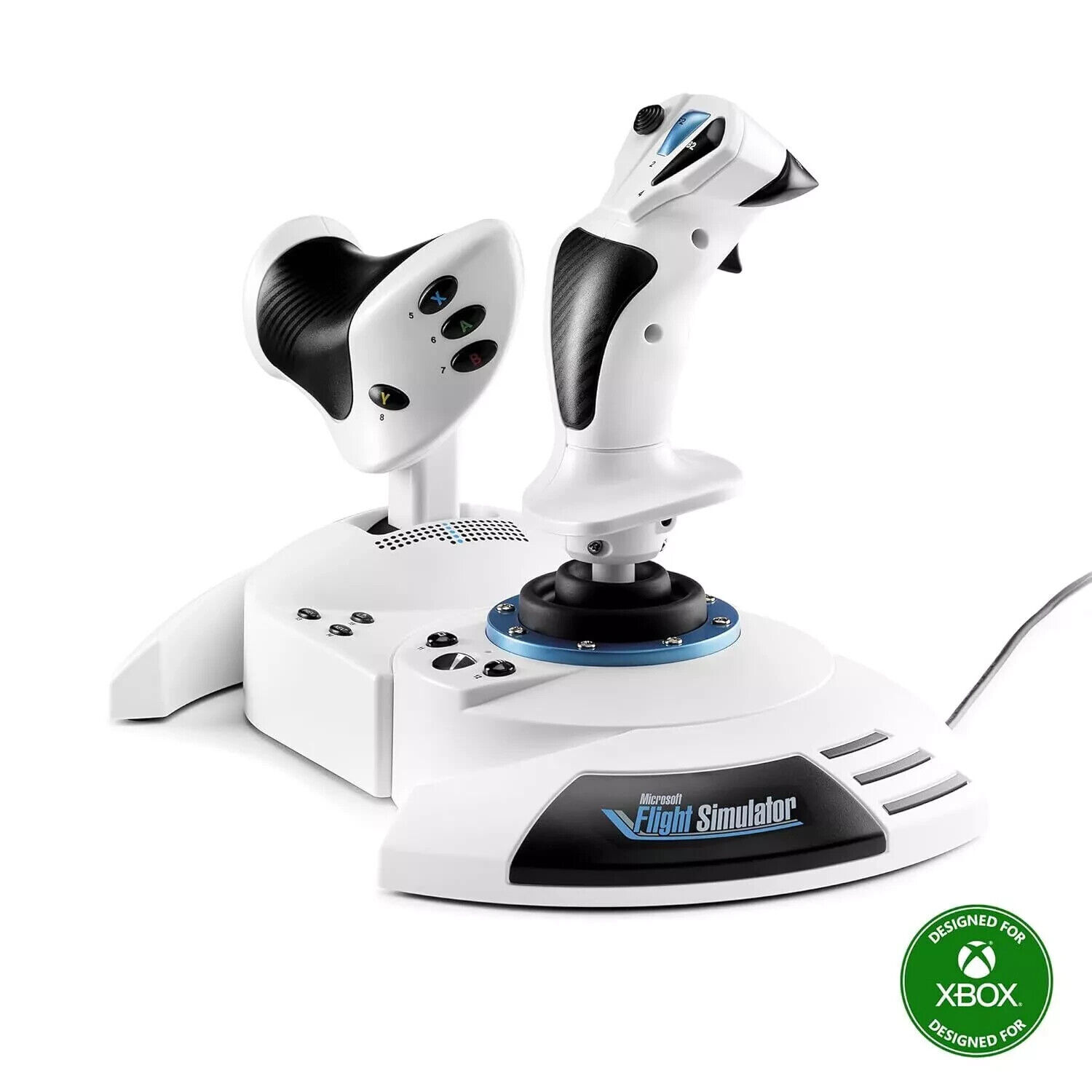 Thrustmaster T-Flight Hotas One Microsoft Flight Simulator for Xbox X|S$109.99View on eBay
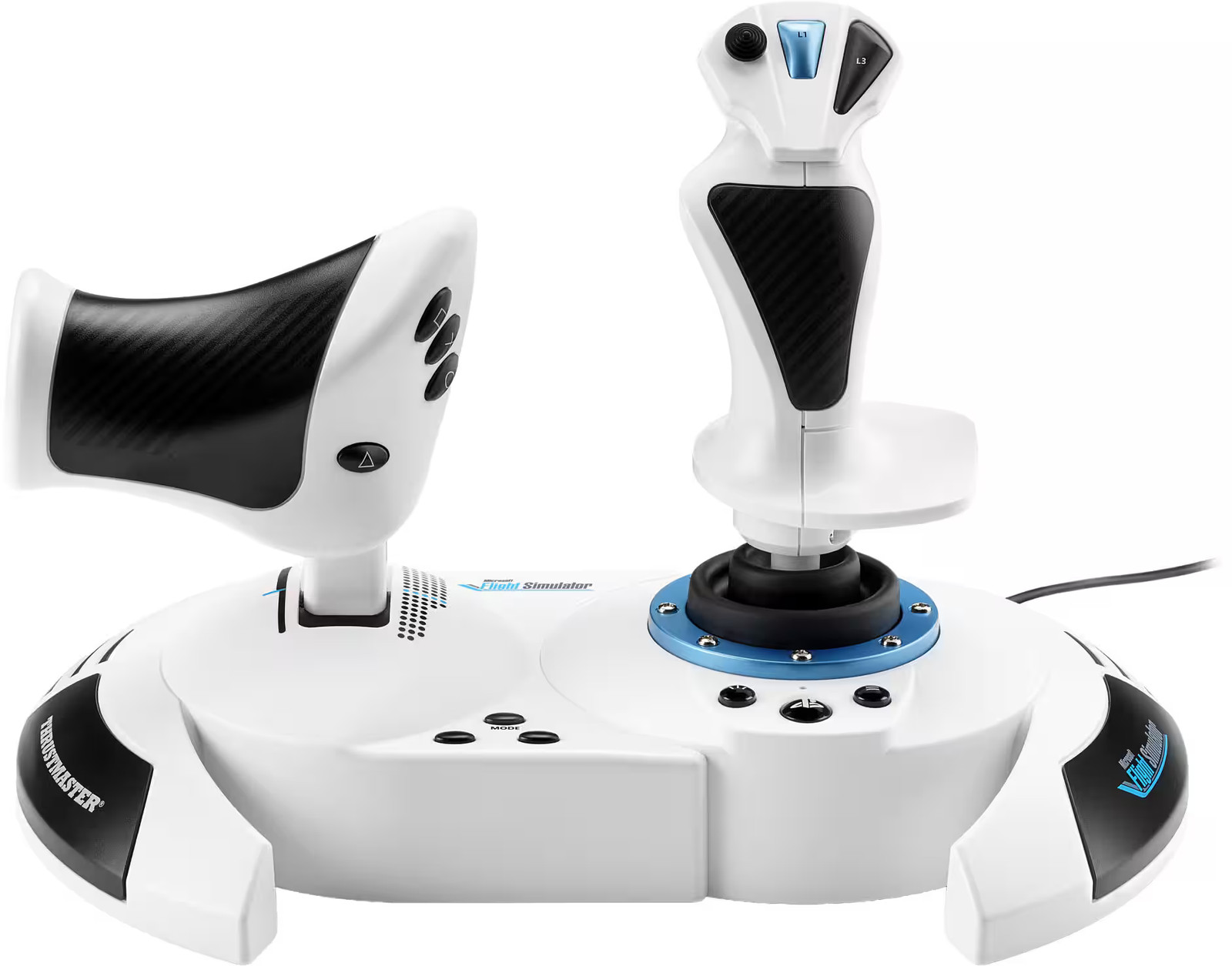 Thrustmaster - T.Flight Hotas 5 Microsoft Flight Simulator Controller Joystic...$109.99View on eBay
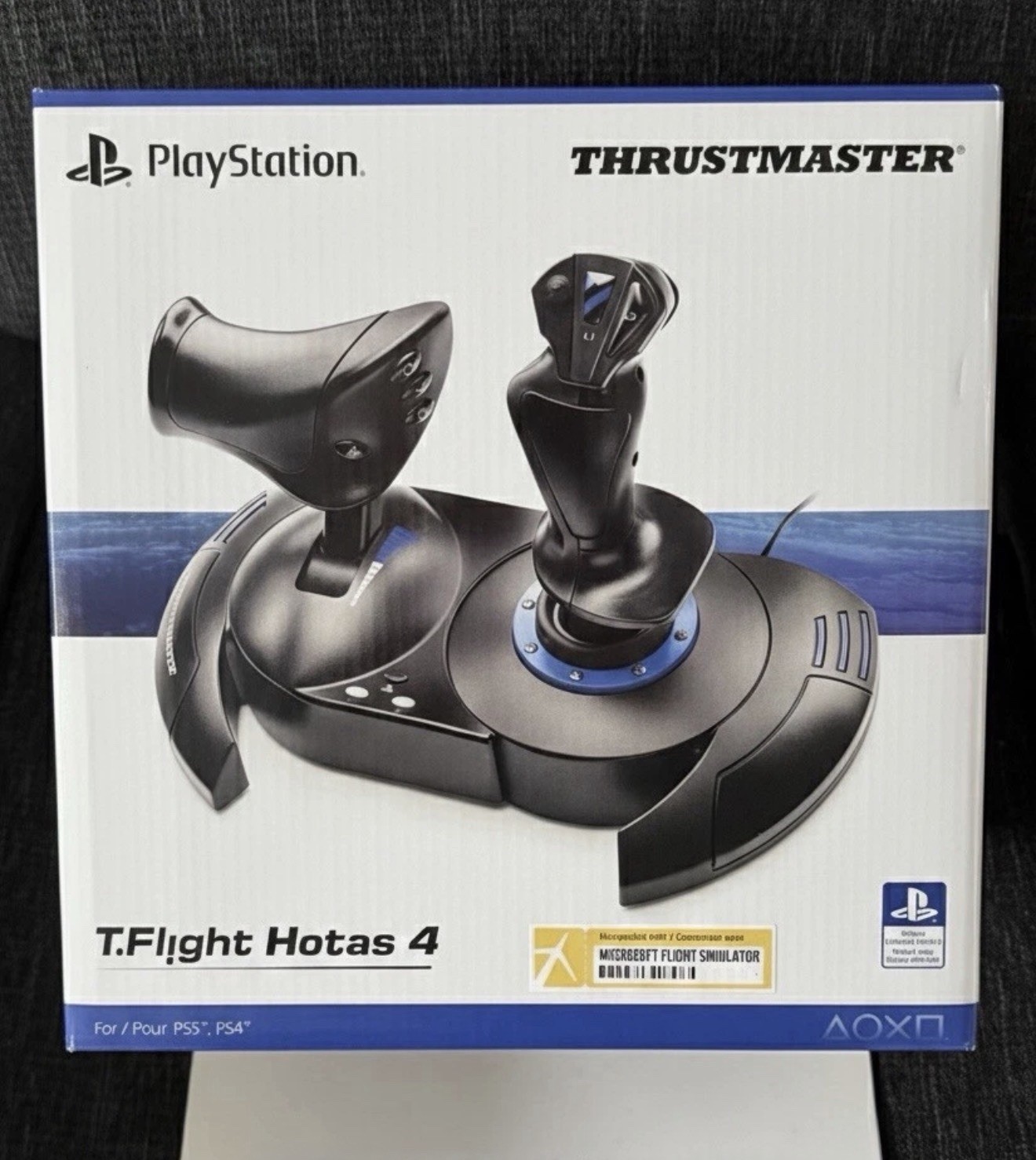 Thrustmaster T.Flight Hotas 4 Flight Stick Joystick for PS4 PS5 & PC - New$200.00Last checked Nov 18, 2026View on eBay
Highlights
- HOTAS X is the PC/PS3 legacy model with a single USB-A cable and no Xbox or PS4/PS5 certification.
- HOTAS 4 adds official PS4/PS5 licensing with a built-in touchpad and PS button for console menus.
- HOTAS One is the Xbox-certified version (Xbox One/X|S) and includes the Xbox Guide button and impulse trigger integration.
- HOTAS 5 is the newest Microsoft Flight Simulator-branded revision with updated internal firmware for PC and Xbox Series X|S.
Best use cases
- PC-only simmers on a budget should pick HOTAS X—it delivers the same stick and throttle as the console models without paying for console licensing.
- PS4/PS5 players must choose HOTAS 4; the X and One will not be recognized by the PlayStation system menu.
- Xbox Series X|S or Xbox One owners need HOTAS One or HOTAS 5—HOTAS 4 and X lack Xbox security-chip authentication.
- Flight Simulator 2024 players on both PC and Xbox should take HOTAS 5 for the newest firmware and native MSFS button mapping.
Buying tips
- Check the platform badge on the box: HOTAS X is PC/PS3, HOTAS 4 is PS4/PS5/PC, HOTAS One is Xbox/PC, and HOTAS 5 is Xbox Series X|S/PC.
- Avoid buying HOTAS X for PlayStation 4 or 5—Sony's console will not enumerate the device, and no adapter fixes the missing security chip.
- Prioritize HOTAS 4 over HOTAS X if you split time between PC and PlayStation, since one unit covers both without a second purchase.
- Inspect the throttle detent and stick centering on used listings; the plastic gimbal is the first wear point on all T.Flight models.
Specs
| Platform License | PC/PS3, PS4/PS5, Xbox, Xbox Series |
|---|---|
| Connection | Wired USB-A (no USB-C) |
| Stick & Throttle | Fixed combined base, plastic gimbal |
| Console Buttons | PS touchpad / Xbox Guide by model |
Related searches
What to check before buying
- Confirm your console generation: PS5 requires HOTAS 4, Xbox Series X|S requires HOTAS One or HOTAS 5.
- Measure desk depth—the combined stick-plus-throttle footprint is roughly 18 inches wide, so a 24-inch-wide surface is the practical minimum.
- Verify you have a free USB-A port; all T.Flight HOTAS models use a wired USB-A connection, not USB-C.
- For Microsoft Flight Simulator on Xbox, confirm the title supports HOTAS input—some Game Pass cloud versions do not.
FAQ
Data sources: eBay / Amazon listings and product attribute feeds. Updated Nov 27, 2026.
Some links on this page are affiliate links. If you buy after clicking one, we may earn a commission at no extra cost to you. This does not change which products appear here or their order. Affiliate disclosure.