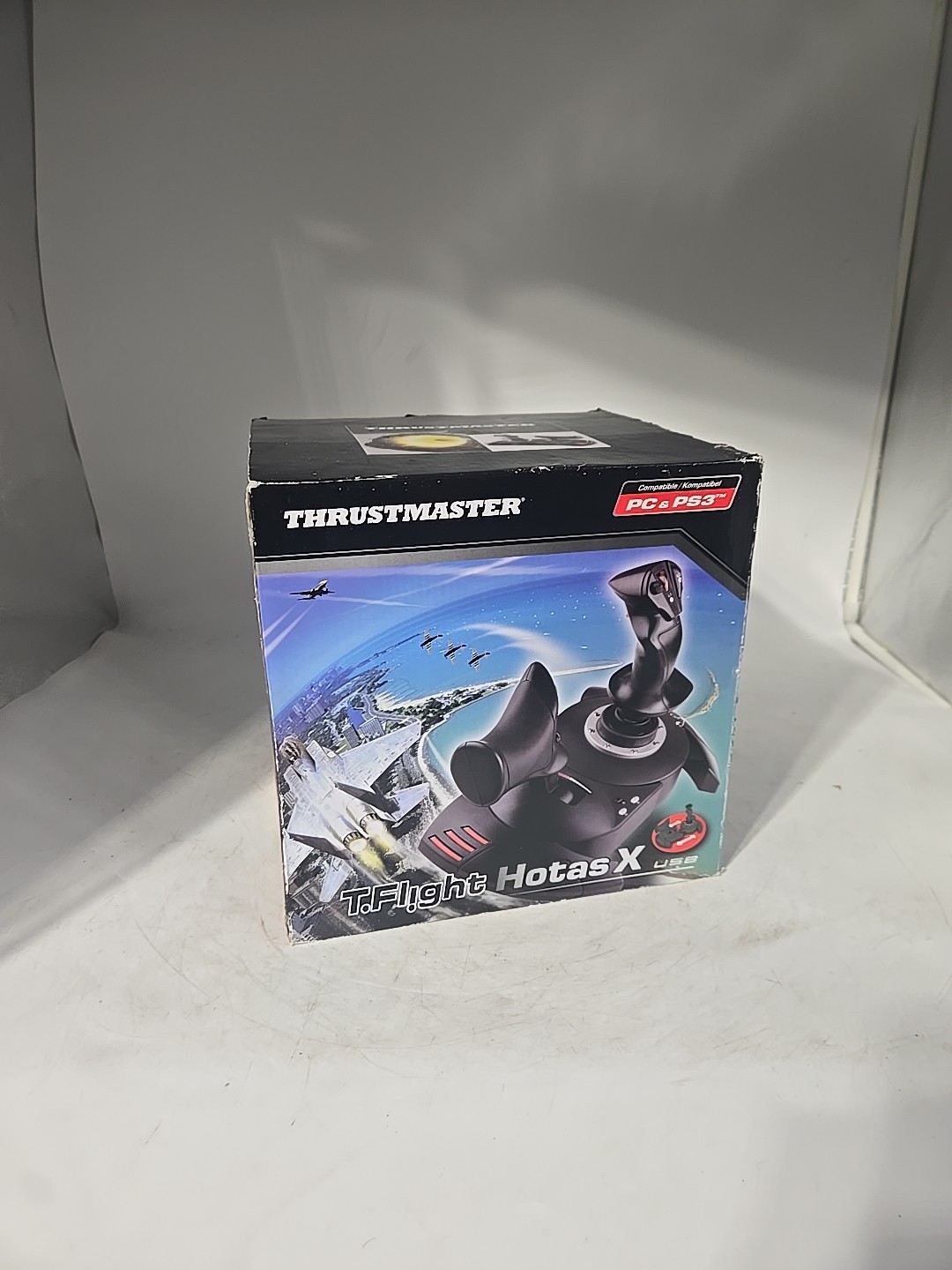

Photos from current listings. Actual item, color, and included accessories may vary.
Thrustmaster HOTAS X Buying Guide
The Thrustmaster HOTAS X is the entry-level benchmark for split-throttle flight sim control, but its plastic gimbal and non-Hall-effect sensors dictate a narrow set of smart buying scenarios. Buyers must distinguish the original HOTAS X (PC/PS3) from the HOTAS One (Xbox/PC) because console compatibility and button labels differ at the hardware level. Skipping that generation check is the most common mistake for shoppers chasing a cheap first HOTAS.
Key takeaways
- HOTAS X uses a spring-centered plastic gimbal with potentiometer sensors; expect axis drift and dead zones after heavy use, unlike Hall-effect sticks.
- The throttle and stick are physically joined by a fixed base bridge, so you cannot separate them for center-stick or side-stick desk layouts without modding.
- HOTAS One adds native Xbox Series X|S and Xbox One compatibility with a dedicated Xbox guide button; the original HOTAS X is PC/PS3 only.
At a glance
- Category
- Flight Sim Joysticks & HOTAS
- Last updated
- Nov 27, 2026
Current offers
Highlights
- HOTAS X uses a spring-centered plastic gimbal with potentiometer sensors; expect axis drift and dead zones after heavy use, unlike Hall-effect sticks.
- The throttle and stick are physically joined by a fixed base bridge, so you cannot separate them for center-stick or side-stick desk layouts without modding.
- HOTAS One adds native Xbox Series X|S and Xbox One compatibility with a dedicated Xbox guide button; the original HOTAS X is PC/PS3 only.
- Both versions offer 12 action buttons, a 4-way hat, and a single analog rudder rocker on the throttle, not twist-rudder on the stick.
Best use cases
- Best fit: PC or PS3 players on a tight budget who want a plug-and-play split throttle and stick for Microsoft Flight Simulator or Elite Dangerous without caring about long-term sensor precision.
- Best fit: Xbox Series X|S owners who buy the HOTAS One specifically, since the original HOTAS X will not register correctly on Xbox consoles.
- Wrong fit: serious DCS or IL-2 players who need Hall-effect sensors, twist rudder, or independent throttle/stick placement—skip this tier and look at modular HOTAS sets.
- Wrong fit: desk setups with limited depth, because the fixed plastic bridge requires a wide flat surface and cannot clamp to a chair or split around a keyboard.
Buying tips
- Confirm the model name on the box: HOTAS X is PC/PS3, while HOTAS One is the only version with Xbox Series X|S and Xbox One support.
- Inspect the gimbal type before buying used—potentiometer sticks develop center slop, so ask for a dead-zone test or buy new if precision matters.
- Choose this tier only if the fixed throttle-stick bridge fits your desk width; measure at least the full base span before committing.
- Avoid paying extra for the PS3 label if you only sim on PC—the original HOTAS X works on Windows via USB with no special drivers.
Specs
| Sensor Type | Potentiometer (non-Hall) |
|---|---|
| Console Support | HOTAS X: PC/PS3; HOTAS One: Xbox |
| Throttle Layout | Fixed bridge, non-separable |
| Rudder Control | Throttle rocker (no twist) |
Related searches
What to check before buying
- Measure your desk or mount width against the fixed base footprint, since the throttle and stick cannot be separated.
- Verify your platform: Xbox consoles require the HOTAS One model; PC and PS3 accept the original HOTAS X.
- Check for a free USB-A port and confirm you do not need twist-rudder, which this stick lacks.
- If buying used, test all axes and buttons for potentiometer spiking and confirm the throttle tension screw is intact.
FAQ
Data sources: eBay / Amazon listings and product attribute feeds. Updated Nov 27, 2026.
Some links on this page are affiliate links. If you buy after clicking one, we may earn a commission at no extra cost to you. This does not change which products appear here or their order. Affiliate disclosure.